
Getting Traffic to Your Affiliate Blog: The Complete Guide for Retirees (2026)
Last Updated on 3 days ago by Gila
Building an affiliate blog is only half the job. The other half is getting traffic to your affiliate blog and getting people to read it.
Understanding the process of getting traffic to your affiliate blog is crucial for success.
One effective method for getting traffic to your affiliate blog is through consistent content creation.
For retirees, the good news is that the most effective traffic strategies are the ones that reward patience and consistency — not the ones that require posting every day or chasing social media trends. This guide covers every traffic source worth your time, in the order you should tackle them, with realistic expectations for each.
Affiliate disclosure: This post contains affiliate links. If you buy through them, I may earn a small commission at no extra cost to you.
TL;DR
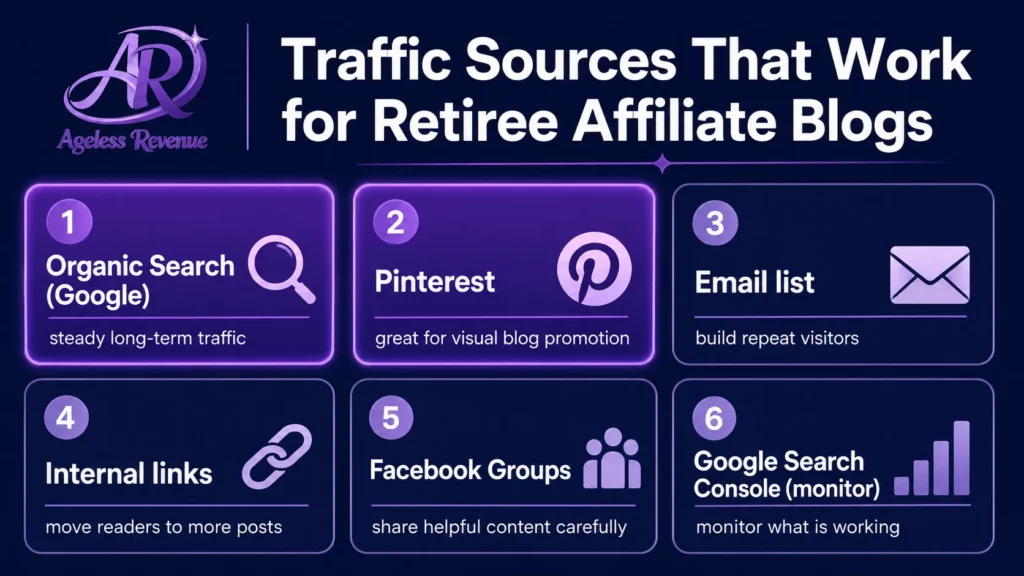
- Organic search (Google) is the most valuable long-term traffic source — invest here first.
- Pinterest is the best social platform for affiliate bloggers and compounds over time.
- Internal links between your own posts keep readers on your site longer and boost SEO
- Email is the only traffic source you fully own — start building your list from day one
- Most new blogs see meaningful traffic at 3–6 months with consistent publishing.
- Focus on one traffic source at a time before adding a second
Why Traffic Strategy Matters for Affiliate Income
Traffic and affiliate income are directly connected — but not in the way most beginners assume. More traffic does not automatically mean more commissions. The right traffic does.
A hundred visitors who found your post by searching “best garden tools for arthritic hands” are worth far more than a thousand visitors who clicked a generic social media post about gardening. The first group is looking to buy. The second group is browsing.
This guide focuses on building the kind of targeted, intent-driven traffic that converts into affiliate commissions — not just page views.
Traffic Source 1: Organic Search (Google) — Your Most Valuable Long-Term Asset
In this guide, you will learn various methods for getting traffic to your affiliate blog effectively.
Organic search traffic comes from people who typed a question into Google and found your post in the results. It is the highest-converting traffic source for affiliate blogs because searchers are actively looking for information or solutions — exactly what your content provides.
Effective Strategies for Getting Traffic to Your Affiliate Blog
Getting organic search traffic requires two things: writing posts targeted at specific keywords people actually search for, and building enough authority over time that Google trusts your site enough to rank those posts.
How to build organic search traffic:
Write every post around a specific keyword phrase — not a broad topic. “Best lightweight garden trowels for seniors with arthritis” will rank faster and convert better than “garden trowels.” Use Google’s free Keyword Planner or the search bar autocomplete to find phrases with real search volume and lower competition.
Remember that getting traffic to your affiliate blog takes time and effort.
Publish consistently. Google rewards sites that publish quality content regularly. Two posts per week is the right pace for most retiree bloggers. One well-researched post per week is better than two rushed ones.
Build internal links. Every new post you publish should link to two or three related posts on your site. This keeps readers engaged, reduces bounce rate, and sends signals to Google about which posts are most important.
Keywords play an essential role in getting traffic to your affiliate blog.
For those asking how to begin getting traffic to your affiliate blog, focus on high-quality content.
Building internal links is a strategy for getting traffic to your affiliate blog.
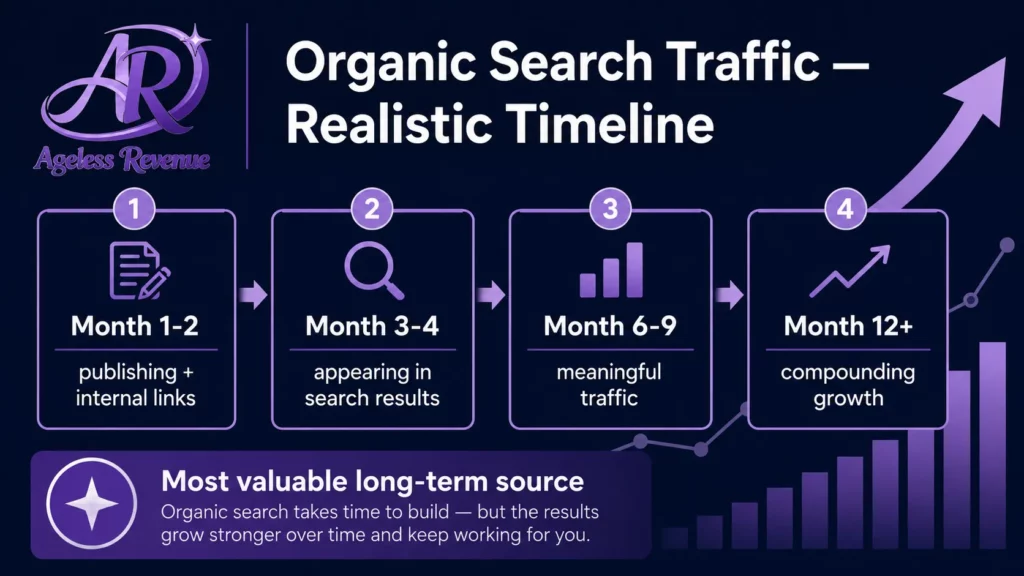
Realistic timeline: Most new blogs start appearing in Google search results at 3–4 months. Meaningful organic traffic typically develops at 6–12 months of consistent publishing. This is the source that takes the longest to build and lasts the longest once established.
For keyword research guidance, read How to Conduct Keyword Research for Your Retiree Affiliate Blog.
Traffic Source 2: Pinterest — The Best Social Platform for Affiliate Bloggers
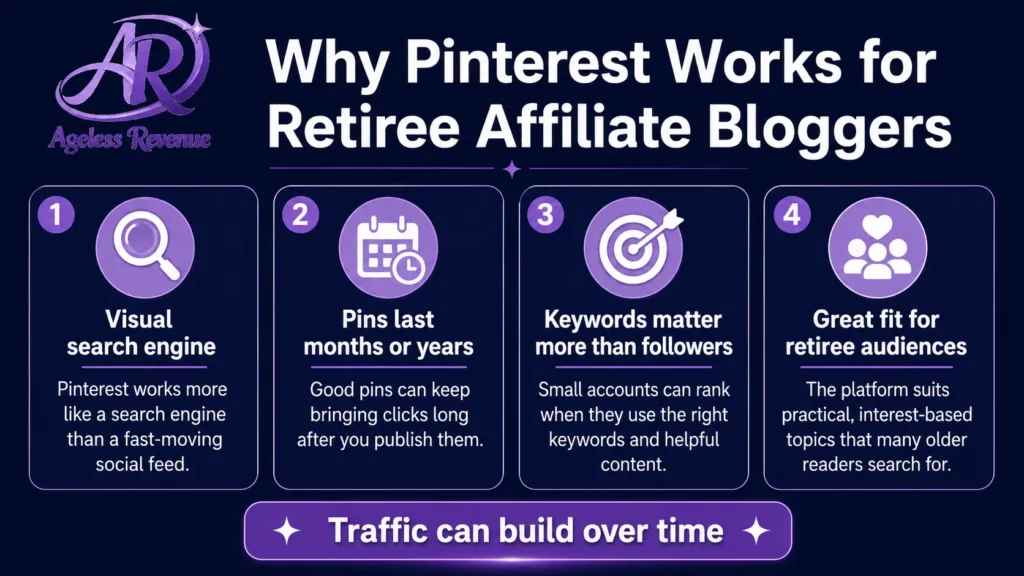
Pinterest functions as a visual search engine rather than a social feed. People search for specific things — “accessible raised bed garden,” “simple healthy meals for one,” “best tablet for seniors” — and Pinterest surfaces pins that match. Unlike Instagram or Facebook posts that disappear within hours, Pinterest pins can drive traffic for months or years after you create them.
Why Pinterest suits retiree affiliate bloggers:
- No video required
- Small accounts surface in search results based on keyword targeting, not follower count.
- Pins compound — content you create today earns traffic long-term
- The audience demographic skews toward people in their 40s, 50s, and 60s — your readers
How to use Pinterest effectively:
Create a free Pinterest Business account. Set up 5–8 focused boards with keyword-rich names that match your niche. Create 2–3 pins per blog post using Canva — tall 2:3 ratio images (1000×1500px) with your post title as the text overlay. Write keyword-rich pin descriptions using phrases from your Google keyword research.
Post 5–10 pins per week consistently. Check Pinterest Analytics monthly to see which pins are driving clicks, and create more content similar to your top performers.
Realistic timeline: First meaningful click-throughs at 4–8 weeks. First affiliate conversions from Pinterest at 2–4 months.
For the complete Pinterest setup guide, read Pinterest for Affiliate Marketing Beginners.
Traffic Source 3: Email — The Only Traffic You Fully Own
Every other traffic source depends on a platform you do not control. Google can change its algorithm. Pinterest can change how it surfaces pins. Facebook can reduce organic reach. Your email list cannot be taken away from you.
Start building your email list from day one — even before you have significant traffic. The mechanics are simple: offer something genuinely useful for free (a checklist, a short guide, a resource list relevant to your niche), collect email addresses through an opt-in form, and send a regular newsletter with helpful content and occasional affiliate recommendations.
MailerLite is free up to 1,000 subscribers and straightforward to set up. Add an opt-in form to your sidebar and at the end of every post.
Email converts affiliate recommendations at a higher rate than any other traffic channel because subscribers have already chosen to hear from you. A list of 500 engaged subscribers consistently outperforms 5,000 casual organic visitors for affiliate income.
Utilizing email marketing is another way of getting traffic to your affiliate blog.
Realistic timeline: Your first subscribers often come within days of adding your opt-in form. Building a list large enough to generate meaningful affiliate income typically takes 6–12 months.
Traffic Source 4: Internal Links — Your Easiest Traffic Win
Your email list is valuable for getting traffic to your affiliate blog.
Internal links — links from one of your posts to another post on your site — are the most underused traffic strategy for new bloggers. They are also one of the most effective.
When a reader finishes a post and follows an internal link to another relevant post, they spend more time on your site. This sends a positive engagement signal to Google. It also exposes them to more of your affiliate recommendations, which increases the chance of a commission.
Every post you publish should include links to 2–4 related posts on your site. Use descriptive anchor text that tells the reader what they will find — not “click here” but “read our guide to raised bed gardening tools.”
Internal links also help Google understand the structure of your site and which posts are most important. Your pillar posts — the most comprehensive guides on your main topics — should receive the most internal links from other posts.
Traffic Source 5: Facebook Groups — Community-Based Traffic
Facebook Groups are the most practical social media traffic source for retirees who prefer conversation over content creation. Rather than building a Page and trying to grow an audience from scratch, you participate in existing Groups in your niche where your target readers are already active.
Find 2–3 Facebook Groups in your niche with active daily conversations. Spend 15 minutes per day answering questions helpfully. When a product recommendation fits naturally, include your affiliate link with a clear disclosure. When a question matches a blog post you have written, share the link with a brief explanation of what the reader will find.
Improving your internal linking structure can significantly assist in getting traffic to your affiliate blog.
Facebook Groups can offer unique opportunities for getting traffic to your affiliate blog.
Engagement in niche Facebook Groups can help in getting traffic to your affiliate blog.
This is not about promotion — it is about being genuinely useful. Members of an active niche group who recognise you as a helpful, knowledgeable contributor will click your links and read your posts far more readily than a stranger seeing a promotional post.
Understanding the importance of SEO can enhance your efforts in getting traffic to your affiliate blog.
Realistic timeline: Traffic from Facebook Groups can begin within days of active participation, but meaningful volume takes 2–3 months of consistent engagement.
Traffic Source 6: Google Search Console — Learn What Is Working
Google Search Console is a free tool that shows you which of your posts are appearing in search results, which keywords are triggering them, and how many people are clicking through to your site. This is not a traffic source itself — it is the tool that tells you which of your other traffic efforts are paying off.
Connect Google Search Console to your site within the first week of publishing. Check it monthly. The most useful data: which posts have the most impressions (appearing in search results) and which have the lowest click-through rate. Posts with high impressions and low clicks often just need a better title or meta description to start generating meaningful traffic.
For a complete guide to reading your analytics, read Google Analytics for Retiree Bloggers.
What Not to Do With Your Traffic Strategy
Try to be on every platform simultaneously. Thin, inconsistent content on five platforms produces less traffic than strong, consistent content on one. Choose Pinterest or Facebook as your social platform and master it for three months before adding a second.
Publish without keyword research. Every post should target a specific keyword phrase that real people are searching for. Writing without this is guesswork. Use Google’s free tools to validate demand before investing hours in a post.
Ignore your existing content. A post you published six months ago can generate significantly more traffic with a better title, updated meta description, and a few additional internal links. Improving existing content is often more efficient than creating new content.
Expect fast results. Most traffic strategies take months to produce meaningful results. The retirees who build reliable affiliate income from their blogs are not the ones who move fastest — they are the ones who publish consistently for long enough that their efforts compound.
Your Traffic Priority Order
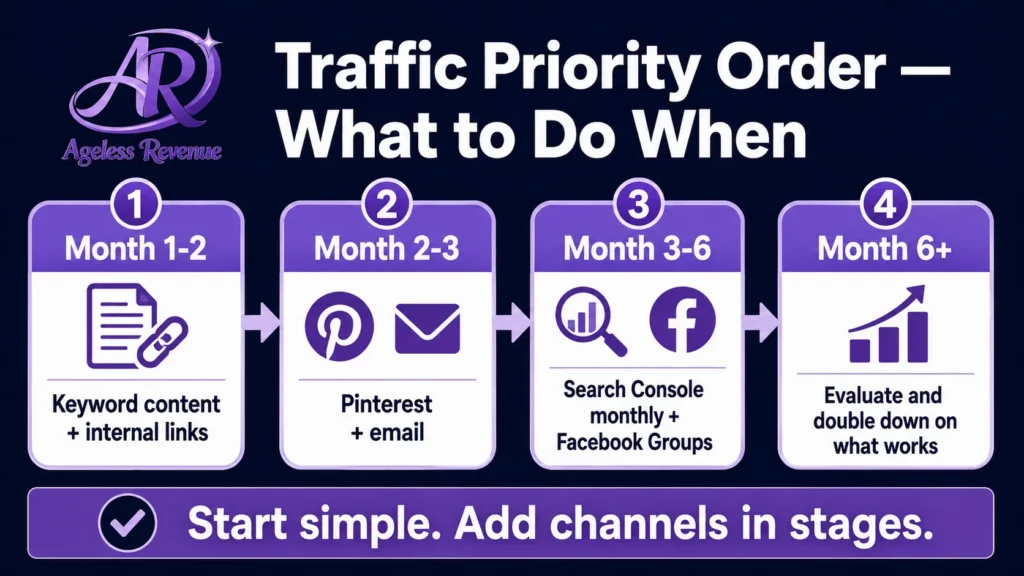
If you are starting from zero, work through these traffic sources in this order:
Month 1–2: Focus on publishing quality keyword-targeted content (2 posts per week) and building internal links between posts.
Month 2–3: Set up a Pinterest Business account and start creating pins for every post. Set up email opt-in and MailerLite.
Evaluate what strategies are most effective for getting traffic to your affiliate blog.
Finding the right keywords is essential for getting traffic to your affiliate blog.
Once you have keywords, you can better strategize on getting traffic to your affiliate blog.
Month 3–6: Check Google Search Console monthly and optimise posts with high impressions but low clicks. Join 2–3 Facebook Groups in your niche and begin participating.
Month 6+: Evaluate which sources are sending the most converting traffic. Invest more effort in what is working. Do not add new platforms until existing ones are generating consistent results.
Sharing quality posts on social media can aid in getting traffic to your affiliate blog.
Consistent evaluation of your methods for getting traffic to your affiliate blog is crucial.
Frequently Asked Questions
How long before my affiliate blog gets meaningful traffic?
Most new affiliate blogs start seeing traffic from Google at 3–6 months of consistent publishing. Pinterest typically produces first meaningful results at 4–8 weeks. Email list traffic begins as soon as you have subscribers. The overall timeline to a reliable monthly income is typically 6–12 months.
Do I need to be on social media to get affiliate blog traffic?
No. Organic search traffic from Google is the primary source of traffic for most successful affiliate blogs. Pinterest is valuable because it functions as a search engine rather than a social network. Traditional social media platforms like Instagram or Twitter are optional and often not the most efficient use of a retiree blogger’s time.
Monitor your traffic analytics to see how you can improve getting traffic to your affiliate blog.
Ultimately, dedication and strategy will be key to getting traffic to your affiliate blog.
How many posts do I need before I start getting traffic?
There is no minimum — some posts start ranking within weeks. But practically, having 10–15 quality keyword-targeted posts gives Google enough content to understand what your site is about and begin ranking it for relevant searches.
Should I focus on getting backlinks?
For a new retiree affiliate blog, backlinks are a lower priority than consistent content creation, keyword targeting, and Pinterest marketing. The most effective backlink strategy for beginners is creating genuinely useful content that other bloggers in your niche will naturally link to. Aggressive link building tactics are not necessary and carry risks for new sites.
Your Next Step
If you have not yet set up Google Search Console, do that today — it takes ten minutes and begins collecting data immediately. Then check your last five posts and confirm each one targets a specific keyword phrase.
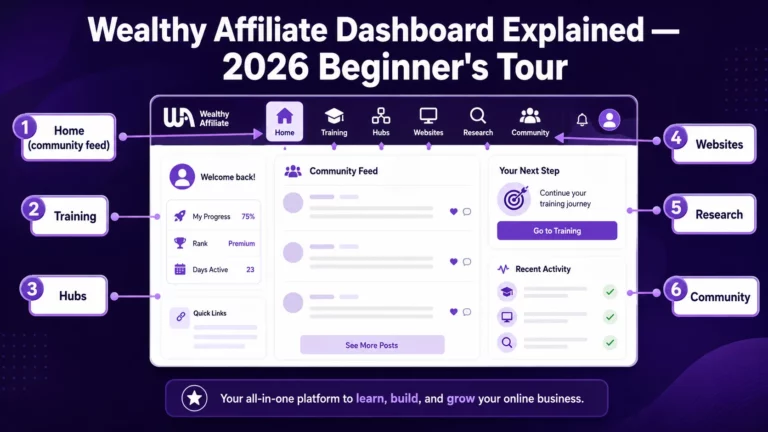
For a complete path to building your affiliate blog with training, tools, and keyword research included, try Wealthy Affiliate free →
This post contains affiliate links. If you buy through them, I may earn a small commission at no extra cost to you.