Pinterest for Affiliate Marketing Beginners: A Simple Setup Guide
If Pinterest feels a little confusing, you are not alone. Many retirees hear that Pinterest can bring free traffic, but then get stuck on the basics. Should you create a business account? Can you use affiliate links? Do you need a blog first? And what exactly should you post?
The good news is that Pinterest can be one of the most beginner-friendly traffic sources once you understand how it works. It is less about chatting with people and more about publishing helpful, searchable content that keeps working over time.
In this guide, I will walk you through a simple Pinterest setup for affiliate marketing beginners. This guide is tailored for those interested in using Pinterest for affiliate marketing beginners, ensuring you can get moving without feeling overwhelmed.
Affiliate disclosure: This post contains affiliate links. If you buy through them, I may earn a small commission at no extra cost to you.
What You Will Learn
In this guide, you will learn what Pinterest is really best for, whether you need a business account, how to set up your profile the right way, what kind of pins to create first, where your affiliate links should go, and what beginners should avoid.
Why Pinterest Works for Affiliate Marketing
Pinterest behaves more like a visual search engine than a social media platform. People use it to look for ideas, solutions, products, checklists, recipes, travel inspiration, and tutorials. That means someone who finds your pin may already be in “research mode” or “ready-to-try mode,” which can be very helpful for affiliate content.
Pinterest also gives content a longer shelf life than many other platforms. A good pin can keep showing up in search and related results long after you publish it. Pinterest’s own creator guidance emphasises that fresh content and search-friendly optimisation still matter, and its commercial content rules explicitly address affiliate links, disclosures, and spam behaviour.
For beginners, this means Pinterest can be a steady traffic source if you stay simple, helpful, and consistent.
Do You Need a Website First?
No, but having a website is still the better long-term plan. Pinterest does allow affiliate links under its commercial and branded content guidelines, but your content still needs to be high quality, properly disclosed, and not spammy.
If you send people to your own website first instead of directly to an affiliate offer, you get several advantages: you build trust before asking for a click, you can compare more than one product, you can collect email subscribers later, and you have more control if Pinterest traffic changes.
So if you already have a website, use Pinterest to send traffic there. If you do not have one yet, start with your site first — read How to Build Your First Affiliate Website.
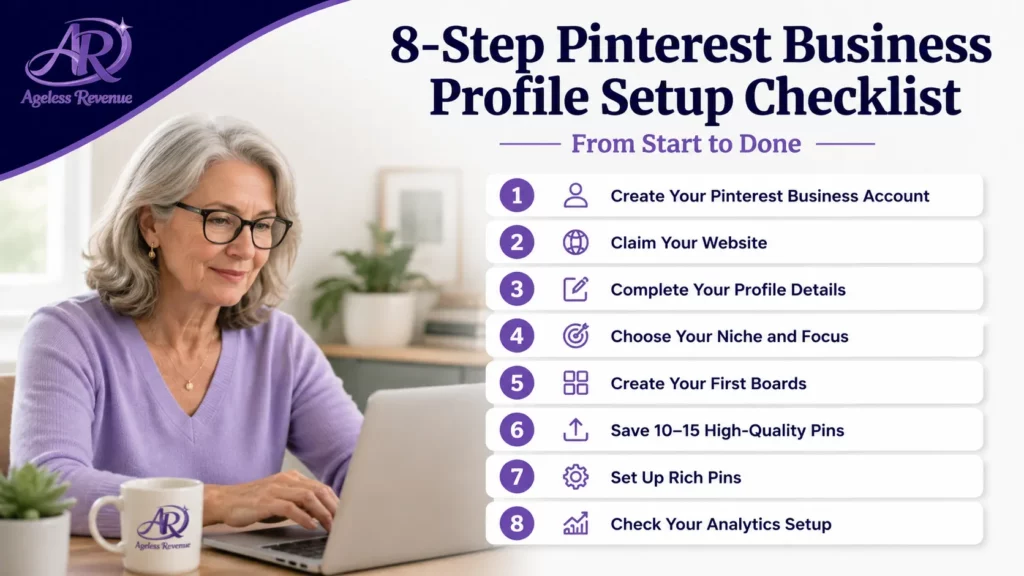
Step 1: Create a Pinterest Business Account
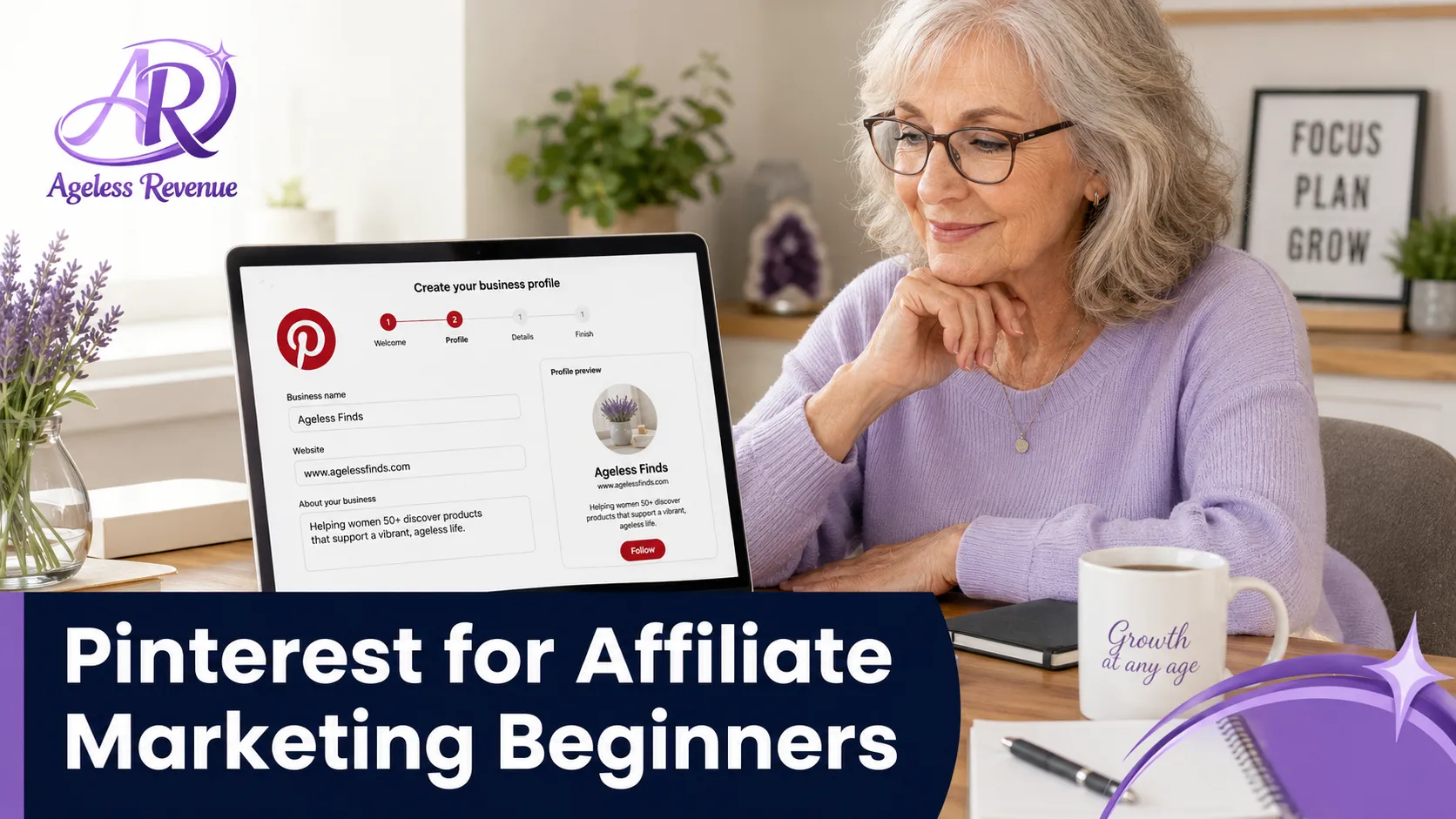
If you want to use Pinterest for affiliate marketing, start with a business account. This gives you access to analytics, saves, clicks, account insights, and a more professional setup.
Keep your profile simple: use your branding, write a short description that says who you help, include a website link if you have one, and choose a profile name that is clear, not clever.
A beginner-friendly profile example: “Ageless Revenue | Affiliate Marketing for Retirees.” A short description could be: “Helping retirees and beginners learn affiliate marketing, blogging, and simple online business step by step.”
Step 2: Pick 3 to 5 Core Content Buckets
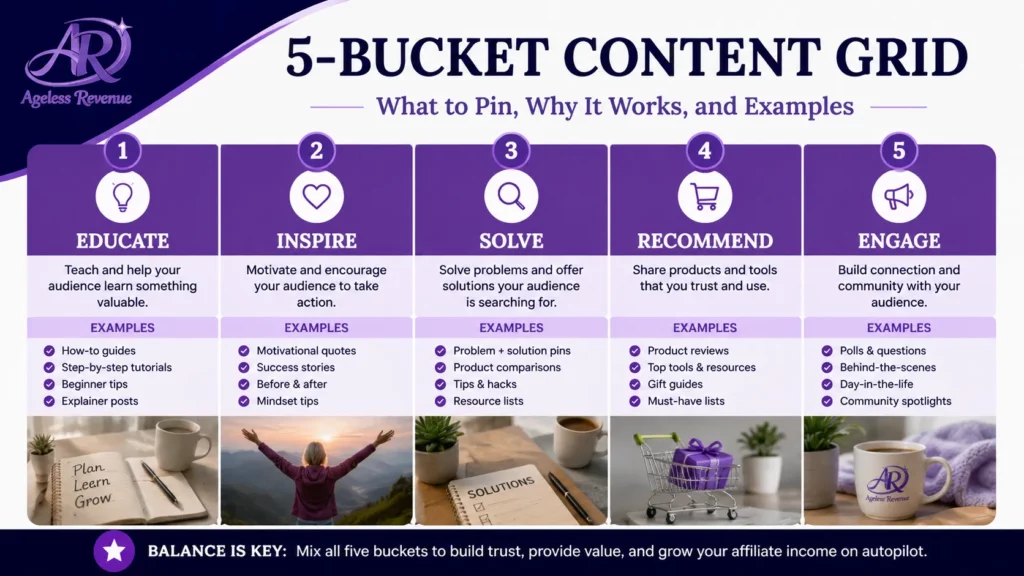
Do not try to pin everything at once. Choose a few clear content buckets so your account stays focused. Strong beginner-friendly buckets might be: affiliate marketing tips for retirees, beginner blogging and website setup, Pinterest traffic tips for beginners, simple online business ideas after retirement, and Wealthy Affiliate beginner help.
These buckets make it easier to create boards, write pin titles, and stay consistent without guessing every day.
For a complete guide to affiliate marketing across all social media platforms, read Social Media Affiliate Marketing. Once your profile is ready, Evergreen Pinterest Content Ideas for Affiliate Marketers can help you choose repeatable topics.
Step 3: Create Your First Boards
Your boards should match the topics people search for. Examples: Affiliate Marketing for Retirees, Beginner Affiliate Marketing Tips, Pinterest Traffic Tips, Website Setup for Beginners, and Wealthy Affiliate for Beginners.
Avoid vague board names like “Ideas I Love” or “My Favorites.” Clear board names give Pinterest better context and make your account easier for people to understand quickly.
Step 4: Start With Content You Already Have
You do not need 50 blog posts before you start. One good article can turn into several pins. A simple first batch could include one pin for your Getting Started guide, one pin for your niche validation article, one pin for your affiliate timeline article, and one pin for your small-budget article.
This is one reason Pinterest can feel manageable. You are not inventing brand-new ideas all the time. You are repackaging helpful content you already created.
For Pinterest guidance written specifically for retirees, read Pinterest Marketing for Senior Affiliate Bloggers.
Step 5: Design Simple, Clickable Pins
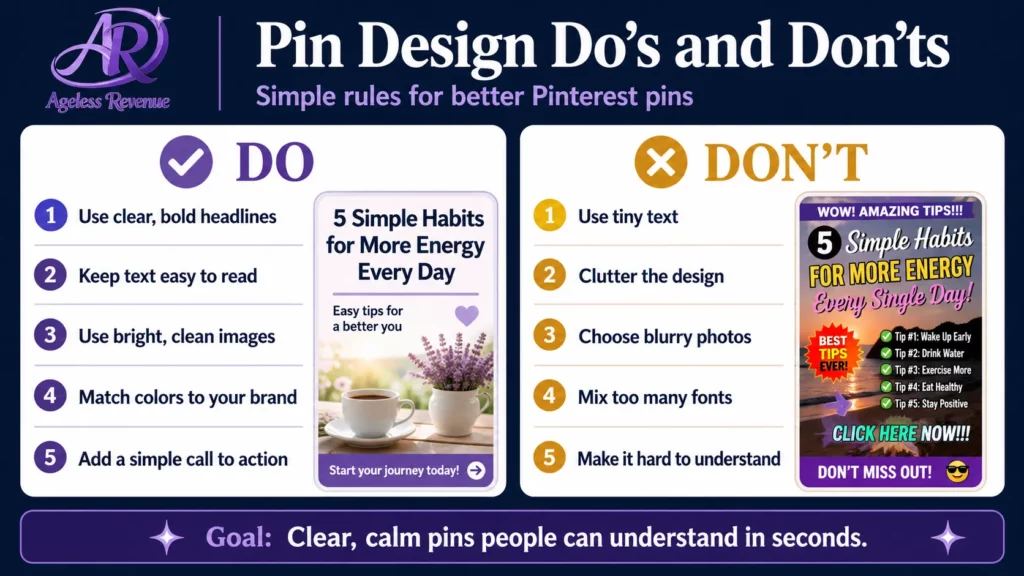
Your pin does not need to be fancy. It needs to be readable, relevant, and clear. For beginner-friendly pin design: use large text, keep the message simple, use one promise or benefit, use colours that match your brand, avoid clutter, and make sure the text is readable on mobile.
Good beginner pin title examples: “Affiliate Marketing for Retirees: Start Here,” “How to Validate an Affiliate Niche After Retirement,” “How Long Does Affiliate Marketing Take to Make Money?”
Pinterest’s best-practice materials emphasise clear visuals, useful ideas, accessibility, and search-friendly descriptions rather than random posting.
Step 6: Write Search-Friendly Pin Titles and Descriptions
Pinterest SEO is simpler than it sounds. Use clear words people actually search for. For example, if your article is about beginner affiliate marketing, your pin title should say that directly. Do not try to be clever or mysterious.
A simple structure: title = clear keyword phrase, description = who it helps + what problem it solves.
Example title: “Pinterest for Affiliate Marketing Beginners.” Example description: “Learn how to set up Pinterest for affiliate marketing the simple way. This beginner-friendly guide walks retirees and late starters through accounts, boards, pins, and traffic strategy.”
Step 7: Disclose Affiliate Links Clearly
This step matters. Pinterest allows affiliate links, but you still need to disclose them clearly and follow both Pinterest rules and affiliate programme rules. Pinterest’s commercial content guidance says affiliate content should be transparent and not deceptive.
A simple disclosure can be: “This post contains affiliate links, which means I may earn a commission at no extra cost to you.” If your pin goes to a blog post, place the disclosure near the top of the article, too.
If you use direct affiliate links on Pinterest later, double-check that the affiliate programme allows social sharing. For a full list of programmes that work well on Pinterest, read Best Social Media Affiliate Programs.
Step 8: Keep Your Posting Routine Simple
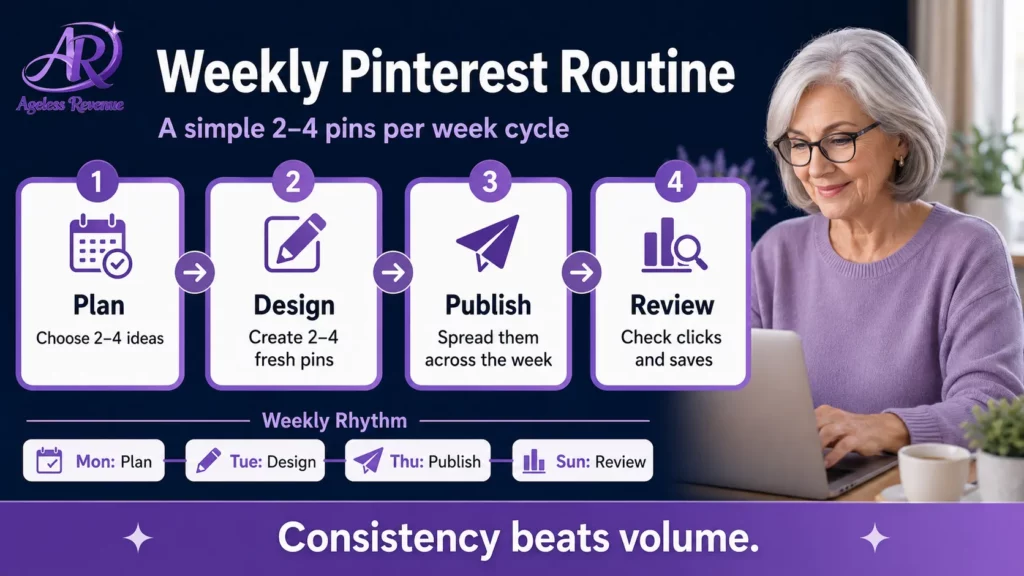
You do not need an exhausting Pinterest schedule. A realistic beginner routine might be: publish 2 to 4 fresh pins each week, send pins to the most relevant board, track which topics get saves and clicks, and make more versions of what performs well.
Pinterest’s business guidance says fresh content added consistently can help you sustain engagement and reach. For retirees and beginners, steady and simple usually beats trying to do everything at once.
What Beginners Usually Get Wrong
The biggest mistake is treating Pinterest like fast-moving social media. Common beginner mistakes include posting random pins with no strategy, using vague titles, sending traffic to weak pages, skipping disclosures, creating cluttered pins, quitting too soon, and changing topics every week.
A better approach is to stay focused, build from your best articles, and let the system compound over time.
My Simple Recommendation
If you are just starting, use Pinterest as a support traffic source, not your whole business model. Build around your website first. Then use Pinterest to bring readers to your strongest beginner-friendly articles. That will give you more flexibility, more trust, and a better long-term foundation.
If you still need the basics first, start with Getting Started With Affiliate Marketing as a Retiree. If you want the website setup path, go to How to Build Your First Affiliate Website.
Conclusion
Pinterest can absolutely help beginners with affiliate marketing, but it works best when you keep the setup simple. You do not need complicated tools. You do not need a huge account. You do not need to post all day.
What you do need is a clear profile, a few focused boards, helpful content, readable pins, consistent posting, and honest disclosures. That is enough to get started.
And if you want an all-in-one platform for training, hosting, and support, read my Wealthy Affiliate Review or start free with Wealthy Affiliate →
Frequently Asked Questions
Can beginners use Pinterest for affiliate marketing?
Yes. Beginners can absolutely use Pinterest for affiliate marketing as long as they keep their setup simple, disclose affiliate relationships clearly, and avoid spammy behaviour.
Do I need a blog to use Pinterest for affiliate marketing?
No. But a blog is still the better long-term approach because it gives you more control, helps build trust, and lets you create stronger content around your affiliate links.
How often should I post on Pinterest as a beginner?
A simple routine of 2 to 4 fresh pins a week is enough to get started. Consistency matters more than posting a huge volume all at once.
Can I put affiliate links directly on Pinterest?
In many cases, yes, but you need to follow Pinterest’s rules and the rules of the affiliate programme you joined. Many beginners do better by sending Pinterest traffic to a helpful blog post first.
What kind of content works best on Pinterest?
Content that is visual, practical, and search-friendly tends to do well. Tutorials, checklists, beginner guides, comparison posts, and problem-solving content are all strong options.
This post contains affiliate links. If you buy through them, I may earn a small commission at no extra cost to you.