
How to Choose the Best AI Tool for Blogging: A Practical 5-Step Guide for Retirees
There are dozens of AI tools marketed to bloggers, each claiming to be the best, the fastest, or the most powerful. For a retiree blogger who wants to write helpful content without spending weeks learning new software, this abundance of options is more confusing than useful. Understanding how to choose the best AI tool for blogging can simplify your decision.
In this post, I will cover how to choose the best AI tool for blogging, giving you clarity and direction on how to choose the best AI tool for blogging effectively.
This guide cuts through the noise. Five practical questions help you identify which AI tool is actually right for your situation — and which ones you can safely ignore.
Affiliate disclosure: This post contains affiliate links. If you buy through them, I may earn a small commission at no extra cost to you.
TL;DR
- Most retiree bloggers need only 2–3 AI tools maximum
- Match the tool to the specific task you find most time-consuming
- Start free — nearly every useful AI tool has a free tier that is sufficient for beginners
- Avoid tools with steep learning curves, regardless of how powerful they are
- The best AI tool is the one you will actually use consistently
Why Choosing the Right AI Tool Matters
The wrong AI tool creates two problems. First, you spend time learning a tool that does not solve your actual bottleneck. Second, you pay for features you never use.
A retiree blogger who spends three hours per week blogging has different needs from a professional content agency publishing 50 articles per month. The tools designed for agencies are often the wrong choice for individual bloggers — they are complex, expensive, and optimised for volume rather than quality.
The five-step framework below helps you identify what you actually need before choosing any tool.
Step 1: Identify Where You Lose the Most Time
Ultimately, mastering how to choose the best AI tool for blogging is essential for a successful blogging career.
Now that you know how to choose the best AI tool for blogging, put this knowledge into action.
Understanding how to choose the best AI tool for blogging is essential for maximizing productivity and efficiency in your writing process.
Before looking at any AI tool, spend five minutes answering this question honestly: which part of writing a blog post takes you the most time?
By learning how to choose the best AI tool for blogging, you can tailor your approach to fit your specific needs.
Ultimately, knowing how to choose the best AI tool for blogging can transform your content creation process.
Common answers:
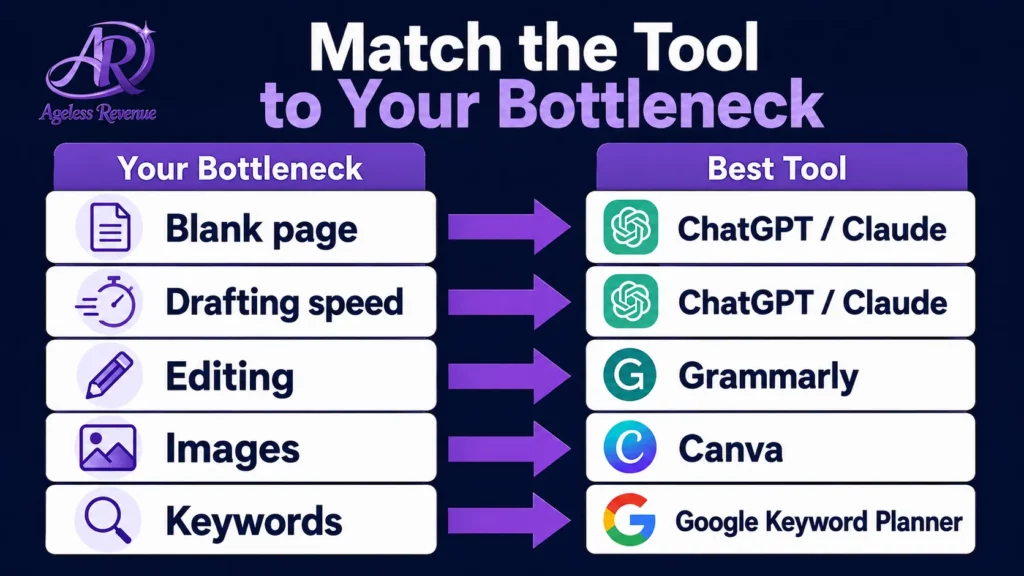
Getting started / the blank page. If you sit in front of a blank document and struggle to begin, your bottleneck is structure and starting. The tool you need is a writing assistant like ChatGPT or Claude that generates outlines and draft structures.
Writing the draft itself. If you know what you want to say but the actual writing takes a long time, your bottleneck is drafting speed. ChatGPT or Claude will help most here — you provide the ideas, they produce draft sentences and paragraphs you can edit.
How to Choose the Best AI Tool for Blogging
Editing and proofreading. If you are a strong writer but editing takes a long time, or you miss grammar errors, your bottleneck is editing mechanics. Grammarly is the right tool.
Creating images. If you write well but image creation feels slow or intimidating, your bottleneck is visuals. Canva is the right tool.
Finding topics and keywords. If you run out of blog post ideas or are not sure what people are searching for, your bottleneck is research. Google Keyword Planner or the keyword research tool built into Wealthy Affiliate (Jaaxy) are the right choices.
With clear knowledge on how to choose the best AI tool for blogging, you can enhance your creativity.
Identify your one biggest bottleneck. Start with the tool that addresses that bottleneck. Add others only after the first one is working smoothly.
Step 2: Check Whether a Free Plan Is Sufficient
Focus on how to choose the best AI tool for blogging that meets your writing style and needs.
Remember, the key to success is how to choose the best AI tool for blogging that enhances your workflow.
Asking yourself how to choose the best AI tool for blogging can lead to better content creation.
Evaluating options is crucial when figuring out how to choose the best AI tool for blogging.
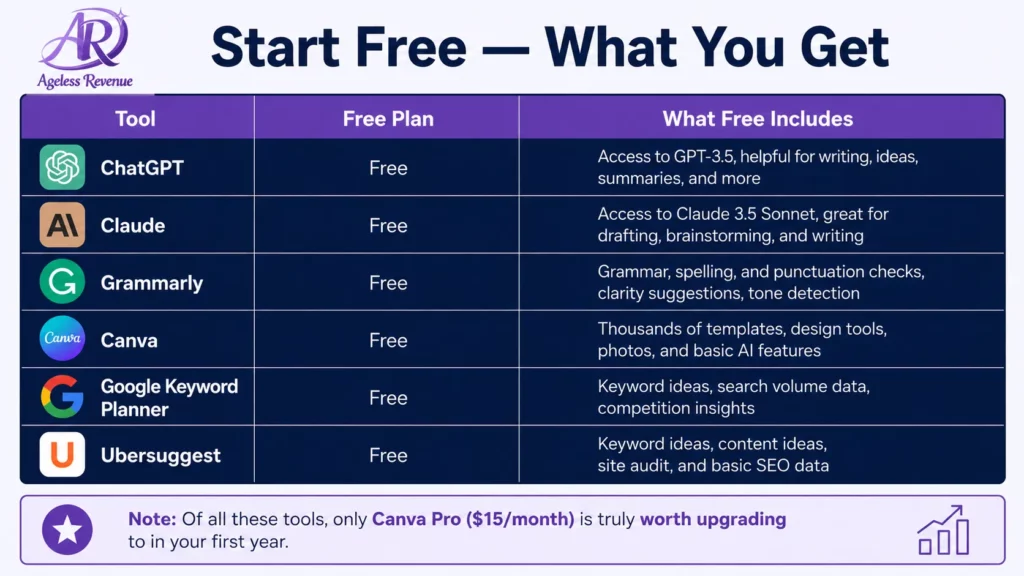
Nearly every AI tool worth considering has a free plan. For retiree bloggers in their first year, free plans are almost always sufficient.
| Tool | Free Plan | What Free Includes |
|---|---|---|
| ChatGPT | Yes | GPT-4o access, unlimited conversations |
| Claude | Yes | Daily usage limit is sufficient for most bloggers |
| Canva | Yes | Thousands of templates, basic AI features |
| Grammarly | Yes | Grammar, spelling, and punctuation checking |
| Google Keyword Planner | Yes, completely | Full keyword research |
| Google Search Console | Yes, completely | Full search performance data |
Ultimately, identifying how to choose the best AI tool for blogging will set you apart from others.
Do not pay for any AI tool until you have used the free version consistently for at least 30 days and identified a specific feature you need that requires a paid upgrade. The most common upgrade worth paying for is Canva Pro ($15/month) once you are creating images regularly — it adds AI image generation and more design flexibility.
Step 3: Evaluate the Learning Curve Honestly
Some AI tools are powerful but genuinely difficult to learn. Others are intuitive from day one.
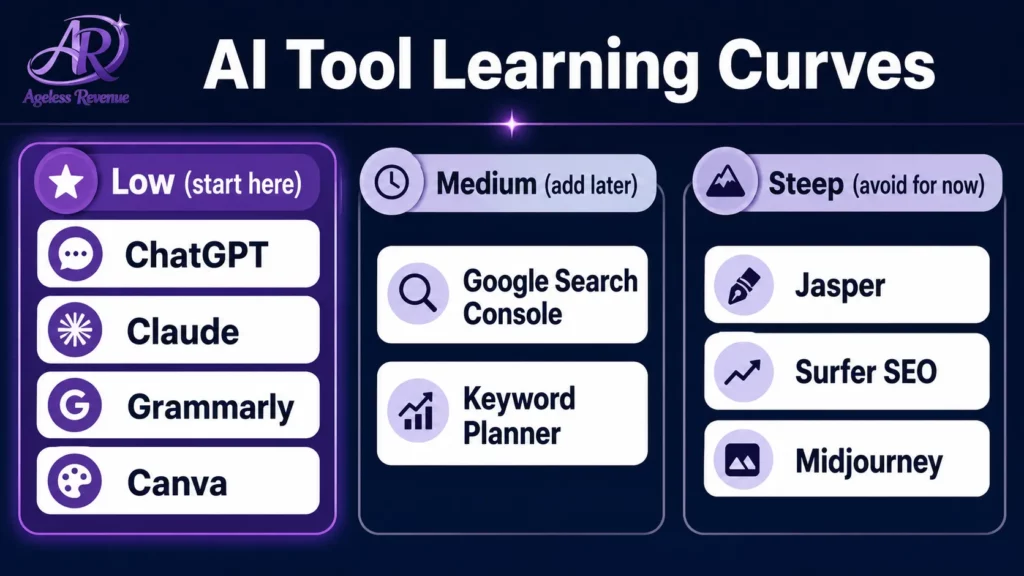
Low learning curve (start here):
- ChatGPT — works like a text conversation, no training required
- Claude — same conversational interface as ChatGPT
- Grammarly browser extension — installs and works automatically, nothing to learn
- Canva — drag-and-drop, guided by templates
Medium learning curve (add after 1–2 months):
- Google Search Console — straightforward but requires understanding which reports matter
- Google Keyword Planner — easy to use, takes time to understand what the numbers mean
- RankMath’s AI features — useful if you already use RankMath, minimal extra learning
Steep learning curve (avoid for now):
- Jasper — powerful but complex, designed for agencies and professional content teams
- Surfer SEO — useful for competitive SEO but requires understanding content optimisation concepts first
- Midjourney — generates better images than Canva, but requires a Discord account and learning prompt engineering
Steep learning curves are not inherently bad — they indicate powerful tools. But for a retiree blogger building a sustainable habit, a tool you never fully learn is worse than a simpler tool you use every day.
Step 4: Check Whether the Tool Works Inside WordPress
Grammarly installs as a browser extension that works directly in your WordPress editor. You write your post in WordPress, and Grammarly checks it in real time — no copy-pasting required.
RankMath (which Ageless Revenue uses for SEO) has built-in AI features for meta description suggestions and content analysis that work directly in the WordPress post editor.
Canva does not work inside WordPress, but the export-and-upload process is simple enough that it is not a meaningful friction point.
Tools that require you to draft in one application and then copy-paste into WordPress add a step that breaks writing flow. For tools you use once per post (like Canva), this is fine. For tools you use throughout the writing process, working directly in WordPress is preferable.
Step 5: Test With One Real Post Before Committing
The only reliable way to know whether an AI tool suits your working style is to use it for one complete blog post from start to finish.
After that post, ask yourself:
Therefore, learning how to choose the best AI tool for blogging is a worthwhile investment in your writing journey.
- Did this tool save me meaningful time on the task it was supposed to address?
- Did the output require so much editing that the time saving was cancelled out?
- Was the interface intuitive, or did I spend time figuring out how to use it rather than using it?
- Did the result feel like my work or like someone else’s work that I edited?
A tool that saves meaningful time, produces output you can work with efficiently, and feels like an extension of your process rather than a replacement for it is a keeper. A tool that creates more work than it saves — even if it is impressive — is not right for you yet.
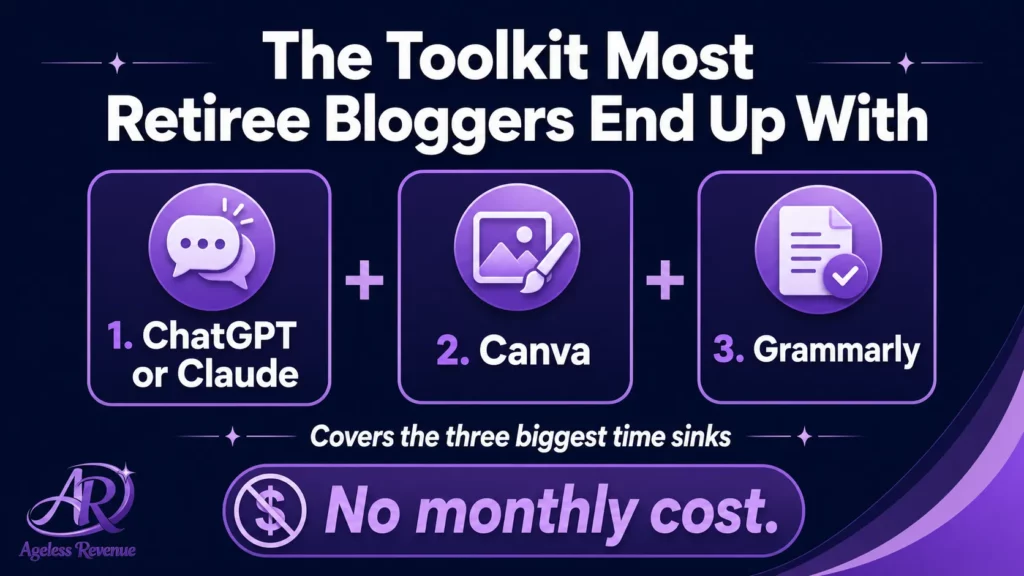
The AI Toolkit Most Retiree Bloggers End Up With
The most practical AI tools for WordPress bloggers work inside WordPress itself rather than requiring you to switch between applications.
After working through these five steps, most retiree affiliate bloggers end up with a toolkit of 2–3 tools:
ChatGPT or Claude (for writing assistance) + Canva (for images) + Grammarly (for proofreading)
This covers the three biggest time sinks for most bloggers — getting started, creating visuals, and final editing — without requiring significant learning investment or monthly expense.
For a detailed guide to each of these tools with specific tips for retirees, read Best AI Tools for Retiree Bloggers.
What to Avoid
All-in-one AI platforms. Tools that claim to handle writing, SEO, images, social media, email, and analytics in one subscription tend to do most things adequately and none of them excellently. For a retiree blogger who does not need enterprise-scale features, paying $99/month for a platform that does everything is rarely worth it compared to free tools that do the specific things you need.
Tools built for agencies and professional content teams. Jasper, Surfer SEO, and similar tools are designed for teams publishing large volumes of content. Their pricing reflects this. A retiree blogger publishing two posts per week does not need — and should not pay for — agency-scale tools.
Trendy tools without a clear use case. Every few months, a new AI tool goes viral. Most are genuinely impressive demonstrations that do not translate into practical blogging workflow improvements. Unless you can identify a specific bottleneck that a new tool solves, ignore it until the initial excitement has settled and real user reviews are available.
Frequently Asked Questions
How many AI tools should I use as a retiree blogger?
Two to three is the practical maximum for most retiree bloggers. One for writing assistance (ChatGPT or Claude), one for images (Canva), and optionally one for grammar checking (Grammarly). Adding more tools creates complexity without proportional benefit.
Should I use ChatGPT or Claude?
Both are worth trying on their free plans. ChatGPT is the most widely used and has a slightly wider range of features. Claude tends to produce more natural-sounding prose and is particularly good at editing. Many bloggers use both ChatGPT for brainstorming and structure, and Claude for longer drafts and editing passes.
Is Canva actually useful if I have no design experience?
Reflecting on how to choose the best AI tool for blogging can lead to greater success.
Yes. Canva’s templates handle all the design decisions — colours, fonts, layouts — so you only need to swap in your own text and images. Most retiree bloggers feel competent in Canva within one or two sessions.
As you embark on your blogging journey, remember how to choose the best AI tool for blogging wisely.
What if I try an AI tool and do not like it?
Every blogger should understand how to choose the best AI tool for blogging to thrive.
In conclusion, mastering how to choose the best AI tool for blogging will help you create impactful content.
Focus on how to choose the best AI tool for blogging that meets your writing style and needs.
Use the free plan and stop. You owe nothing to any AI tool. The only cost of trying something that does not suit you is the time spent evaluating it.
Your Next Step
Identify your biggest blogging bottleneck from Step 1 above. Find the corresponding tool. Sign up for the free plan. Use it for one complete blog post. Then decide whether to continue.
For the complete guide to building your affiliate blog efficiently, read How to Use AI Tools for Your Affiliate Blog.
Finding your way in the blogging world begins with how to choose the best AI tool for blogging.
For a structured path with training, keyword tools, and community support built in, try Wealthy Affiliate free →
To summarize, understanding how to choose the best AI tool for blogging will enhance your productivity and creativity.
Understanding how to choose the best AI tool for blogging can lead to improved efficiency and productivity.
As you navigate your blogging journey, remember what you’ve learned about how to choose the best AI tool for blogging.
Finally, ensure you always know how to choose the best AI tool for blogging that aligns with your goals.
Finally, take the time to learn how to choose the best AI tool for blogging that fits your needs.
In summary, take the time to understand how to choose the best AI tool for blogging for your unique needs.
Embracing how to choose the best AI tool for blogging will open up new opportunities for you.
Take charge of your blogging process by understanding how to choose the best AI tool for blogging.