
Best AI Tools for Retiree Bloggers in 2026 (Free and Beginner-Friendly)
If you are a retiree running an affiliate blog and wondering which AI tools are actually worth your time, this guide gives you the honest answer. Not every tool that tech bloggers rave about is practical for someone who wants to write helpful content without spending hours learning new software. This post highlights the best AI tools for retiree bloggers.
As a retiree blogger, discovering the best AI tools for retiree bloggers can significantly enhance your writing process and efficiency.

The best AI tools for retiree bloggers are designed to simplify tasks, allowing you to focus on creating quality content while the tools handle the details.
With the best AI tools for retiree bloggers, you can streamline your blogging efforts and create content that resonates with your audience.
This list focuses on tools that are free to start, genuinely beginner-friendly, and useful for the specific tasks retiree bloggers actually need help with: writing, editing, creating images, and finding keywords.
In this article, we will explore the best AI tools for retiree bloggers that can enhance your blogging experience and help you create engaging content effortlessly.
Affiliate disclosure: This post contains affiliate links. If you buy through them, I may earn a small commission at no extra cost to you.
TL;DR
- The ChatGPT free plan is the best starting point for writing assistance
- Canva free plan handles all image creation — Pinterest pins, featured images, infographics
- Grammarly’s free plan catches grammar and clarity issues before publishing
- Google’s free tools (Search Console, Analytics, and Keyword Planner) handle SEO research
- Start with one tool, learn it properly, then add the next
- All tools on this list have a free version that is sufficient for most retiree bloggers
How to Think About AI Tools as a Retiree Blogger
Before the tool list, one important principle: AI tools save time on mechanics, not on thinking.
As you explore the best AI tools for retiree bloggers, remember that they should align with your blogging goals and style.
Writing a blog post involves two very different types of work. The first is thinking — deciding what to say, drawing on your personal experience, forming genuine opinions, and making specific recommendations. The second is mechanics — formatting, drafting sentences, checking grammar, creating images, and resizing files.
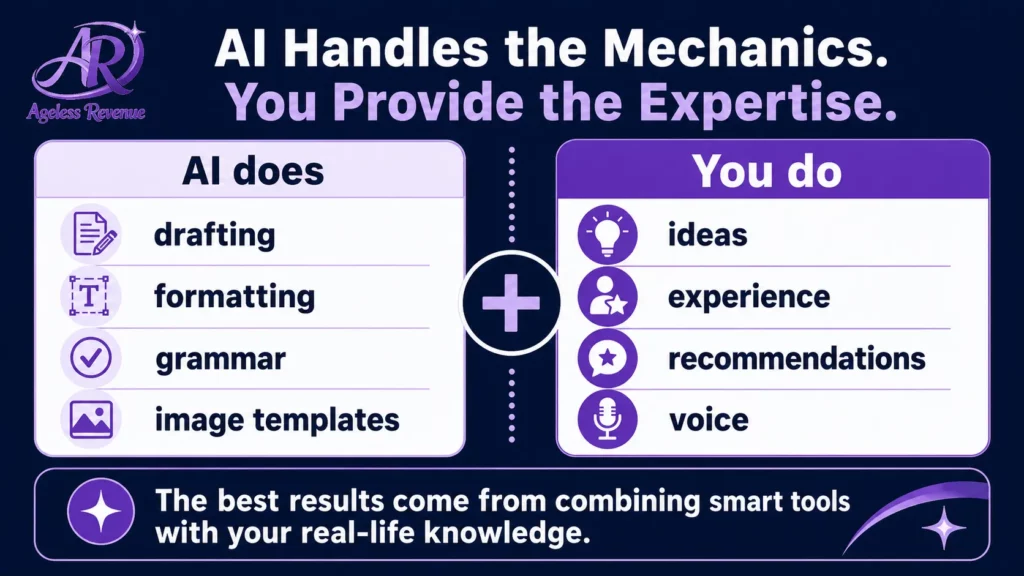
AI tools are excellent at the mechanics. They are useless at the thinking phase — and that is exactly where your decades of real experience give you an advantage that no AI tool can replicate.
The right approach is to use AI for the mechanical parts of blogging so you have more time and energy for the parts that only you can do.
Discover the Best AI Tools for Retiree Bloggers
For the complete guide to building an AI-assisted blogging workflow, read How to Use AI Tools for Your Affiliate Blog.
The Best Free AI Tools for Retiree Bloggers
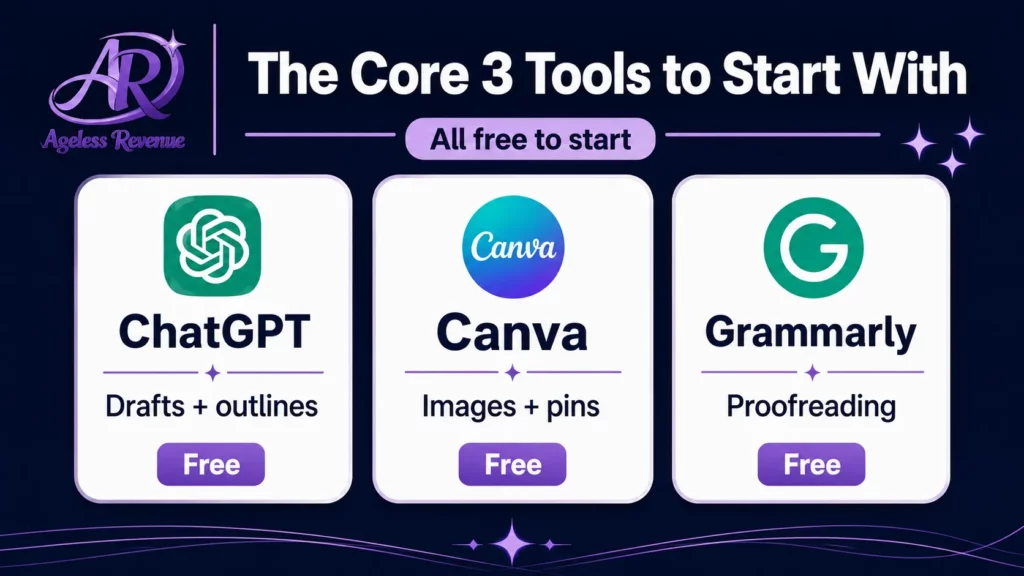
The best AI tools for retiree bloggers include features that cater specifically to the needs of those looking to enhance their online presence.
1. ChatGPT — Best Free AI Writing Assistant
Free plan: Yes — GPT-4o available on free tier. Paid plan: $20/month (Plus) Best for: Outlines, draft paragraphs, FAQ sections, headline ideas, rewriting sections
Choosing the best AI tools for retiree bloggers ensures you have the right resources at your disposal as you embark on your blogging journey.
ChatGPT is the most useful starting point for retiree bloggers who want writing help. You describe what you need, and it produces a draft you can work from.
The tasks it handles well:
- Generating a blog post outline from a topic and a keyword
- Drafting a FAQ section based on the questions you provide
- Suggesting alternative headlines for a post
- Rewriting a paragraph you have written to make it shorter or clearer
- Brainstorming blog post ideas for your niche
What it cannot do: share your personal experience, make genuine product recommendations, or know what your specific audience needs. Every ChatGPT draft needs your specific knowledge and voice added before it is worth publishing.
Getting started: Go to chat.openai.com, create a free account, and try this prompt: “Write an outline for a 1,200-word blog post about [your topic] for retirees who are beginners. Include an introduction, 5 main sections, and a FAQ with 4 questions.”
2. Claude — Best for Natural-Sounding Writing and Editing
Free plan: Yes. Paid plan: $20/month (Pro) Best for: Longer drafts, editing existing content, making writing sound more natural.
Claude (made by Anthropic) produces writing that tends to sound more natural and less robotic than other AI tools — which matters when you are trying to maintain your personal voice. It is particularly useful for editing: paste in something you have written and ask it to improve the flow without changing your meaning.
Many retiree bloggers use both ChatGPT and Claude — ChatGPT for brainstorming and structure, and Claude for longer drafts and editing passes.
Getting started: Go to claude.ai and create a free account. Try: “Here is a paragraph I wrote. Make it clearer and more conversational without removing any of my specific details: [paste your paragraph].”
3. Canva — Best Free Image Creation Tool
Free plan: Yes — generous, covers most blogging needs. Paid plan: $15/month (Pro) Best for: Featured images, Pinterest pins, infographics, social media graphics.
Canva is not purely an AI tool, but its AI features (Magic Design, text-to-image, background remover, Magic Write) make it the most practical image creation tool for retiree bloggers with no design background.
What the free plan includes:
- Thousands of templates, including Pinterest pin templates (correctly sized at 1000×1500px)
- AI image generation (limited on free, generous on Pro)
- Background remover
- Brand kit basics
- Download in PNG, JPG, or PDF
For affiliate bloggers, the Pinterest pin templates alone make Canva invaluable. You can create branded pin variations for every blog post in 10–15 minutes once you have a template set up.
Getting started: Go to canva.com, create a free account, and search “Pinterest pin” in the templates section. Choose one, swap the background image, add your post title as the text overlay, and download.
4. Grammarly — Best Free Proofreading Tool
Free plan: Yes — covers grammar, spelling, punctuation. Paid plan: $12/month (Premium) Best for: Final proofreading before publishing, catching errors you missed
Grammarly checks your writing for grammar errors, misspellings, and punctuation issues — the things everyone misses when editing their own work. The free plan is sufficient for most retiree bloggers. The Premium plan adds suggestions for clarity and conciseness, which some find helpful, and others find intrusive.
Install the Grammarly browser extension so it works directly in your WordPress editor — you do not need to copy and paste text anywhere.
Getting started: Go to grammarly.com, create a free account, and install the browser extension. It will start checking your writing automatically as you type in WordPress.
5. Google Keyword Planner — Best Free Keyword Research Tool
Free plan: Yes — completely free with a Google account. Paid plan: N/A Best for: Finding keywords with search demand before writing a post
Before writing any blog post, you want to confirm that real people are actually searching for your topic. Google Keyword Planner shows you how many people search for a given phrase each month and how competitive it is.
For retiree affiliate bloggers, the most useful searches are long-tail phrases — specific three-to-five-word queries like “best garden tools for arthritic hands” or “how to start affiliate marketing after 60.” These have lower competition than broad terms and attract readers who know exactly what they are looking for.
Getting started: Go to ads.google.com/home/tools/keyword-planner/ (requires a Google account, no need to run ads). Enter your topic and look for keywords with 100–1,000 monthly searches and low to medium competition.
6. Google Search Console — Best Free Tool for Tracking What Works
Free plan: Yes — completely free. Paid plan: N/A Best for: Seeing which of your posts appear in Google search results and for which queries
Google Search Console shows you which of your blog posts are appearing in search results, which keywords are triggering them, and how many clicks you are getting. For an affiliate blogger, this is the most important performance data available — it shows you which content is gaining traction and which topics deserve more posts.
Getting started: Go to search.google.com/search-console and add your blog’s URL. Verify ownership (RankMath makes this straightforward), and within a few days, you will start seeing your search performance data.
Tools Worth Knowing About (But Not Starting With)
These tools are useful once your blog is established, but are not necessary for a beginner:
Jasper — advanced AI writing tool with stronger long-form capabilities than ChatGPT, but costs $49/month. Worth considering once you are publishing consistently and have income to justify it.
Surfer SEO — optimises content for specific keywords by analysing top-ranking pages, but costs $89/month. Useful for established bloggers in competitive niches.
Midjourney — generates higher-quality AI images than Canva, but requires a Discord account and costs $10/month. Canva is sufficient for most affiliate blog images.
The Right Order to Add These Tools
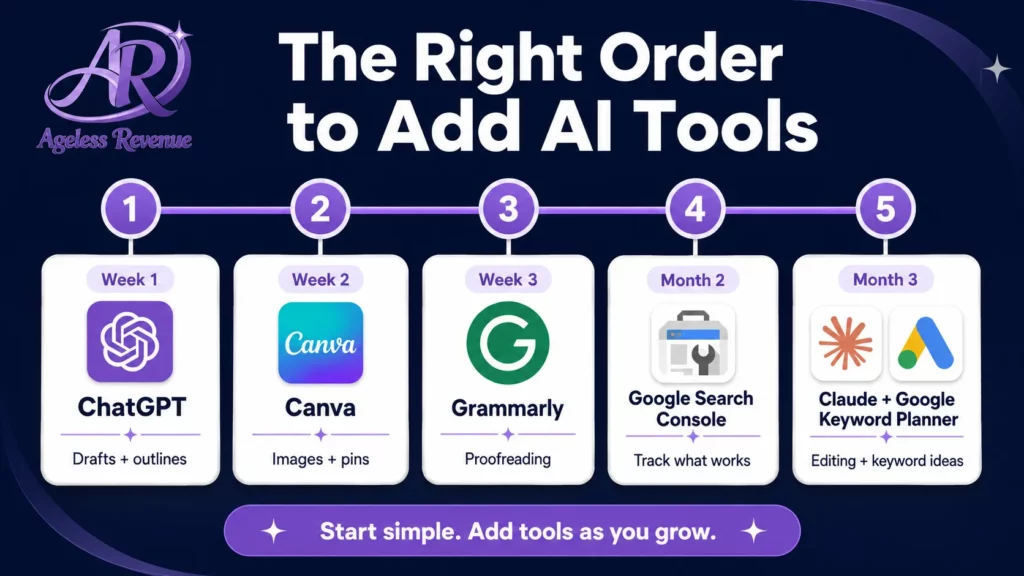
Add one tool at a time. Starting with all six simultaneously creates overwhelm without adding proportional value.
Week 1: ChatGPT free plan — use for one blog post outline Week 2: Canva free plan — create your first Pinterest pin Week 3: Grammarly browser extension — run your next post through it before publishing Month 2: Google Search Console — connect and start reading your data Month 3: Claude free plan — use for editing and longer drafts Month 3+: Google Keyword Planner — research keywords before writing each post
By month three, you will have a practical AI toolkit that saves 2–3 hours per week without requiring significant learning investment.
Frequently Asked Questions
In conclusion, embracing the best AI tools for retiree bloggers can set you on a path to blogging success.
Are any of these AI tools difficult to learn?
All six tools on this list were designed for non-technical users. ChatGPT and Claude work like chat conversations — you type what you need and read the response. Canva uses drag-and-drop. Grammarly works automatically in the background. Google Search Console and Keyword Planner have straightforward interfaces. Most retirees feel comfortable with the basics within a few hours of use.
Do I need to pay for any of these tools to run a successful affiliate blog?
No. All six tools have free plans that are sufficient for most retiree bloggers, especially in the first year. The only tool worth considering a paid upgrade for is Canva Pro (at $15/month) once you are creating images regularly — it adds AI image generation and more templates.
Will using AI tools make my blog sound generic?
Only if you publish AI drafts without editing them, AI produce starting points, not finished articles. The specific personal experience, genuine opinions, and particular voice that make an affiliate blog worth reading must come from you. AI saves you time on the mechanics, so you have more time for that.
Is there a risk that Google will penalise AI-assisted content?
Google evaluates content on whether it is helpful and demonstrates genuine expertise — not on whether AI was used in the writing process. AI-assisted content that reflects real knowledge and personal experience performs well. AI-generated content with no human expertise or original perspective does not.
Your Next Step
Start with ChatGPT’s free plan this week. Use it to generate an outline for your next blog post. Spend 10 minutes adjusting the outline to match your actual expertise and the specific points you want to make. Then write the post from that outline.
For a complete structured path to building your affiliate blog with the right training and tools, try Wealthy Affiliate free →
Many successful retiree bloggers credit their growth to the best AI tools for retiree bloggers, which streamline their workflows.
Finding the best AI tools for retiree bloggers can transform your approach to content creation and help you stay competitive.
This post contains affiliate links. If you buy through them, I may earn a small commission at no extra cost to you.
Utilize the best AI tools for retiree bloggers and elevate your blog to new heights of success.
To stay ahead, consider integrating the best AI tools for retiree bloggers into your strategies for content development.
Make the most of your blogging efforts with the best AI tools for retiree bloggers, which can offer valuable support.
As you assess various options, prioritize finding the best AI tools for retiree bloggers that fit your unique needs.
The best AI tools for retiree bloggers provide not only writing assistance but also insights that enhance your blog’s effectiveness.
With guidance from the best AI tools for retiree bloggers, you’ll find it easier to engage your audience and grow your following.
Remember, the best AI tools for retiree bloggers are there to assist you, not replace your unique voice and perspective.
Embrace the best AI tools for retiree bloggers to enhance your online presence and reach more readers.
In summary, the best AI tools for retiree bloggers will help you maximize your blogging potential.
Find your favorite among the best AI tools for retiree bloggers to make your blogging experience enjoyable.
Lastly, integrating the best AI tools for retiree bloggers into your workflow is essential for modern blogging.
Explore the best AI tools for retiree bloggers to expand your capabilities and improve your content quality.
Remember, the best AI tools for retiree bloggers are key to simplifying your blogging process.
Make your blogging journey enjoyable with the best AI tools for retiree bloggers and watch your creativity flourish.
Ultimately, the best AI tools for retiree bloggers can empower you to create impactful and meaningful content.