
Large-Button Remote Controls: Best Picks for Low Vision
Affiliate Disclosure: This post contains Amazon affiliate links. As an Amazon Associate, I earn from qualifying purchases. I only recommend products I’d genuinely suggest to a friend.
A standard remote control, with its dozens of small, similarly-shaped buttons, is genuinely difficult to use with low vision — and juggling three or four separate remotes for the TV, cable box, and streaming device makes it worse. Large button remote controls for seniors solve the visibility problem directly, and a good universal model solves the multiple-remotes problem too. When looking for large button remote controls for seniors, consider ease of use and functionality.
This guide covers what actually matters when choosing one, and a few specific options worth considering.
TL;DR
- Button count matters as much as button size — a remote with 10-15 large buttons is easier to navigate than one with 40+ buttons, even if all the buttons are individually bigger.
- Backlit or glow-in-the-dark buttons solve nighttime visibility, which regular large buttons alone don’t address.
- Universal remotes that control multiple devices remove the confusion of juggling separate remotes, but check the setup method before buying.
- Color-coded buttons help distinguish functions by color and shape, not just size — useful for low vision specifically, not just older eyes in general.
- Expect to pay $15–$35 for a genuinely well-designed large-button remote.
Button Count Matters as Much as Button Size
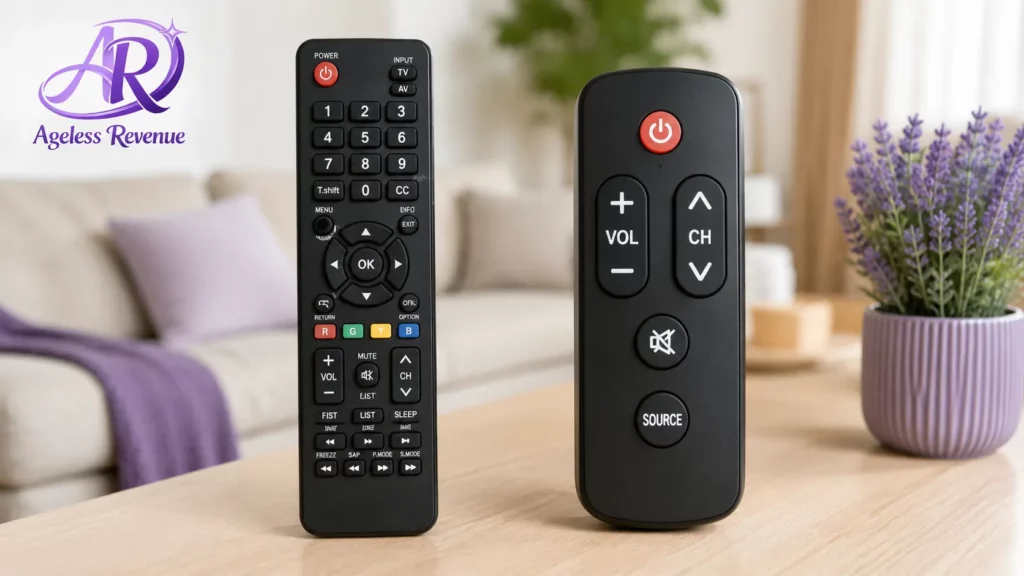
Comparison of a standard remote with 40+ buttons versus a simplified large-button remote with 12 buttons
It’s tempting to assume the single most important factor is how large the buttons are, but a remote with 40+ small-to-medium buttons crammed onto one device is still hard to navigate quickly, even if each individual button is somewhat larger than standard.
The remotes genuinely designed for this purpose typically strip down to 10-15 essential functions — power, volume, channel, mute, and basic navigation — deliberately leaving out the dozens of secondary functions (settings menus, input switching, streaming shortcuts) that most people rarely use anyway. Fewer, larger, well-spaced buttons beat more buttons that are merely larger than standard.
Backlit and Glow-in-the-Dark: Solving a Different Problem Than Size
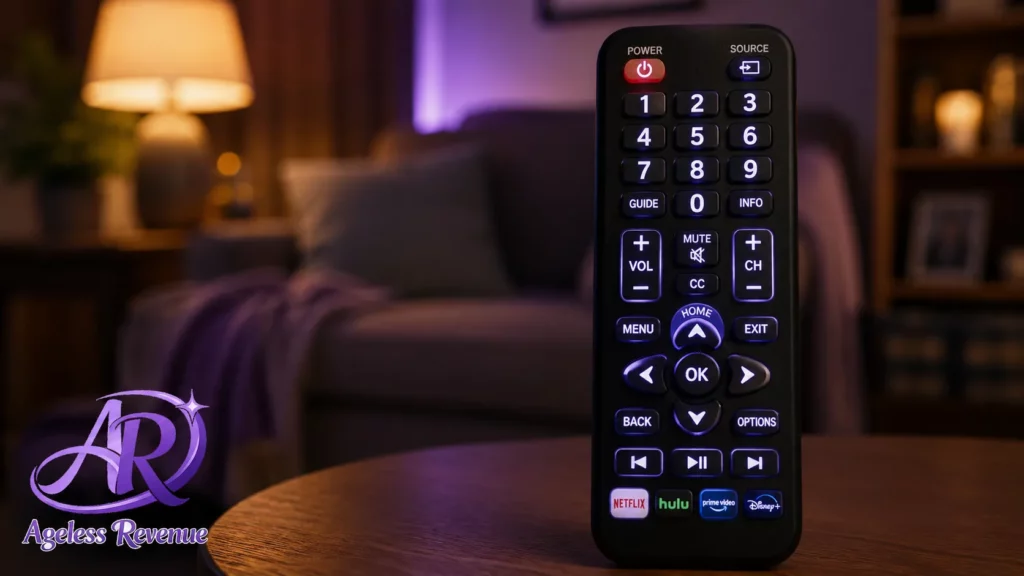
Large buttons solve daytime visibility. They don’t solve the separate, very common problem of trying to find and operate a remote in a dark room in the evening — arguably when a remote gets used most.
Backlit remotes illuminate the entire button layout at a touch, while glow-in-the-dark buttons absorb ambient light and remain faintly visible without needing a battery-powered backlight at all. Either solves the nighttime visibility problem; a purely large-button remote without either feature still leaves you fumbling in a dark living room.
Universal Remotes: Fewer Devices to Juggle, With One Setup Caveat
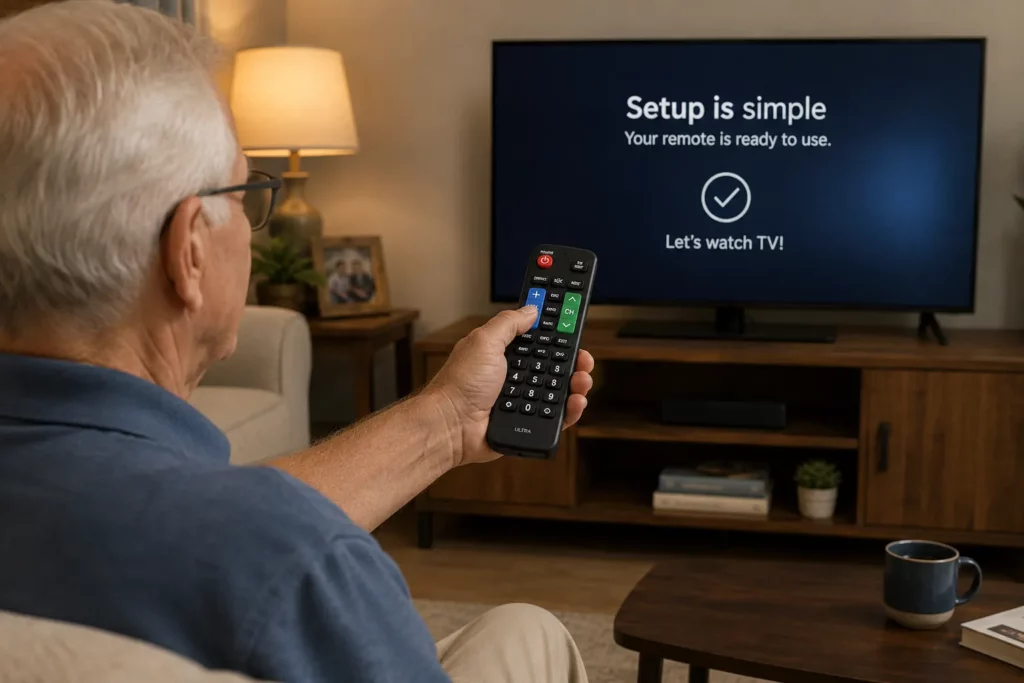
Most households end up with two or three separate remotes — one for the TV, one for a cable or streaming box, sometimes a third for a soundbar — which multiplies the low-vision navigation problem by however many remotes are on the coffee table.
A universal remote that controls multiple devices from one large-button interface removes this entirely, but the setup method matters. Some models require entering a numeric code specific to your TV brand (found in an included booklet), while others “learn” by pointing your existing remote at them and pressing each button once. If setup itself is a barrier — for you or for whoever’s helping you — look specifically for a model advertised as “no programming needed” for major brands, which several manufacturers now offer for the most common TV brands.
Color-Coding: A Feature Worth Prioritizing for Low Vision Specifically
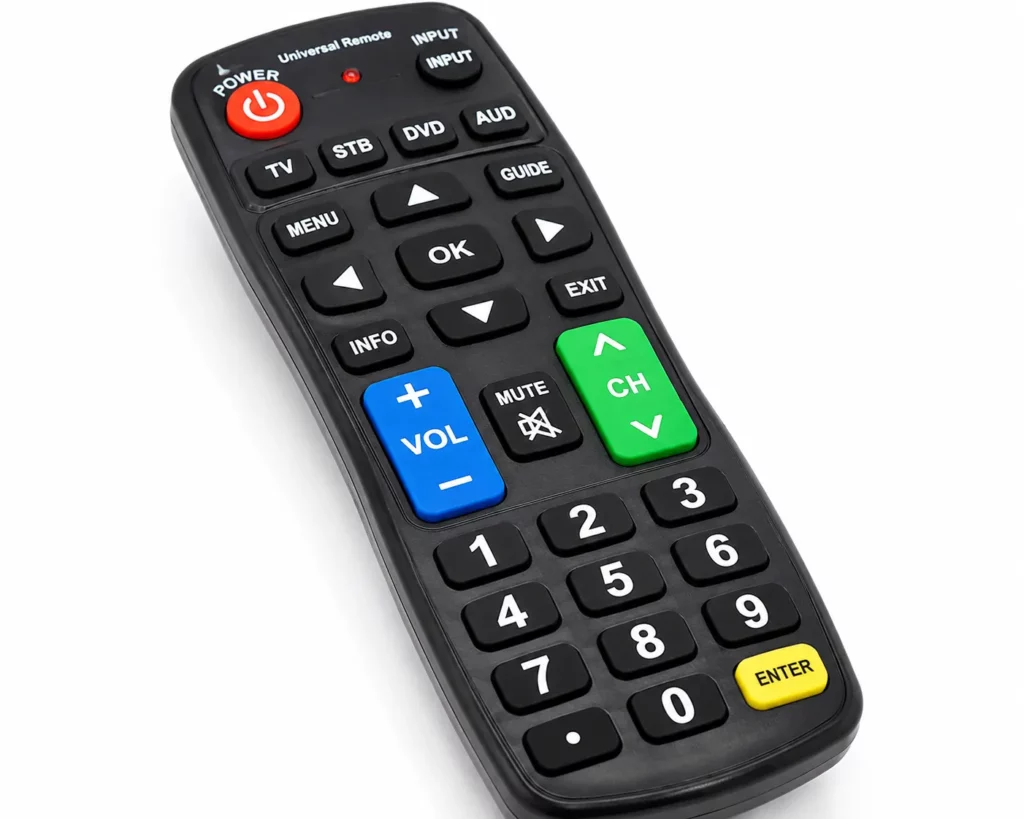
Beyond size, color and shape differences between buttons help you distinguish functions without needing to read small text on each one — genuinely useful for low vision, where reading tiny labels may be the actual barrier rather than button size alone.
Look for remotes with buttons in distinct colors (red power button, green volume, etc.) or distinct raised shapes you can identify by touch alone, since either approach reduces how much you need to visually confirm before pressing.
Device Compatibility: Check Before You Buy, Not After
This seems obvious but is worth stating directly: not every universal remote works with every TV, cable box, or streaming device combination. Before buying, check the product’s compatibility list against your specific equipment — most manufacturers publish this clearly, and it’s worth the extra two minutes rather than dealing with a return.
Some large-button remotes are designed for TV control only (not cable boxes or streaming devices), which is fine if that’s genuinely all you need, but a mismatch here is the most common reason for return.
A Few Specific Options Worth Considering
For the simplest possible single-device remote: A large-button TV-only remote with no programming required works immediately with major TV brands; it’s the most straightforward option if you only need to control the television itself.
For controlling multiple devices from one remote: A universal large-button remote covering TV, cable box, and streaming device in one unit, with color-coded buttons, reduces both the visibility challenge and the multiple-remotes clutter.
For nighttime use specifically: A backlit universal remote that illuminates the full button layout at a touch solves evening visibility directly, worth prioritizing if the remote gets used most after dark.
For the easiest possible setup: Look specifically for a remote advertised as “no programming needed” for major TV brands — these skip the code-entry or learning process entirely for common brands like Samsung, LG, and Vizio.
A genuinely well-designed large-button remote in this category typically costs $15 to $35 — always check current pricing and confirm compatibility with your specific devices before buying.
The National Eye Institute notes that low vision becomes more common with age, largely due to eye conditions that are themselves more prevalent in older adults — one more reason devices designed around visibility, not just size, are worth seeking out. The AARP technology section also reviews accessible home entertainment devices, worth checking alongside this guide.
Frequently Asked Questions
Do I need a universal remote, or is a single-device large-button remote enough? If you only ever use the TV itself (not a separate cable box or streaming device), a single-device remote is simpler and sufficient. If you’re juggling multiple remotes now, a universal model consolidates them into one large-button device.
How hard is it to set up a universal remote? This varies by model. Some require entering a code specific to your TV brand; others “learn” by copying your existing remote’s signals. Models advertised as “no programming needed” for major brands skip this step entirely.
Will a large-button remote work with my specific TV and cable box? Check the product’s published compatibility list before buying — not every universal remote works with every brand and device combination, and this is the most common reason people end up returning one.
What’s the difference between backlit and glow-in-the-dark buttons? Backlit remotes illuminate at a touch, usually using a small battery-powered light. Glow-in-the-dark buttons absorb ambient light and stay faintly visible without any power draw. Either solves nighttime visibility; a remote with neither doesn’t.
Are color-coded buttons actually helpful, or just a design choice? For low vision specifically, yes — distinguishing buttons by color or shape reduces how much you need to read small text to identify a function, which can be the actual barrier rather than button size alone.
How many buttons should a good large-button remote have? Look for roughly 10-15 essential functions rather than a full standard layout. Fewer, well-spaced buttons are easier to navigate quickly than more buttons that are merely larger than standard.
The Bottom Line
The right large-button remote isn’t necessarily the one with the biggest buttons in isolation — it’s the one with fewer, well-spaced, color-coded buttons, solved for both daytime and nighttime visibility, that actually controls the devices you use.
If tech frustration extends beyond the remote to the devices themselves, keep exploring. See our guide to the easiest laptops for seniors new to computers for the same simplicity-first approach applied to a bigger purchase.