
Best Email Marketing Software for Retiree Bloggers in 2026 (Free Options Compared)

When you are starting an affiliate blog in retirement, email marketing can feel like the one thing you are supposed to be doing but are not quite sure where to begin.
You have probably heard that “the money is in the list.” That is true — but only if you choose the right tool, set it up correctly, and actually use it. The wrong platform will frustrate you with unnecessary complexity, charge you for features you will never use, or lock your content behind a learning curve steep enough to make you abandon the whole thing.
This guide cuts straight to what a retiree blogger actually needs from email marketing software in 2026 — no enterprise jargon, no e-commerce features, no CRM comparisons. Just a clear answer to the question: which tool should I use, and how do I get started without overwhelm?
TL;DR
- For a retiree blogger starting out, MailerLite is the best choice — free for your first 1,000 subscribers, beginner-friendly, and includes automation from day one.
- Kit (formerly ConvertKit) is the best alternative if you plan to sell digital products or want a creator-focused platform.
- You do not need ActiveCampaign, HubSpot, Klaviyo, or any enterprise tool. Those platforms are built for e-commerce stores and B2B sales teams — not affiliate bloggers.
- The most important email you will ever send is your welcome email. Set that up first, before anything else.
- Start collecting email addresses on day one — even before you have an email strategy. A list of twenty subscribers is more valuable than a perfect email plan with no list.
Why Retiree Bloggers Need Email Marketing
Your blog generates traffic from Google and Pinterest — but that traffic is borrowed. Google can change its algorithm. Pinterest can reduce your reach. The platform you do not control can change the rules overnight, and your traffic can drop with no warning.
An email list is the one audience you own completely. When someone gives you their email address, you have a direct line to them that no platform can take away. When you send an email, it arrives in their inbox — not filtered by an algorithm, not competing with a thousand other posts in a feed.
For retiree bloggers building a long-term income, an email list is the most stable asset you can build alongside your blog content. It also converts better than almost any other traffic source because your subscribers have already chosen to hear from you — they are your most engaged audience.
The good news: you do not need to understand email marketing deeply to start. You need a free tool, a simple welcome email, and a reason for people to sign up. Everything else comes later.
What a Retiree Blogger Actually Needs from Email Software
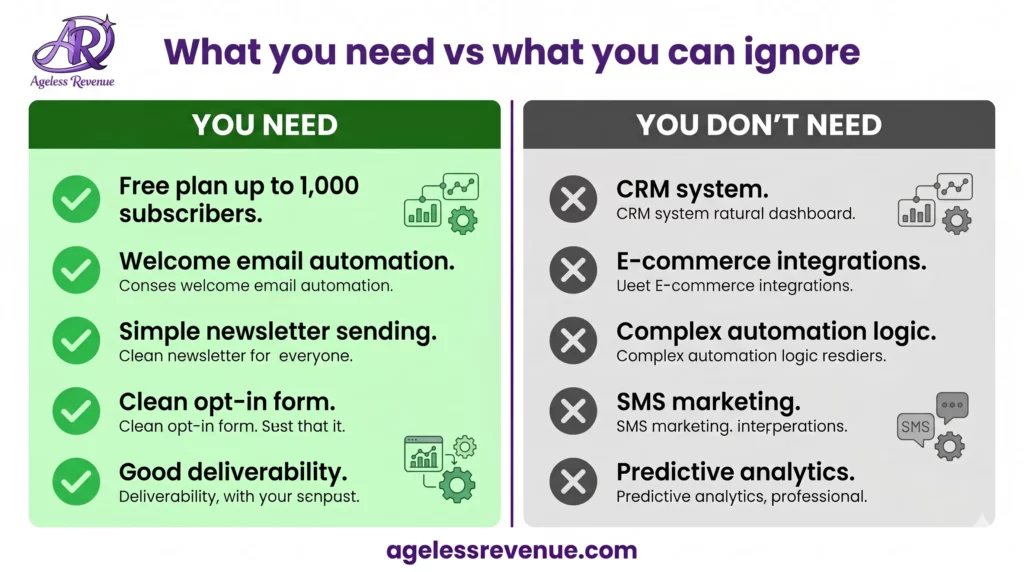
Before comparing tools, it helps to be clear about what you genuinely need — and what you do not.
What you need
- A free plan that covers your first 500 to 1,000 subscribers without charging you before you are earning anything
- A simple welcome email or welcome sequence that sends automatically when someone subscribes
- A way to send a regular newsletter — once a week or once a fortnight
- Clean, easy-to-use templates that do not require design skills
- A simple opt-in form to embed in your blog posts and sidebar
- Good deliverability — emails that actually reach inboxes, not spam folders
What you do not need
- A built-in CRM (customer relationship management system — this is for businesses with sales teams)
- E-commerce integrations with Shopify or WooCommerce
- Complex multi-step automation with conditional branching
- Predictive analytics or churn forecasting
- SMS marketing add-ons
- Anything that costs more than $0 per month before you have 500 subscribers
Most email marketing comparison guides rate tools on e-commerce integration, CRM depth, and enterprise automation. Those features are irrelevant to a retiree running an affiliate blog on WordPress. The two questions that matter for you are: is it free to start, and is it simple enough that you will actually use it?
The Best Email Marketing Tool for Retiree Bloggers: MailerLite
MailerLite is the tool I recommend to every retiree blogger starting out, and it is the one I would choose again if I were starting from scratch today. Here is why.
What you get for free
MailerLite’s free plan includes everything a beginning retiree blogger needs:
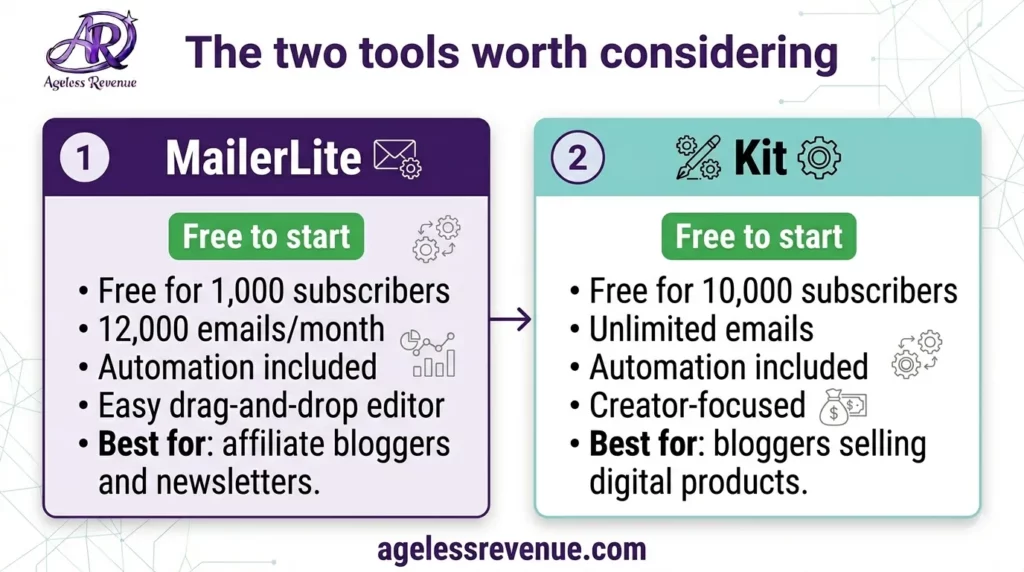
- Up to 1,000 subscribers at no cost
- 12,000 emails per month on the free plan
- Email automation workflows — including a welcome sequence
- Landing pages and pop-up opt-in forms
- A simple website builder (useful if you want a standalone opt-in page)
- Drag-and-drop email editor with clean, readable templates
Most competing tools either charge for automation from day one or cap free plans at 500 subscribers with sending limits. MailerLite gives you more on the free plan than most platforms give on their entry-level paid tiers.
Why it works for retirees specifically
The interface is clean and uncluttered. When you log in, you are not greeted with a dashboard full of metrics you do not understand and features you will not use for months. The workflow for creating a new email is straightforward: choose a template, edit the content, set your recipient list, and send. That is it.
Setting up a welcome automation — the most important email sequence for a new blogger — takes about fifteen minutes in MailerLite. You create a trigger (someone subscribes to your list), connect it to an email (your welcome message), and turn it on. No coding, no complicated conditional logic required at this stage.
When to upgrade from the free plan
The free plan is genuinely sufficient until you reach 1,000 subscribers. At that point you will be earning affiliate commissions from your blog — the cost of the paid plan ($9 to $15 per month depending on list size) will feel completely manageable relative to your income. Upgrade when you reach the limit, not before.
One limitation worth knowing
The free plan does not include pre-designed email templates — you use content blocks to build your emails. This sounds more limiting than it is in practice. The block editor is clean and produces professional-looking emails. Most retiree bloggers find they prefer the simplicity anyway.
The Best Alternative: Kit (Formerly ConvertKit)
Kit is the best choice if you are planning to sell your own digital products — downloadable guides, mini-courses, checklists, or templates — alongside your affiliate content. It is built specifically for content creators and has particularly strong tools for:
- Selling digital downloads and subscriptions directly through email
- Tagging subscribers based on their interests for more targeted newsletters
- Creating landing pages that convert well for lead magnets
- Managing multiple lead magnets and subscriber segments cleanly
Kit’s free plan covers up to 10,000 subscribers, which is more generous than MailerLite’s. The trade-off is that the email editor is simpler and the template options are fewer. Kit leans toward plain-text style emails, which actually perform well for personal and creator-style newsletters — but if you want visually designed newsletters, MailerLite is the better fit.
If you are a pure affiliate blogger with no plans to sell your own products in the near term, start with MailerLite. If selling digital products is part of your plan from the beginning, start with Kit.
What About the Other Tools?
You will see Mailchimp, ActiveCampaign, HubSpot, Klaviyo, and Brevo mentioned in most email marketing comparisons. Here is the honest context for each from a retiree blogger’s perspective.
Mailchimp was the default recommendation for beginners for many years, but its free plan is now limited to 500 contacts with only basic features, and the interface has become cluttered with features aimed at e-commerce businesses. For a new retiree blogger in 2026, MailerLite is simply a better free option.
ActiveCampaign is a powerful platform for complex marketing automation and CRM — exactly what an agency or e-commerce business needs. There is no free plan and it starts at $15 per month. The learning curve is steep. You do not need it.
HubSpot combines email with a full CRM and sales pipeline. It is excellent for B2B businesses with sales teams. It is overkill for a retiree affiliate blogger and gets expensive quickly as your list grows.
Klaviyo is built specifically for e-commerce — connecting deeply with Shopify and WooCommerce to trigger emails based on purchase behaviour. Unless you are running an online store, it is not relevant to your situation.
Brevo (formerly Sendinblue) is a good budget option that prices by email volume rather than subscriber count. It is a reasonable choice if you expect a large list but low send frequency. For most retiree bloggers starting out, it offers no meaningful advantage over MailerLite’s free plan.
How to Get Started With MailerLite in 30 Minutes
Here is the exact sequence to go from no email list to a live opt-in form and welcome email in a single afternoon.
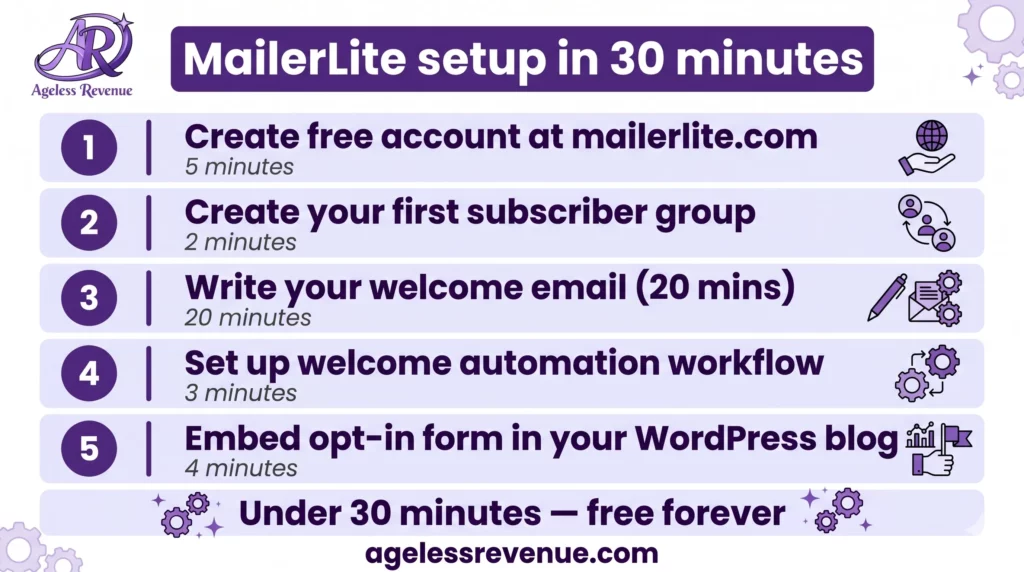
Step 1 — Create your free account: Go to mailerlite.com and sign up with your email. No credit card needed. The account approval takes a few minutes — MailerLite verifies new accounts to maintain deliverability standards.
Step 2 — Create your first subscriber group: In MailerLite, subscribers are organised into groups. Create one called “Blog subscribers” to start. You can add more groups later as your list grows.
Step 3 — Write your welcome email: This is the single most important email you will send. Keep it simple — introduce yourself, tell them what they will receive and how often, and give them something useful (a tip, a link to your best post, or your free lead magnet if you have one). A welcome email takes about twenty minutes to write and will be read by every new subscriber for as long as your blog exists.
Step 4 — Set up your welcome automation: In MailerLite, go to Automation → Create workflow → Trigger: subscriber joins a group → Action: send email → connect your welcome email. Turn it on. This now runs automatically every time someone subscribes.
Step 5 — Create your opt-in form: In MailerLite, go to Forms → Embedded form → design a simple form with a name field and email field → copy the embed code → paste it into your WordPress sidebar or at the bottom of your blog posts using a Custom HTML block.
That is your entire email setup complete. Everything beyond this — regular newsletters, lead magnets, segmentation — is built on this foundation.
Your First Lead Magnet
A lead magnet is a free resource you offer in exchange for someone’s email address. It dramatically improves your sign-up rate compared to a plain “subscribe to my newsletter” form.
The best lead magnets for retiree bloggers are simple and specific. A one-page PDF checklist related to your niche is ideal — it takes less than an hour to create in Canva, delivers immediate value, and is easy for readers to download and use. Examples: “The Beginner’s Raised Garden Bed Checklist,” “10 Kitchen Tools That Make Cooking for One Easier,” “The Simple Tech Setup Checklist for Retirees.”
To deliver a lead magnet automatically in MailerLite: create a second email in your welcome automation that sends immediately after the welcome email, containing a download link to your PDF (hosted in Google Drive with the sharing settings set to “anyone with the link can view”). The PDF can be attached or linked — linking is better for deliverability.
For more detail on building your list, read my guide to email list growth strategies for retiree bloggers.
What to Send After the Welcome Email
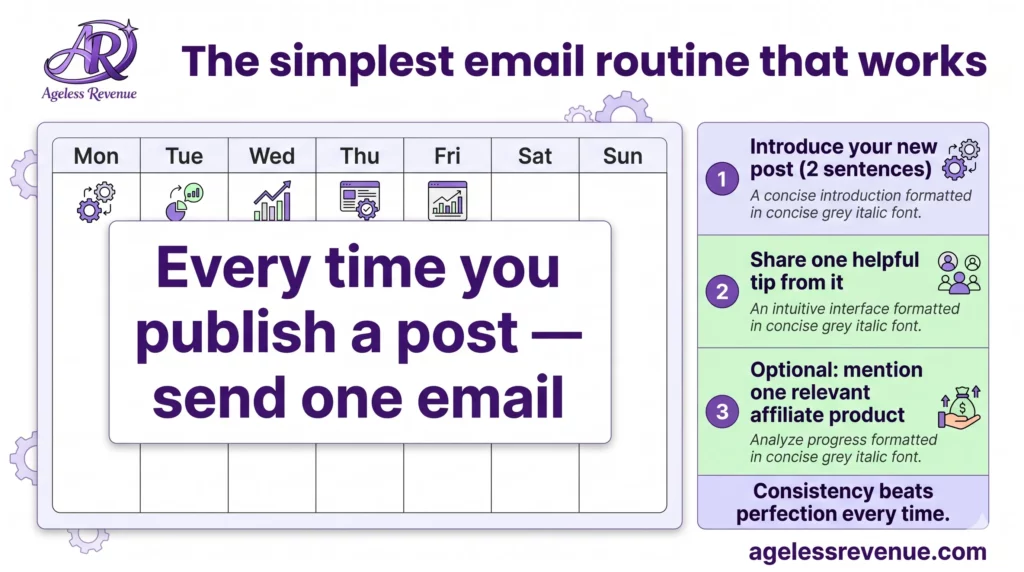
Once your welcome automation is running, the simplest sustainable email routine for a retiree blogger is a weekly or fortnightly newsletter. Keep it short — three to five paragraphs — and make it genuinely useful rather than promotional. Share one helpful tip, link to your latest post, and occasionally mention a product you genuinely recommend with your affiliate link.
Readers who hear from you regularly will click your links more often than readers who only hear from you when you have something to sell. The relationship is built through the helpful emails — the commissions follow the relationship.
A simple routine that works: every time you publish a new blog post, send a short email to your list introducing it and explaining why it is useful for them. That is it. One email per post, written in five to ten minutes, keeps your list warm and drives traffic back to your site.
Comparison Table: The Two Tools Worth Considering
| Feature | MailerLite | Kit (ConvertKit) |
|---|---|---|
| Free plan subscribers | 1,000 | 10,000 |
| Free plan emails/month | 12,000 | Unlimited |
| Automation on free plan | Yes ✓ | Yes ✓ |
| Email templates on free plan | Block editor (no pre-designed templates) | Plain-text focused |
| Landing pages | Yes ✓ | Yes ✓ |
| Sell digital products | Limited | Yes — built-in ✓ |
| Ease of use for beginners | Excellent | Very good |
| Best for | Affiliate bloggers, newsletter writers | Creator-sellers, digital product sellers |
| Paid plan from | $9/month | $25/month |
Frequently Asked Questions
Do I need to start building an email list immediately?
Yes — as soon as your site is live. You do not need a large list or a polished email strategy to start. Even adding a simple opt-in form on day one means you capture the small number of early visitors who would otherwise leave and never return. A list of fifty engaged subscribers built slowly over three months is a meaningful asset. A list of zero is not.
Can I switch email platforms later if I outgrow MailerLite?
Yes, easily. All major email platforms allow you to export your subscriber list as a CSV file and import it into a new platform. Your subscribers, tags, and basic data all transfer. The only thing that does not transfer automatically is your email automation sequences — you would need to recreate those. Switching is not difficult, so do not let fear of being locked in stop you from starting with the free plan today.
What is a good email open rate for a beginner blogger?
For a small, targeted email list in a specific niche, open rates of 30% to 50% are realistic and common. This is significantly higher than the 20% average often cited for larger lists, because your early subscribers chose to follow you specifically — they are your most engaged readers. Do not be discouraged by open rate benchmarks from large commercial lists.
How often should I email my list?
Once a week is the ideal frequency for most retiree bloggers — often enough to stay memorable, not so often that subscribers feel pressured. If you publish one post per week, send one email per week linking to it. If you publish less frequently, once a fortnight is fine. The key is consistency — irregular emails from an address your subscribers barely recognise get deleted or marked as spam.
Does sending emails with affiliate links get flagged as spam?
Not if your list is built organically (subscribers opted in willingly) and your emails are genuinely helpful rather than purely promotional. Spam filters look at technical signals (your sender authentication, your domain reputation) far more than they look at individual links. Set up the technical basics in MailerLite — SPF, DKIM, and a custom sending domain once you are on a paid plan — and send emails that are predominantly helpful with occasional relevant recommendations. That approach will not trigger spam filters.
A newsletter (called a “campaign” in most email tools) is a one-time email you send manually to your list — like a weekly update. An email automation is a sequence of emails that triggers and sends automatically based on a condition — like the welcome email that sends to every new subscriber. You need both: automations run in the background without any effort once set up, and newsletters keep your list warm with fresh content on an ongoing basis.
Conclusion
For a retiree blogger building an affiliate income in 2026, the email marketing decision is simpler than most guides make it sound. Start with MailerLite on the free plan, set up a welcome email, add an opt-in form to your blog, and send a short email every time you publish a new post. That is your entire email strategy for the first six to twelve months.
The platform matters far less than the habit. An imperfect email sent consistently will always outperform a perfect email strategy that never gets started. Pick one tool, learn it well, and focus your energy on building the list and sending genuinely helpful content to the people on it.
When you are ready to grow your list faster, read my guide to email list growth strategies. And if you are still working on building the blog that your email list will support, start with the complete affiliate marketing guide for retirees.
Your Next Step
Go to mailerlite.com and create your free account. Within thirty minutes you can have a welcome email live and an opt-in form on your blog. That is the most valuable thirty minutes you can spend on your email marketing — and it costs nothing.