

Best Email Marketing Software for Retiree Bloggers in 2026 (Free Options Compared)
Choosing your email marketing platform is one of the few decisions in blogging that is genuinely hard to reverse. Your subscribers, your automations, your opt-in forms, and your sending history all live inside your chosen platform. Switching later is possible but time-consuming. It’s crucial to find the best email marketing software for retiree bloggers.
This guide helps you make the right choice the first time — with an honest comparison of the platforms most relevant to retiree bloggers, a clear recommendation, and the specific reasons behind it, including the best email marketing software for retiree bloggers.
Affiliate disclosure: This post contains affiliate links. If you buy through them, I may earn a small commission at no extra cost to you.
TL;DR
- MailerLite is the right choice for most retiree bloggers — free to 1,000 subscribers, genuinely intuitive, includes automation and landing pages on the free plan
- Kit (formerly ConvertKit) is worth considering if you expect rapid growth and want more advanced segmentation from day one — but costs more
- Mailchimp’s free plan has significant limitations that make it a poor choice for new affiliate bloggers
- AWeber, GetResponse, and ActiveCampaign are all designed for larger businesses and are overkill for a beginner affiliate blog
- Choose based on your current needs, not hypothetical future scale
What to Look for in an Email Platform
Before the comparisons, a framework for evaluating any email platform:
Free plan generosity. As a new blogger, you should not pay for email marketing until you have a meaningful list. The free plan should include enough subscribers and enough features to get your list-building foundation in place.
Automation on the free plan. Your welcome sequence — the emails that automatically go to every new subscriber — is the most important automation you will set up. It should be available without a paid plan.
Ease of use. Some platforms are built for marketing teams with technical staff. You need an interface that makes sense within one or two sessions. If you find yourself clicking through menus trying to figure out where basic features are, that is a sign the platform was not designed for your use case.
Landing page and form builder. Building a dedicated landing page for your lead magnet inside your email platform (rather than using a separate tool) keeps your setup simple.
Deliverability. Some platforms have stronger relationships with inbox providers than others. A platform with poor deliverability reputation means more of your emails land in spam regardless of how good your content is.
The Options
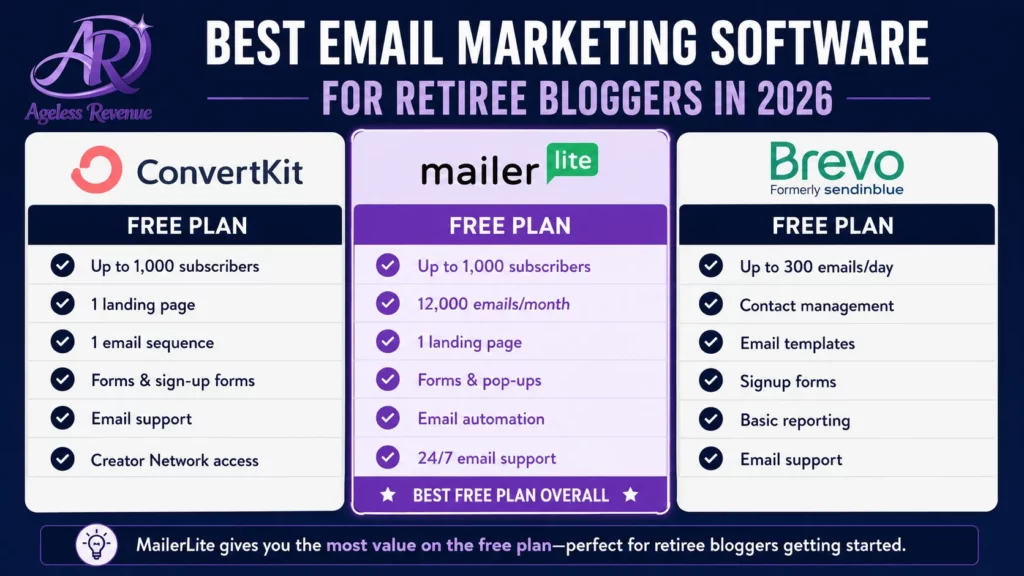
MailerLite — Best for Most Retiree Bloggers
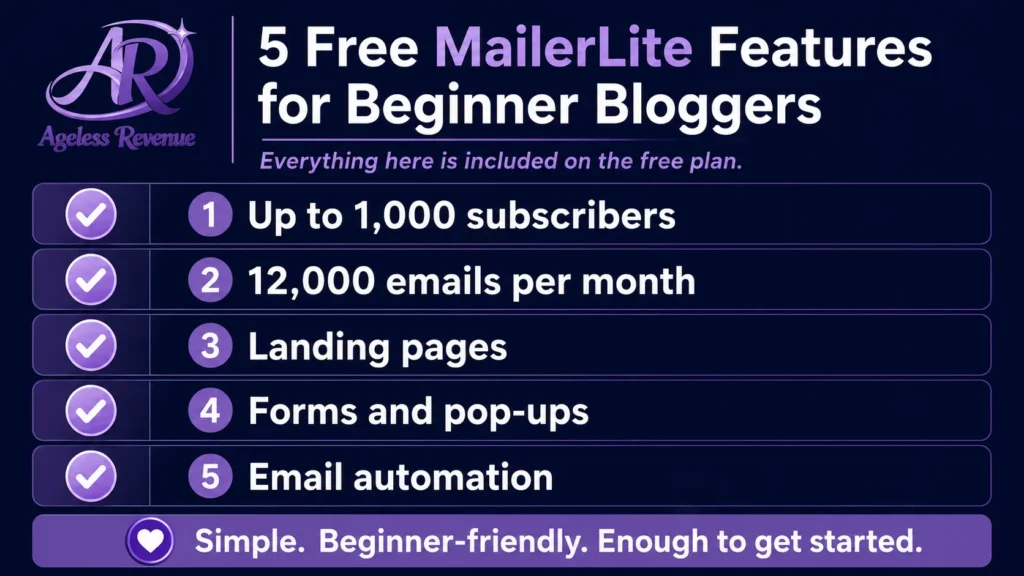
Free plan: up to 1,000 subscribers, 12,000 emails per month Paid plan: from $9/month (up to 500 subscribers on monthly billing) Best for: beginner retiree bloggers who want a complete, intuitive platform without paying until their list grows
MailerLite is the platform Ageless Revenue recommends for most retiree bloggers because it balances simplicity, capability, and cost better than any alternative at the beginner stage.
The drag-and-drop email builder is genuinely easy to use. The automation builder — where you set up your welcome sequence — is visual and clear. Landing pages and opt-in forms are included on the free plan and work reliably.
Why Choose the Best Email Marketing Software for Retiree Bloggers?
The interface is cleaner and less cluttered than most competitors. Most retirees feel comfortable with the basics within one or two sessions, without needing to watch tutorials or consult documentation for every task.
What MailerLite does well:
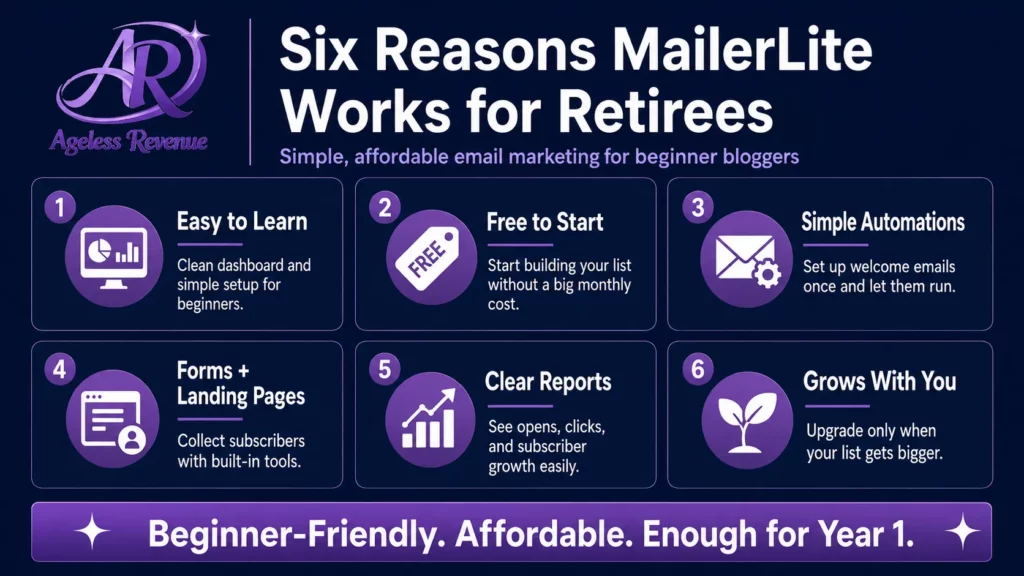
- Clean, intuitive interface that suits non-technical users
- Automation included on free plan (essential for welcome sequences)
- Landing pages and forms on free plan
- Strong deliverability reputation
- WordPress plugin for easy form embedding
- Responsive customer support even on the free plan
What MailerLite does less well:
- Advanced segmentation is limited on the free plan compared to Kit
- Reporting is basic on the free plan — click maps and more detailed analytics require a paid plan
- The free plan was more generous before a 2023 restructure — some older tutorials reference features now only on paid plans
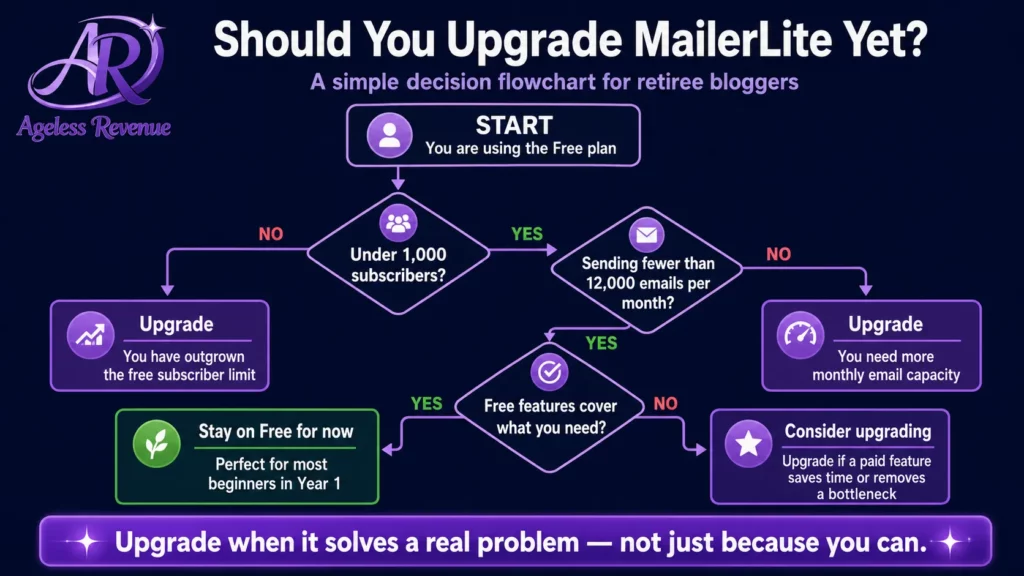
Verdict: the right starting point for a new retiree affiliate blogger. Use the free plan until you reach 1,000 subscribers, then evaluate whether to upgrade or switch based on what you actually need.
Kit (Formerly ConvertKit) — Best for Growth-Focused Bloggers
Free plan: up to 10,000 subscribers (limited features) Paid plan: from $25/month (500 subscribers, full features) Best for: bloggers who expect rapid growth and want more sophisticated audience segmentation from the start
Kit (which rebranded from ConvertKit in 2024) is designed specifically for content creators and bloggers. Its segmentation and tagging system is more powerful than MailerLite’s — you can tag subscribers based on which links they click, which lead magnets they downloaded, and how they engage with your content, then send highly targeted emails to each segment.
The free plan allows up to 10,000 subscribers but is significantly limited — no automation, no landing pages, no sequences. These are the exact features a new blogger needs most. To use Kit properly requires the paid plan, which starts at $25/month for 500 subscribers.
What Kit does well:
- Powerful tagging and segmentation even for small lists
- Excellent deliverability
- Clean, creator-focused interface
- Strong integration with WordPress
What Kit does less well:
- Free plan lacks automation — the most important feature for a beginner
- Paid plan is more expensive than MailerLite for equivalent subscriber counts
- Interface takes longer to learn than MailerLite
Verdict: worth considering if you are building a more complex email strategy from day one and are comfortable paying from the start. Not the right choice if you want to start free and grow into a paid plan.
Mailchimp — Avoid for Affiliate Bloggers
Free plan: up to 500 contacts, 1,000 emails per month Paid plan: from $13/month
Mailchimp is the most recognised email marketing name, but its free plan is now poorly suited to affiliate bloggers. The 500-contact limit is low, the monthly email limit is restrictive, and — critically — Mailchimp’s terms of service have historically been restrictive about affiliate marketing content.
The interface has also become significantly more complex as Mailchimp has added features targeting larger businesses. What was once intuitive for beginners now has a steeper learning curve than MailerLite with fewer relevant features for a retiree blogger.
Verdict: not recommended for new retiree affiliate bloggers. MailerLite offers more capability on a free plan with a simpler interface.
AWeber, GetResponse, ActiveCampaign — Skip for Now
These three platforms are all solid options for established businesses with larger lists and more complex needs. They are not the right starting point for a retiree blogger building a list from zero.
AWeber’s free plan is limited and its interface is dated. GetResponse has strong features but is designed for e-commerce and larger marketing operations. ActiveCampaign is genuinely powerful but has a steep learning curve and pricing that starts higher than alternatives.
None of these platforms offer a meaningful advantage over MailerLite for a beginner affiliate blogger, and all of them add complexity without proportional benefit at this stage.
The Features That Matter Most for Retiree Bloggers
Welcome sequence automation. Your four-email welcome sequence (delivery, helpful tip, personal story, first affiliate recommendation) should send automatically to every new subscriber. This requires automation capability — make sure your chosen platform includes it on the free plan.
Opt-in forms. You need to be able to create simple forms that embed in your WordPress sidebar and at the end of posts. Most platforms handle this, but ease of use varies significantly. MailerLite’s WordPress plugin makes form embedding genuinely simple.
Landing pages. A dedicated landing page for your lead magnet — no navigation, focused entirely on the opt-in offer — significantly outperforms embedded forms for conversion rate. MailerLite includes landing pages on its free plan.
Broadcast emails. Your regular weekly or fortnightly email to your full list. All platforms handle this. Evaluate the email editor ease-of-use specifically — you will use this every week.
Subscriber management. The ability to view your list, see who has and has not been opening emails, and remove inactive subscribers. Important for list hygiene and deliverability.
Migration: What to Do If You Are Already on a Different Platform
If you are already using a platform and want to switch to MailerLite:
- Export your subscriber list from your current platform (usually Settings → Export)
- In MailerLite, go to Subscribers → Import and upload the exported file
- Update the embed code on your WordPress forms and landing pages to point to MailerLite
- Rebuild your welcome sequence in MailerLite’s automation builder
- Send a brief email to your list from the new platform so inbox providers register your new sending identity
The process takes 2–3 hours for a list under 1,000 subscribers. Do it during a week when you are not planning a broadcast email — give the new platform a few days to establish its sending reputation before your first campaign.
Frequently Asked Questions
Is MailerLite really free?
Yes. The free plan allows up to 1,000 subscribers and 12,000 emails per month. It includes automation, landing pages, forms, and basic reporting. You do not need to enter a credit card to start. The free plan is sufficient for most retiree bloggers throughout their first year of list building.
What happens when I reach 1,000 subscribers on MailerLite’s free plan?
You will need to upgrade to a paid plan to continue sending emails. At that point, evaluate your email affiliate revenue — if your list is generating meaningful income, the paid plan at $9/month is a sound investment. If not, it is worth reviewing your email strategy before paying.
Can I use MailerLite if I have affiliate links in my emails?
Yes. MailerLite permits affiliate marketing content, provided the links are disclosed appropriately and the content is genuine (not spam). Unlike Mailchimp, which has had restrictions on affiliate content, MailerLite is widely used by affiliate bloggers without issue.
Should I choose MailerLite or Kit if I am serious about growing my blog?
Both are good platforms. MailerLite is the better starting point because it gives you more capability on the free plan. Kit is worth considering if you reach 1,000 subscribers quickly and want more sophisticated segmentation. Many bloggers start with MailerLite and migrate to Kit when their list strategy becomes more complex.
Your Next Step
If you do not yet have an email platform, go to mailerlite.com and create your free account today. The setup wizard walks you through the initial configuration. Create your first subscriber group and install the MailerLite WordPress plugin. Then create your lead magnet and first opt-in form.
For the complete guide to email list building for your affiliate blog, read Email Marketing for Retiree Bloggers.
For a structured training path with tools and community support included, try Wealthy Affiliate free →
This post contains affiliate links. If you buy through them, I may earn a small commission at no extra cost to you.