Last Updated on 1 month ago by Gila
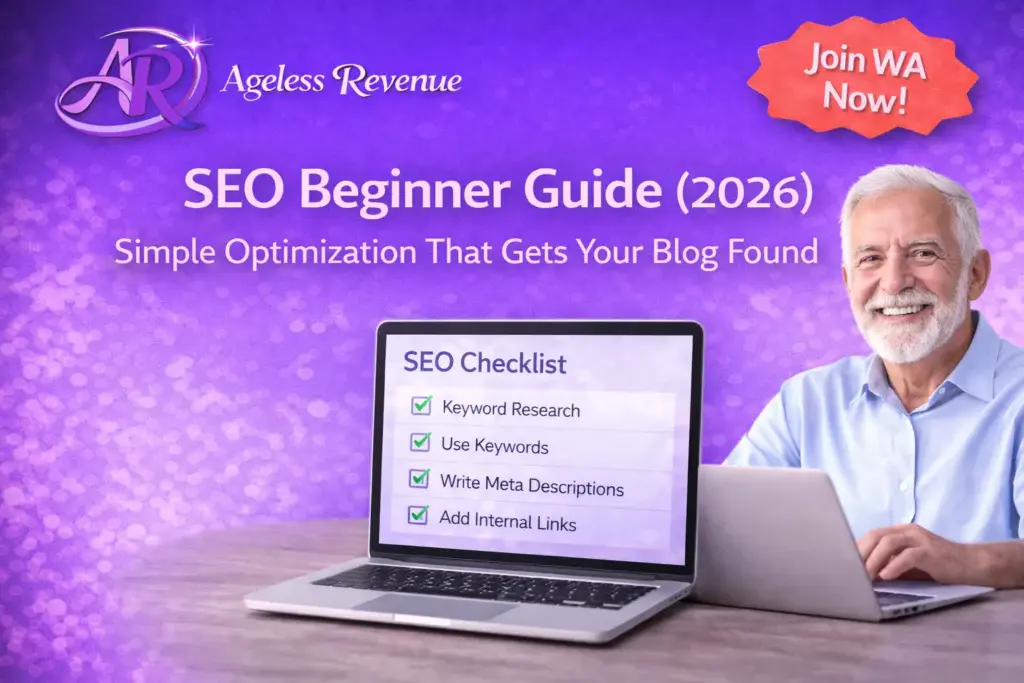
If SEO feels like a confusing pile of “rules,” you’re not alone. The good news is that in 2026 you do not need fancy tools, tech skills, or complicated tactics to start getting your blog found. You need a calm, repeatable SEO routine: write the right kind of helpful content, format it clearly, and make it easy for Google (and humans) to understand what your page is about.
This beginner guide is written for normal people—especially retirees and “ageless beginners”—who want step-by-step SEO that actually makes sense. No jargon overload. No “do 37 things before you publish.” Just the essentials that move the needle.
Want the printable checklists that match this guide? Grab the free Starter Kit:
https://agelessrevenue.com/starter-kit/
Disclosure: This post may contain affiliate links. If you click and purchase, I may earn a commission at no extra cost to you. I only recommend tools and services I believe are genuinely helpful.
TL;DR (2026)
• Pick one clear topic per post (answer one real question).
• Use a simple page structure (H2 headings, short paragraphs, lists).
• Use one main keyword naturally in the title + first section.
• Add 2–5 internal links to your own related posts.
• Add 1–2 helpful external links to trustworthy sources.
• Optimize images (small file size + descriptive ALT text).
• Write a clear meta title + meta description (The SEO Framework makes this easy).
• Publish consistently and improve older posts over time.
What SEO really is (and what it isn’t)
SEO stands for “search engine optimization,” but don’t let that scare you. SEO is simply the practice of making your content easy to discover and easy to understand. Google is trying to match a searcher’s question with the best, clearest answer. Your job is to make your page the clearest, most helpful answer.
SEO is not:
• Stuffing keywords everywhere
• Buying shady backlinks
• Chasing tricks that change every month
• Spending all day in analytics
SEO is:
• Writing content people are actually searching for
• Organizing it so it’s easy to read
• Helping Google understand the topic
• Building trust over time
In 2026, the biggest SEO advantage you can have is simple: be genuinely helpful, be specific, and be consistent.
The beginner SEO mindset that saves you months
If you remember only one thing from this guide, remember this:
SEO is a library, not a lottery.
A single post might not rank immediately. But every helpful post you publish becomes another “book” in your library. Over time, the library grows, Google trusts you more, and your traffic increases steadily. That’s how beginner websites win—especially small sites that serve a clear audience.
Before you optimize anything, ask this question:
“What exact person is this post for, and what exact problem am I helping them solve?”
If you can answer that clearly, your SEO work becomes easier.
Step 1: Choose the right kind of keywords (beginner-friendly)
A keyword is simply the phrase someone types into Google.
Beginners often choose keywords that are too broad, like:
• SEO
• affiliate marketing
• blogging
• make money online
Those are hard to rank for because huge sites already own those topics.
Instead, you want “long-tail keywords.” These are longer, more specific phrases. They usually have less competition, and they match real beginner questions.
Examples of beginner-friendly SEO keywords (2026):
• “SEO checklist for beginners”
• “how to write meta description in WordPress”
• “how to add internal links in a blog post”
• “what is alt text and why does it matter”
• “SEO for retirees beginner guide”
• “The SEO Framework settings for beginners”
How to find easy keywords without expensive tools
You can find great keywords with free methods:
- Google autocomplete
Start typing your topic into Google and look at the suggestions. Those suggestions are real searches. - People Also Ask
Search your topic and look at the “People Also Ask” questions. Each question can become a heading or a full post. - Your own comments and emails
If a beginner asked it once, many beginners are asking it. - Forums and communities
Reddit, Facebook groups, and niche forums are full of repeated questions. Repeated questions are content gold. - Competitor posts
Look at other beginner posts in your niche and notice their headings. Don’t copy—use them as inspiration for what people care about.
A quick keyword “yes/no” test
Before you choose a keyword, ask:
• Is this phrase a real question or clear problem?
• Can I answer it better and clearer than what’s already ranking?
• Will the right reader be happy they found me?
If yes, it’s a strong keyword.
Step 2: Use the simplest on-page SEO structure (that works in 2026)
On-page SEO is what you do on the page itself: titles, headings, paragraphs, links, and images.
Here’s a beginner structure that works for almost any blog post:
- Title (H1): clear benefit + simple wording + year when relevant
- Short intro: who this is for + what they’ll learn
- TL;DR block: quick steps (optional but helpful)
- Main sections with H2 headings
- Examples and checklists (beginners love these)
- FAQ section (3–8 questions)
- Gentle next step / CTA
Why this structure helps:
• Readers can scan and find what they need
• Google can understand your topic faster
• Your content feels organized (trust)
Make your writing “senior-friendly” and SEO-friendly
A simple rule: readable content performs better.
Use:
• Short paragraphs (2–4 lines)
• Bullet lists
• Clear headings
• Simple words over jargon
• Lots of white space
You’re writing for humans first. Google rewards that.
Step 3: The 3 most important SEO elements (for beginners)
If you do nothing else, do these three:
- The title
Your title should be clear and specific. It should tell the reader exactly what they get.
Good title examples:
• “SEO Beginner Guide: Simple Optimization That Gets Your Blog Found in 2026”
• “SEO Checklist for Beginners (2026): 15 Easy Steps”
• “How to Add Internal Links in WordPress (Beginner Guide 2026)”
Avoid vague titles like:
• “SEO Tips”
• “My SEO Journey”
• “Optimization Basics”
- The first 100 words
In your first paragraph, tell Google and your reader what the page is about.
Use your main keyword naturally near the top. Don’t force it. - Your headings (H2/H3)
Headings are like signposts. They help readers and Google. Use headings that match beginner questions.
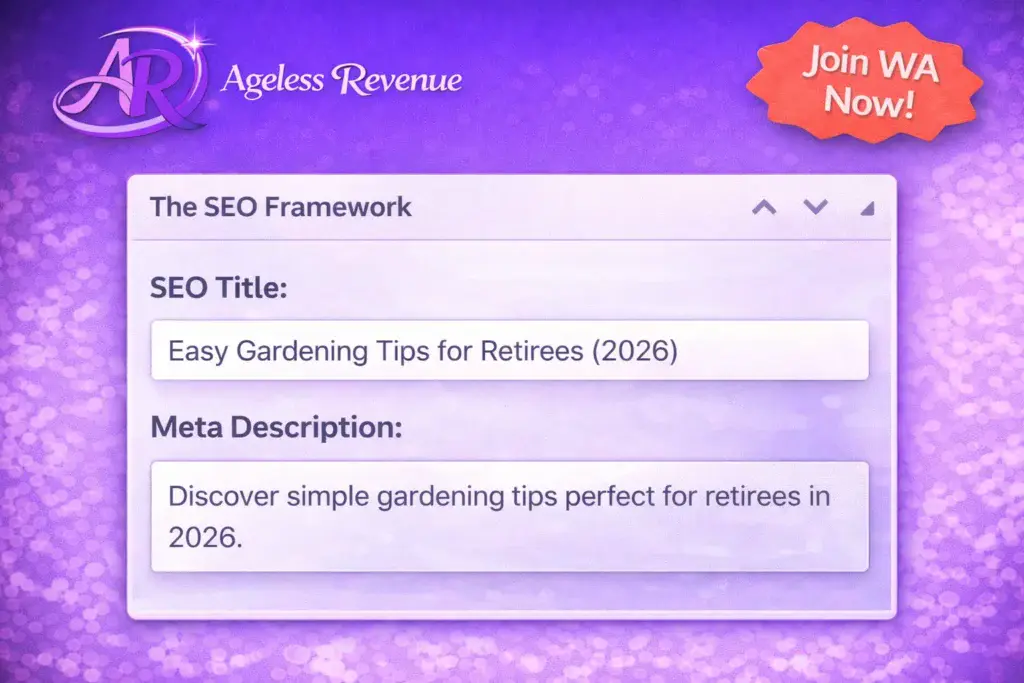
Step 4: Meta title + meta description (The SEO Framework, beginner style)
Your meta title and meta description are what people see in Google search results. They don’t guarantee rankings, but they improve click-through rate, which can help.
Meta title (simple formula)
Primary topic + benefit + (2026) when relevant
Examples:
• SEO Beginner Guide (2026): Simple Optimization That Gets Your Blog Found
• Beginner SEO in 2026: Simple Steps to Get Your Blog Found
• SEO for Beginners (2026): Easy On-page SEO Checklist
Meta description (simple formula)
Who it’s for + what they’ll learn + calm benefit
Example:
Learn simple SEO in 2026 with beginner-friendly steps: keywords, headings, internal links, image ALT text, and a calm routine to help your blog get found.
Beginner settings inside The SEO Framework
In The SEO Framework (TSF), keep it simple:
• Set a clean title (don’t overstuff)
• Write a helpful description (one or two sentences)
• Make sure your page is indexable (not noindex)
• Let TSF generate your sitemap automatically
Tip: Don’t obsess over pixel counts. Write for humans. If TSF shows a snippet preview, use it as guidance, not a test you must “pass.”
Step 5: Internal links (the easiest SEO win)
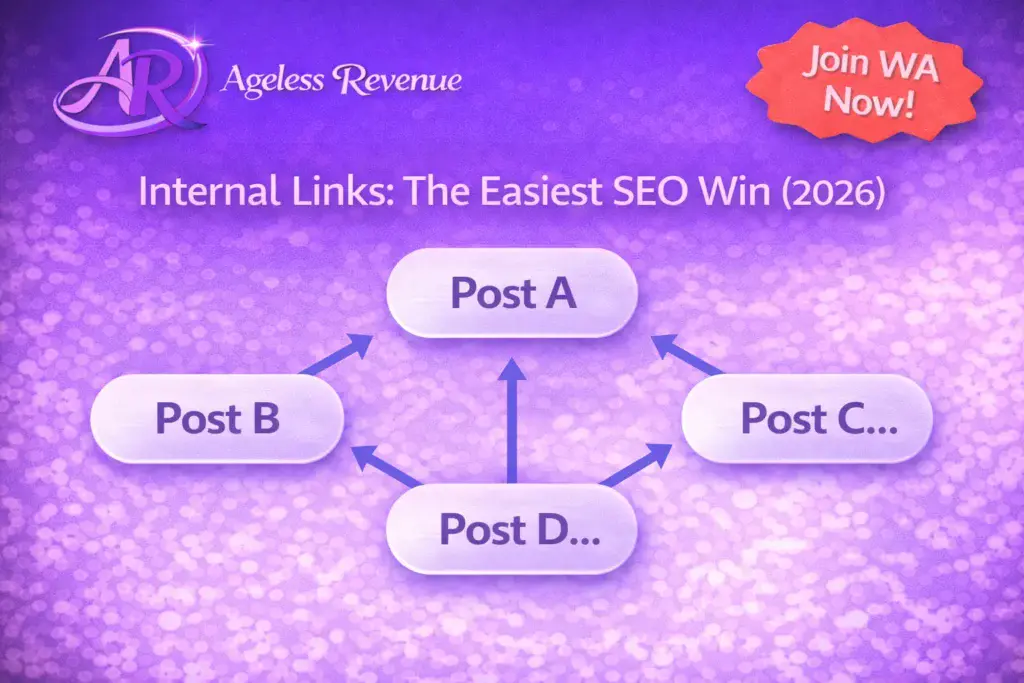
Internal links are links from one page on your site to another page on your site.
Why internal links matter in 2026:
• They help Google understand your site structure
• They keep readers on your site longer
• They guide visitors to the next helpful step
• They help your new posts get discovered faster
Beginner internal linking rule (easy)
For every new post:
• Link to 2–5 related older posts
Then, update 1–2 older posts to link back to the new post.
Use natural anchor text
Anchor text is the clickable text.
Use descriptive anchors like:
• “keyword research for maximum SEO impact”
• “content that converts for affiliate sales”
Not “click here.”
Helpful internal links for this post (examples)
• Keyword research guide: https://agelessrevenue.com/how-to-conduct-keyword-research-for-maximum-seo-impact/
• Content that converts: https://agelessrevenue.com/how-to-create-engaging-content-that-converts-for-affiliate-sales/
• Starter Kit: https://agelessrevenue.com/starter-kit/
Step 6: External links (simple trust signals)
External links are links to other websites.
Do you need them? Not always. But 1–3 high-quality external links can help readers and show you’re referencing trustworthy information.
In 2026, “quality over quantity” is the rule. Link to:
• Google Search Central guides
• Accessibility resources (ALT text)
• Established SEO learning resources
Tip: Avoid linking to random “SEO hacks” sites. Trust matters.
Step 7: Images, ALT text, and page speed (beginner essentials)
Images make your posts easier to understand and more enjoyable to read. But images can also slow your site if they’re too large.
Beginner image checklist (2026):
• Use 1200×628 for featured images (great for sharing)
• Compress images before upload
• Use descriptive file names (not IMG_4839.jpg)
• Add ALT text that describes the image clearly
What ALT text is (simple)
ALT text is a short description of an image for accessibility (screen readers) and context.
Good ALT text describes what’s in the image and (when relevant) the purpose.
Examples:
• “Beginner-friendly SEO checklist showing 10 simple steps”
• “Screenshot of The SEO Framework meta title and description fields”
• “Retiree using a laptop while updating blog SEO settings”
Avoid keyword stuffing in ALT text. Keep it natural.
Speed basics without tech overwhelm
If your site feels slow:
• Reduce image sizes
• Use fewer heavy plugins
• Use caching if your host provides it
• Keep your theme lightweight (GeneratePress is excellent)
In 2026, you don’t need to chase perfect speed scores. You need “fast enough” so readers don’t leave.
Step 8: Content quality signals that matter in 2026
Google wants to rank pages that feel trustworthy and helpful. Here are “quality signals” you can control:
• Clear author voice: readers feel you’re real
• Helpful examples: you show, not just tell
• Beginner explanations: you define terms once and move on
• Updated year references: you keep content current
• Internal links: your site feels organized
• Clear next steps: readers don’t feel stuck
A beginner-friendly way to upgrade content quality
After you write your first draft, add:
• One checklist
• One example
• One “common mistake” section
• A short FAQ
That alone can make a post feel 2x more helpful.
Step 9: Technical SEO for beginners (what to do, what to ignore)
Technical SEO can become a rabbit hole. Here’s what beginners should focus on:
Do this:
• Make sure your site is indexable (not accidentally noindex)
• Use clean permalinks (post name)
• Ensure SSL is on (https)
• Submit your sitemap to Google Search Console
• Fix broken links when you notice them
Ignore for now:
• Advanced schema beyond basic FAQ
• Complex page speed tuning
• “SEO experiments” that create confusion
• Changing themes constantly
If you’re using The SEO Framework:
• Your sitemap is usually handled
• Your canonical URLs are handled
• Basic meta tags are handled
Your focus should be on content and clarity.
Step 10: Google Search Console basics (the only parts you need)
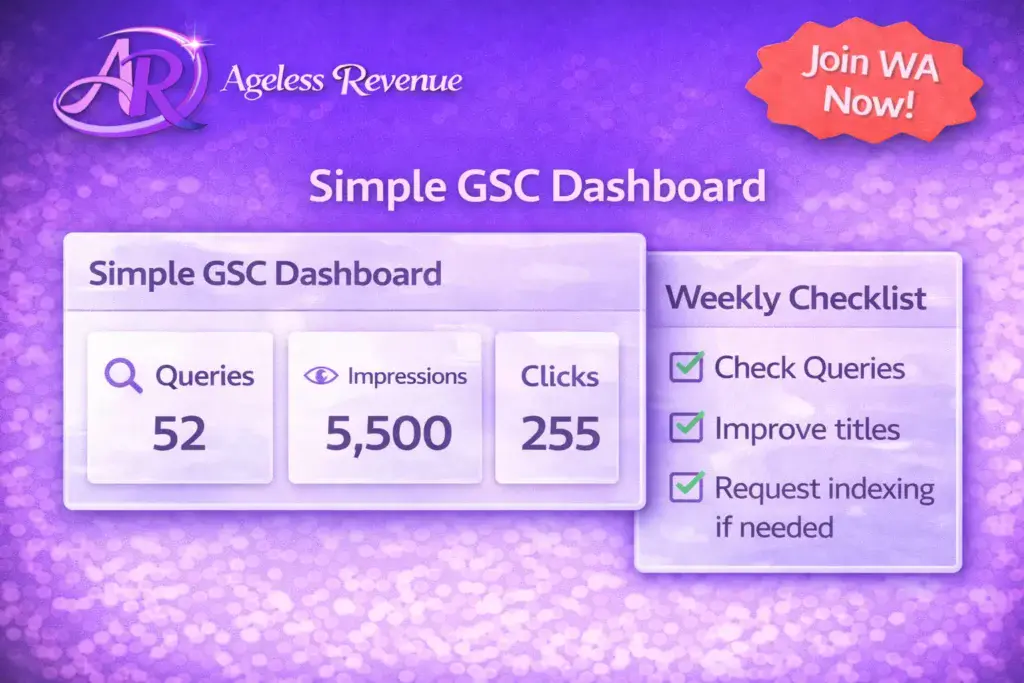
Google Search Console (GSC) helps you see:
• Which pages are getting impressions/clicks
• Which queries bring traffic
• Indexing issues
Beginner routine:
• Once a week: check Performance → Queries
• Once a month: look for pages with impressions but low clicks and improve titles/meta descriptions
• If a page isn’t indexing: request indexing after you confirm it’s not noindex
Don’t check daily. That creates anxiety. SEO is slow and steady.
Step 11: A calm 8-week SEO plan (so you actually finish)
Here’s a realistic beginner plan you can follow in 2026:
Week 1: Setup basics
• Confirm permalinks
• Confirm indexable settings
• Install/verify The SEO Framework
• Connect Google Search Console
Week 2: Publish 1 beginner post
• Choose one long-tail keyword
• Write a helpful guide
• Add 2 internal links
Week 3: Publish 1 checklist post
• Create a checklist style post
• Add images + ALT text
Week 4: Publish 1 “mistakes” post
• Explain what to avoid
• Add an FAQ
Week 5: Improve an older post
• Add better headings
• Add internal links
• Add a clearer meta description
Week 6: Publish 1 “best for beginners” post
• Help readers choose tools
• Add gentle affiliate links (with disclosure)
Week 7: Publish 1 tutorial post
• Step-by-step guide
• Include screenshots if relevant
Week 8: Review and improve
• Identify your top 3 pages in GSC
• Improve titles/meta descriptions
• Add internal links between related pages
This routine is calm, repeatable, and it works.
Step 12: Your “publish checklist” (copy this for every post)
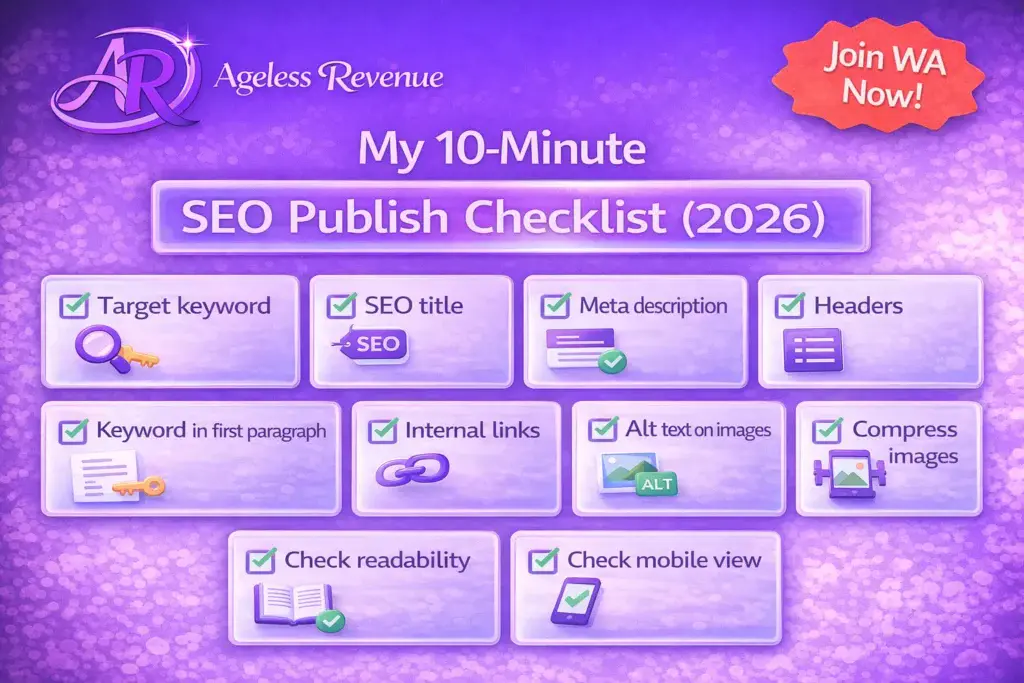
When you finish writing a post, run this quick checklist before you hit Publish. It takes about 5–10 minutes and it prevents most beginner SEO mistakes.
Content and structure
• Does the post answer one clear question?
• Do you have H2 headings every few sections?
• Did you add at least one example or mini checklist?
• Are paragraphs short and easy to scan?
Keyword and intent
• Is the main keyword idea in the title (naturally)?
• Does the first section clearly confirm the topic?
• Are you using related phrases naturally (not forced)?
Links
• Did you add 2–5 internal links to related posts?
• Did you add 1–2 external links only if they genuinely help?
Images
• Did you compress the featured image?
• Did you use a descriptive file name?
• Did you add ALT text that describes the image?
SEO Framework (TSF)
• Did you write a clean SEO title?
• Did you write a helpful meta description?
• Is the page indexable (not noindex)?
If you do only this checklist consistently, your SEO will improve faster than most beginners who try to learn “everything” first.
Your slug is the URL part after your domain. For this post, your slug is:
seo-beginner-guide-simple-optimization
Beginner slug rules:
• Keep it short (3–7 words is usually enough)
• Use hyphens between words
• Avoid stop words when possible (and, the, of)
• Don’t change slugs after a post is ranking unless you truly must
Categories and tags (don’t overcomplicate)
Think of categories as big folders and tags as small labels.
In 2026, many sites do fine with:
• 6–10 main categories total
• A small set of reusable tags (not hundreds)
Beginner rules:
• Use 1 category per post (or 2 max)
• Use 5–12 tags only if you’ll reuse them
• If you don’t have a tag strategy, it’s okay to use fewer tags
Step 14: The SEO Framework setup (beginner walkthrough)
You’re using The SEO Framework, which is great because it’s lightweight and doesn’t overwhelm you with extra screens.
Here’s the beginner setup that matters most:
- Make sure TSF is creating your sitemap
In most cases, it does this automatically. Your sitemap is usually at:
yourdomain.com/sitemap.xml
Once you confirm it exists, submit it to Google Search Console (GSC). - Write your SEO title and description for every post
In your post editor, TSF will show fields for your title and description.
Use these simple guidelines:
• Title: clear topic + benefit + (2026) if relevant
• Description: one or two sentences that match the reader’s problem - Keep your index settings clean
Don’t “noindex” posts unless you have a specific reason.
A common beginner mistake is accidentally setting pages to noindex and then wondering why they never rank. - Don’t worry about advanced settings at first
You can leave most defaults as they are. The goal is to publish helpful content and let TSF handle the technical basics.
Step 15: Simple schema for beginners (FAQ schema is the best first step)
Schema is “structured data” that helps search engines understand what’s on a page.
Beginners do not need complicated schema.
The easiest schema to start with is FAQ schema, because:
• It matches beginner questions
• It can help Google understand your Q&A section
• It’s simple to add and maintain
Important: FAQ schema should match the visible FAQs on the page.
If you change the FAQs, update the schema to match.
Step 16: Updating old posts (the easiest way to grow traffic)
One of the best beginner SEO habits is updating older posts. In 2026, refreshing content is often faster than writing from scratch.
Here’s a calm “update routine” you can do once a month:
- Choose 2 posts that already get impressions (GSC shows this)
- Improve the title (make it clearer, add 2026 if relevant)
- Add 2–3 new internal links
- Add a short FAQ section (3–5 questions)
- Add one new image with good ALT text
- Update the meta description
These small updates can increase clicks and rankings over time, without adding pressure to publish constantly.
Mini SEO audit (10 minutes) for this page
If you want to double-check this specific post before publishing, do this quick audit:
- Open the page and scroll like a reader. Does it feel easy to scan?
- Check headings: do they clearly describe what’s next?
- Check internal links: do you have at least 3 links to your own related posts?
- Check images: are they compressed and do they have ALT text?
- Check the meta snippet in The SEO Framework: does it sound inviting and accurate?
- Check the first paragraph: does it confirm the topic and who it’s for?
- Check the end: do you give a clear next step (Starter Kit or related post)?
- Check for duplicate ideas: if two sections say the same thing, merge them.
- Check for jargon: replace confusing terms with plain words.
- Read the FAQs: do they answer what beginners truly ask?
If you can say “yes” to most of these, you’re in excellent shape.
Quick glossary (beginner-friendly)
• Keyword: the phrase people type into Google
• Long-tail keyword: a longer, more specific phrase with lower competition
• On-page SEO: optimization you do on the page (headings, links, images, structure)
• Meta title: the clickable title shown in Google results
• Meta description: the short description shown in Google results
• Slug: the URL ending of a page (seo-beginner-guide-simple-optimization)
• Internal link: a link from one page on your site to another page on your site
• External link: a link from your site to another website
• Indexing: when Google adds your page so it can appear in results
Common beginner SEO mistakes (and simple fixes)
Mistake 1: Writing about topics nobody searches
Fix: Use Google autocomplete + People Also Ask.
Mistake 2: Writing too broadly
Fix: Narrow your topic to one question.
Mistake 3: Overusing keywords
Fix: Write naturally. Use your topic phrase in the title and early section, then focus on clarity.
Mistake 4: No internal links
Fix: Add 2–5 internal links in every post.
Mistake 5: Thin content with no examples
Fix: Add a checklist, an example, and 3–5 FAQs.
Mistake 6: Editing forever and not publishing
Fix: Publish, then improve. SEO rewards consistency.
Mini case study (2026): How a beginner post starts ranking
Let’s say you write a post titled:
“How to Add Internal Links in WordPress (Beginner Guide 2026)”
You publish it with:
• Clear headings
• A simple checklist
• A screenshot
• 3 internal links to related posts
• A helpful meta description
In the first few weeks, you might see very little traffic. That’s normal.
After a month or two, you might start seeing impressions in Search Console. That means Google is testing your page. If your title and description are clear, you’ll get clicks. If readers stay and find it helpful, your page can move up gradually.
That’s how SEO works in real life: small improvements, steady progress, and content that genuinely helps beginners.
FAQs (2026)
Q: How long does SEO take for a new blog?
A: Many new blogs start seeing impressions within weeks, but meaningful traffic usually takes a few months. It’s normal. Focus on publishing helpful posts consistently.
Q: Do I need paid SEO tools to rank?
A: No. Beginners can do a lot with free tools like Google Search Console and free keyword ideas from Google autocomplete and People Also Ask.
Q: How many keywords should I use in one post?
A: Focus on one main topic (one primary keyword idea). Use natural related phrases, but don’t force them. Clarity matters more than keyword counts.
Q: Are meta descriptions still important in 2026?
A: Yes for clicks. A good meta description can improve click-through rate because it tells people what they’ll get when they click.
Q: What is the fastest SEO win for beginners?
A: Internal linking. Add 2–5 links to related posts and update older posts to link back. It improves site structure and helps readers.
Q: What should I do if my post isn’t indexing?
A: Confirm it’s not set to noindex, ensure it’s published (not draft/private), then request indexing in Google Search Console.
Final thoughts (2026): Keep SEO simple and consistent
You don’t need to master SEO overnight. You need a calm routine you can repeat:
• Choose one helpful topic per post
• Write clearly with headings and examples
• Add internal links
• Optimize images and ALT text
• Write a clear meta title and description
• Publish consistently and improve older posts
If you want the calm checklists that make this easier, start here:
https://agelessrevenue.com/starter-kit/
CTA: Want training + hosting + support in one place?
If you’d like an all-in-one beginner platform (training + hosting + support), here’s my recommended next step (affiliate link):
Leave a Reply