
Last Updated on 3 months ago by Gila
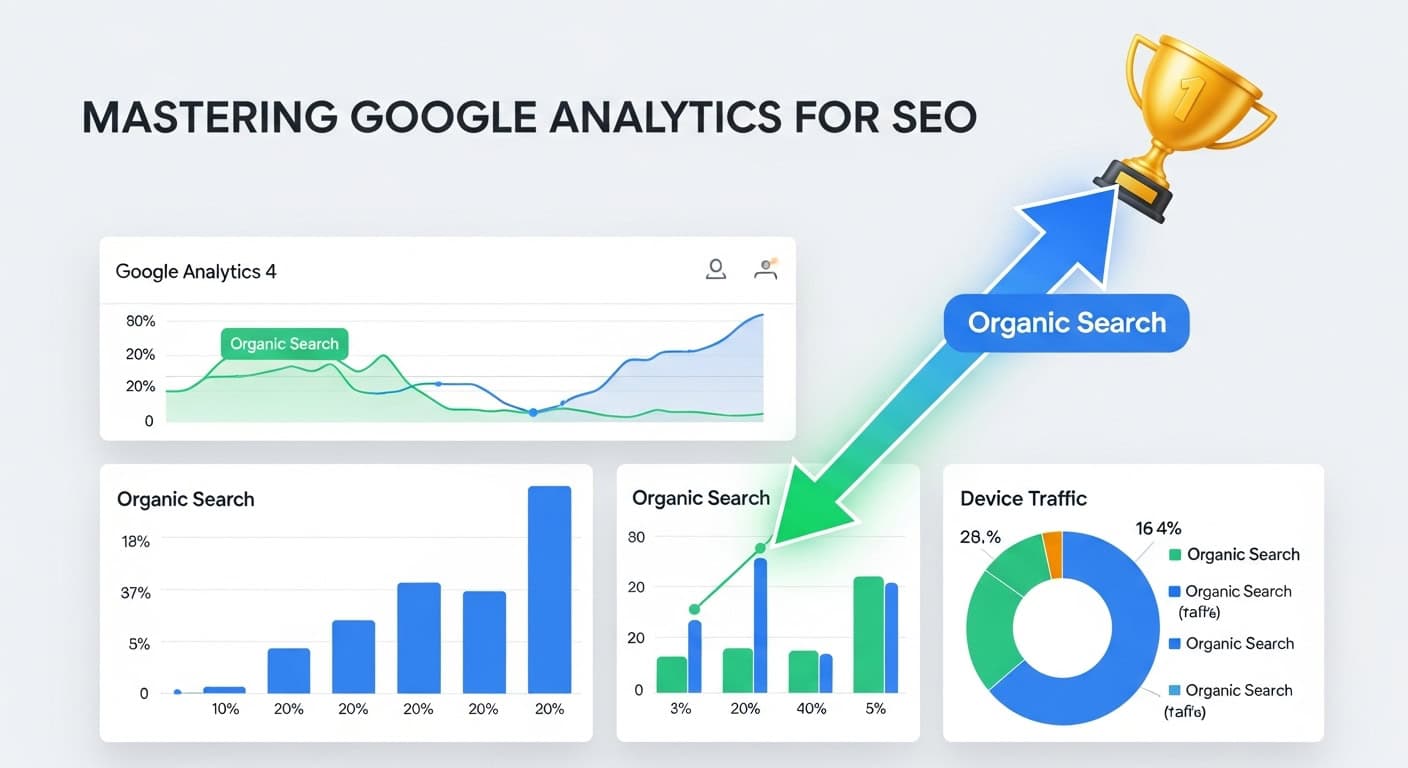
Google Analytics (GA) is not just a tool; it is the central intelligence dashboard for your website’s performance and SEO strategy. It provides the empirical data necessary to transform guesswork into informed, calculated decisions. GA is your website’s detailed diary, showing you what’s happening, who’s visiting, how they’re engaged, and critically, why they convert or leave.
This platform is crucial for tracking SEO performance, identifying content that is succeeding, and isolating technical or user experience bottlenecks that are hindering your search rankings. Without the deep insights provided by GA, you are operating blind, unable to leverage the real data required to maximize your visibility and user engagement.
TL;DR: Google Analytics turns your SEO from guesswork into calm, data-backed decisions. Track how people find you, what they do on your site, and which pages quietly drive the most value.
- Use Google Analytics to see which pages bring in the most organic visitors.
- Watch engagement and scroll depth to spot content that needs clearer structure or better visuals.
- Connect GA with Google Search Console to understand which queries and landing pages drive search traffic.
- Set up simple SEO-focused events (like form submissions) to track conversions that really matter.
- Review key reports weekly so you can gently improve pages instead of starting from scratch.
Why Google Analytics is the Heartbeat of SEO Success
Ever wonder why your site’s traffic spikes or dips? Google Analytics for SEO, provides the contextual data to answer these questions with precision. It is the bridge between your content creation efforts and the measurable results on the search engine results pages (SERPs).
- Informed Decision-Making: You are not guessing; you are making data-backed choices based on real user behavior.
- Audience Understanding: You find out how people are finding your site (Acquisition) and what they are doing once they land there (Behavior and Engagement).
- ROI Measurement: For content marketing, GA allows you to connect specific blog posts or landing pages to commercial outcomes, proving the return on your SEO investment.
The Ecosystem: GA, GSC, and GTM
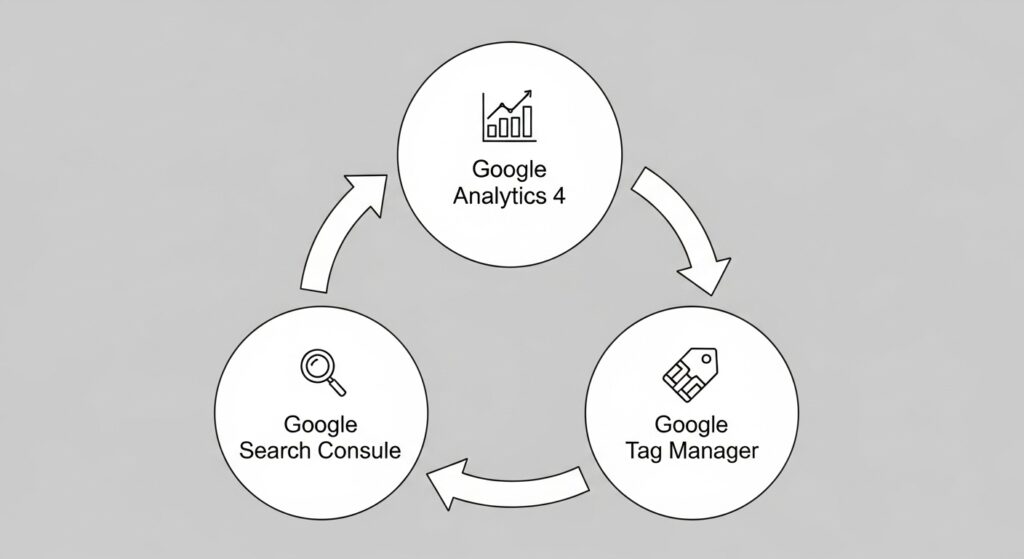
For maximum SEO impact, Google Analytics must be viewed not as a standalone tool, but as the core component of a powerful data ecosystem:
| Tool | Primary Function | SEO Benefit |
| Google Analytics (GA4) | Measures user behavior on your site (engagement, conversions, flow). | Quantifies the quality of traffic delivered by SEO efforts. |
| Google Search Console (GSC) | Measures site performance in search results (impressions, clicks, rankings). | Identifies the keywords driving organic traffic and potential technical issues. |
| Google Tag Manager (GTM) | Simplifies the deployment and management of tracking codes. | Enables quick and flexible testing of new tracking (e.g., event tracking) without touching site code. |
Keeping all these tools in your back pocket ensures you have the complete panorama necessary to make smart, data-driven choices to boost your website’s visibility and user engagement.
Want a fuller picture of how analytics fits into your overall SEO and business strategy? These guides pair well with your Google Analytics setup:
- Affiliate Marketing 101: Beginner’s Guide for Retirees – see how analytics supports your first affiliate site.
- How to Validate Your Online Business Idea – use GA data to confirm real interest before you invest more time.
- Online Business Plan Template for Retirees – connect your GA metrics to simple, realistic business goals.
Integrating Google Analytics 4 (GA4) for Comprehensive SEO Tracking
The shift to Google Analytics 4 (GA4) marks a significant evolution in how user behavior is measured, moving from session-based tracking (Universal Analytics) to event-based tracking. This change provides a more holistic, user-centric view critical for modern SEO.
Step-by-Step GA4 Setup and Integration
Setting up GA4 for your site is like installing a state-of-the-art dashboard in your car—you want to know how fast things are moving and what’s working under the hood.
- Start at the Google Analytics Login Page: The initial setup begins here, creating your Google Analytics 4 property and receiving your unique Measurement ID.
- Installation via Global Site Tag: For basic setup, you paste the GA tag directly into the
<head>section of your website code. - Harnessing Google Tag Manager (GTM): For those jumping into advanced territory, GTM is your secret weapon.
- The GTM Advantage: GTM is designed to simplify tracking code management. Instead of fiddling with site code whenever you need a change (like setting up custom scroll depth or outbound link tracking), you just pop open Tag Manager and deploy a new tag using your GA4 Measurement ID. This allows for smoother, less risky SEO operations and A/B testing.
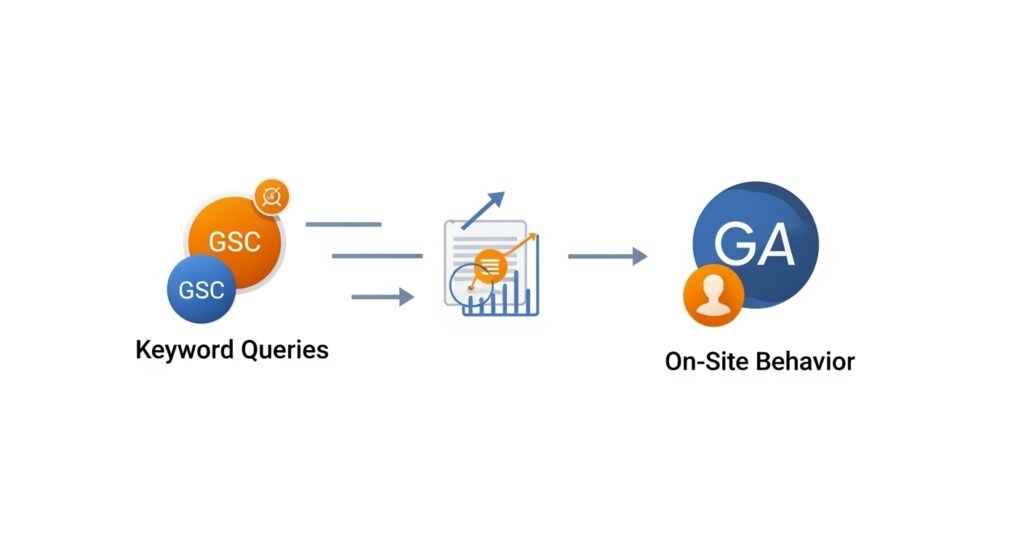
- Connecting the Ecosystem (GSC): Once GA4 is installed, you must link it to Google Search Console (GSC). This connection is vital, as it overlays the GSC keyword and query data onto your GA acquisition reports, painting a complete picture of search-to-site performance.
With these setups, you are prepared to track your site’s SEO like a professional data scientist, using the latest event-based metrics.
Understanding GA4’s Event-Based SEO Metrics
GA4 focuses on measuring user interactions (events) rather than simply pageviews. These events offer deeper insights into the quality of traffic delivered by your SEO efforts.
- Engaged Sessions: A session that lasts longer than 10 seconds, has a conversion event, or has 2 or more screen/page views. SEO Impact: A high rate means your organic traffic is high-quality and relevant to the user’s search intent.
- Engagement Rate (vs. Bounce Rate): The percentage of sessions that were engaged. This is the inverse of the old “bounce rate” and provides a much more positive and reliable quality signal. SEO Impact: This is a direct measure of how well your content fulfills the query that brought the user from the SERP.
- Conversions: These are goal completions (e.g., newsletter sign-ups, contact form submissions, purchases). SEO Impact: This shows the direct commercial value of your organic content.

Analyzing SEO Performance through Core GA4 Reports
Once you’re all set up, it’s go-time to check your site’s SEO pulse. GA4 offers a treasure trove of reports to see how your SEO moves are shaking out.
1. Acquisition Reports: Where Does My Traffic Come From?
Start with the basics: where is your traffic originating?
- Traffic Acquisition Report: Head to the ‘Acquisition’ section. This report breaks down traffic by Channel Grouping (e.g., Organic Search, Direct, Referral, Social).
- Focus on ‘Organic Search’: This is your core SEO metric. A consistently high percentage here means your keyword research and content strategies are succeeding in the search engine world.
- User Acquisition Report: This shows the source that first introduced the user to your site. This is vital for long-term cohort analysis and understanding which organic channels are driving new visitors.
Once you know where your organic visitors are coming from, the next step is improving the content they land on:
- How To Conduct Keyword Research For Maximum SEO Impact (2025) – align your content plan with the queries you see in organic search.
- How to Create Engaging Content That Converts for Affiliate Sales – turn search visitors into subscribers and buyers with clearer calls-to-action.
- Best AI Tools for Blogging: Boost Efficiency, SEO, and Engagement (2025) – speed up content updates that your analytics data tells you to prioritize.
2. Engagement Reports: Are Users Staying and Interacting?
Don’t skip on ‘Engagement’ reports. They show how users interact once they’re on your site.
- Pages and Screens Report: This is the equivalent of the old ‘Behavior’ reports. It shows your most-visited pages and critical metrics like Engaged Sessions and Engagement Rate per page.
- Actionable SEO Insight: Identify pages with high organic traffic but low engagement. This is your cue to enhance that content’s clarity, update outdated information, or improve the user experience (UX).
- Landing Page Report: This shows where organic search traffic first lands. High-performing landing pages should be prioritized for further content expansion and internal linking, as they are proven entry points.
3. Monetization and Conversion Reports: Measuring Value
Your SEO efforts must ultimately tie back to the bottom line.
- Conversions Report: Ensure your key SEO goals—like submitting a contact form or signing up for a newsletter—are tracked as Conversion Events.
- Actionable SEO Insight: Filter conversions by the ‘Organic Search’ channel grouping. This provides a clear, dollar-value or goal-value ROI for your non-paid SEO work.
Advanced Analysis: Integrating GSC Data
The most powerful part of SEO analysis lies in the combined data view:
- GSC Queries in GA4: By linking GSC, you gain access to the Queries report within GA4’s Acquisition section. This is the only place outside of GSC where you can see the actual keywords that drove organic traffic (Impressions, Clicks, Position) and then immediately connect that data to the on-site behavior (Engaged Sessions, Conversions) observed by GA4.
Enhancing Website Performance with GA4 Insights
GA4 is a powerhouse for improving overall website performance, acting as your site’s personal trainer by pointing out strengths and helping you work on weak spots.
A. Site Speed and Technical Performance
Site speed is a direct ranking factor. Users are impatient, and even a second’s delay can be costly, increasing bounce rates and reducing engagement.
- GA4 Technology Reports: While detailed speed analysis is typically done in Google PageSpeed Insights, GA4’s Tech details reports can segment performance by user device, browser, and screen resolution.
- Actionable SEO Insight: Analyze your Engagement Rate segmented by device (Mobile vs. Desktop). If mobile engagement is significantly lower, you have a critical performance or UX issue that requires immediate attention (e.g., checking mobile rendering, Core Web Vitals).
B. Mobile Performance and User Experience
Mobile-first indexing means Google primarily uses the mobile version of your content for ranking.
- Mobile Metrics Deep Dive: GA4 provides the lowdown on how your site is playing out on smartphones and tablets. Look at the User Engagement over time for mobile users. If mobile users are dropping off quickly, it suggests issues with font size, button placement, or aggressive pop-ups that hinder the mobile user experience.
C. Leveraging Custom Reporting and Segments
To make life easier, setting up custom dashboards can give you a snapshot view of your SEO performance.
- Custom Exploration Reports (GA4): These enhanced features allow you to build custom funnels, paths, and segment analyses (e.g., segmenting only Organic Search Traffic from California that viewed the pricing page). This granular control is essential for heavy-duty SEO tracking and identifying niche opportunities or problems.
- The Data Nerd Advantage (Google Analytics 360): For enterprises, 360 offers enhanced features like high-data freshness, unsampled data, and direct integration with BigQuery, allowing for massive data warehousing and complex machine learning analysis critical for large-scale SEO operations.
Diving into real-world stories, many businesses have transformed their site’s performance, boosting engagement and conversions by leveraging these analytic insights. Enhance your website not just for the bots, but for the humans visiting.
Leveraging Google Analytics to Boost Free SEO Efforts
You don’t need deep pockets to get the most out of SEO, thanks to Google Analytics and its buffet of free features. It’s all about using the right tactics to get your search rankings climbing without paying a dime.
1. Content Optimization via Landing Page Data
Refine your pages with data from the Pages and Screens report.
- Double Down on Winners: See which pages keep organic visitors engaged (high Engagement Rate, multiple events). These pages are your proven performers. Double down by expanding the content, adding internal links to other cluster pages, and driving more traffic to them.
- Polish the Underperformers: Identify pages with high organic entry but low time on page or poor engagement. These pages might be targeting the right keywords but failing to deliver on the promise. Polish the content, improve the readability, or update the information to match current user expectations and E-E-A-T standards.
2. Discovering Hidden Keyword Opportunities
Combine GSC and GA4 for smart content pivoting.
- High-Impression, Low-Click Keywords (GSC): GSC shows keywords where your page gets many Impressions but a low Click-Through Rate (CTR).
- GA4 Action: Go to the corresponding page in GA4. If GSC shows low CTR, it indicates the Title Tag and Meta Description on the SERP are not compelling enough. Use the GA4 data (high subsequent engagement) to justify rewriting the SERP snippet for a huge, free traffic boost.
3. Funnel Analysis for Conversion Rate Optimization (CRO)
Using the Exploration Reports (Funnels) helps you trace the path organic users take toward a goal.
- Identify Leakage: If you see a major drop-off (e.g., 80% of users leave between the “Product Page” and “Add to Cart”), that drop-off point is a critical CRO failure. Fix the issue (e.g., unclear shipping costs, broken button) to immediately boost the value of every organic click.
By combining these free tools with sharp analytical focus, you’re navigating the SEO world with purpose, ensuring each move you make is strategic, calculated, and, best of all, cost-effective.
Ready to turn your analytics insights into calm, long-term growth? These articles will help you plan your next moves:
- Profitable Online Businesses to Start in 2025: Top 50 Ideas for Retirees – choose growth paths that match what your GA data is telling you.
- Start Your First Affiliate Site: Step-by-Step Guide – apply GA findings to structure your first (or next) SEO-friendly site.
- Best AI Tools for Blogging: Boost Efficiency, SEO, and Engagement (2025) – use AI to refresh and expand the posts GA shows as high-potential.

Helpful External Resources for Google Analytics 4 & SEO
- Google Analytics Help – Engagement Rate & Bounce Rate (GA4 vs UA) – see how GA4’s engagement-focused metrics are defined and calculated.
- Semrush – What Is Engagement Rate in GA4? + How to Improve It – practical tips for improving engagement metrics on key SEO pages.
- Google Analytics Help – About Analytics Sessions in GA4 – understand how GA4 counts sessions, engaged sessions, and related metrics.
- Analytics Mania – Connect Google Analytics 4 with Google Search Console – step-by-step tutorial to bring search query data into GA4.
❓ Frequently Asked Questions (FAQ)
Q1: What is the biggest difference between Universal Analytics (UA) and Google Analytics 4 (GA4) for SEO?
A: The biggest difference is the data model:
- UA: Session-based. It measures user activity within defined time limits (sessions).
- GA4: Event-based. It measures every user interaction (pageview, scroll, click, video play) as an individual event.For SEO, GA4 offers the new Engagement Rate metric, which is far more reliable than UA’s “Bounce Rate” for assessing the quality and relevance of organic traffic. GA4 also provides seamless cross-device tracking, giving a truer picture of the user’s journey.
Q2: How do I track specific goal conversions (like form submissions) in GA4?
A: In GA4, goals are tracked as Conversion Events:
- Define the Event: You must first define the action as a custom event (e.g., tracking a ‘thank you’ page view or a button click) usually through Google Tag Manager (GTM).
- Mark as Conversion: Once the custom event is firing correctly, you go into the GA4 interface and toggle the switch to mark that specific event (e.g.,
form_submit) as a Conversion. This allows the event to be included in your Conversion Reports for SEO analysis.
Q3: Why is the keyword data in Google Analytics “Not Provided”?
A: Since late 2011, Google encrypts search queries for privacy reasons, meaning most organic keywords driving traffic are hidden within Google Analytics and replaced with “(not provided)”.
- The Solution: The key is to link Google Search Console (GSC) to GA4. GSC still provides the actual keyword queries (impressions, clicks, average position) that led users to your site. This allows you to analyze keyword performance, even if GA4 itself can’t show the keyword for privacy reasons.
Q4: Which GA4 metric should I monitor to see if my content is truly engaging organic users?
A: You should prioritize the Engagement Rate.
- This metric is the percentage of sessions that are considered “engaged” (lasting over 10 seconds, having 2+ pageviews, or including a conversion). A high Engagement Rate for traffic coming from the Organic Search channel grouping indicates that your content is highly relevant and successfully fulfilling the intent of the search query.
Q5: How can Google Analytics help me find technical SEO problems?
A: GA helps primarily by identifying performance correlation:
- Low Engagement on Mobile: Check Technology reports and segment by Device Category. If the mobile engagement rate is low, it signals a technical problem (slow loading, poor layout, Core Web Vitals issues).
- Page Exit Analysis: Use the Path Exploration report to see where organic users are unexpectedly dropping off your site (e.g., immediately exiting the checkout page), signaling a broken step or confusing UX element.
Conclusion: Data as the Driver of SEO Evolution
Google Analytics, particularly the advanced, user-centric capabilities of GA4, is the indispensable engine for any serious SEO strategy. It moves you past speculation and into a realm of precise, data-driven optimization.
By mastering the integration of GA4 with tools like GSC and GTM, and by focusing on behavioral metrics like Engagement Rate and Conversion Events, you gain the power to not only measure your organic success but to actively diagnose, fix, and forecast the next stage of your website’s growth. In the evolving landscape of search, using GA to understand and delight your human users is the most strategic move you can make to ensure sustained visibility and maximum SEO impact.
Next Steps: Turn Your Analytics Into Calm, Steady Growth
You don’t need to become a data analyst to benefit from Google Analytics. A simple rhythm—checking a few key reports, noting which pages perform well, and gently improving underperformers—is enough to move your SEO forward week by week.
If you’d like a guided starting point, download my free Affiliate Marketing Starter Kit for Beginners. It walks you through choosing a niche, planning content, and setting up tracking so your analytics always support your goals.
And if you want structured training, tools, and a supportive community designed for beginners and retirees, consider learning inside Wealthy Affiliate. You’ll find step-by-step lessons, website hosting, and coaching that pairs beautifully with the analytics approach you’ve just explored.
Pick one small metric to watch this month—like organic sessions or engagement rate—and let that number guide your next calm improvement. Over time, those small, data-informed steps can compound into meaningful results.