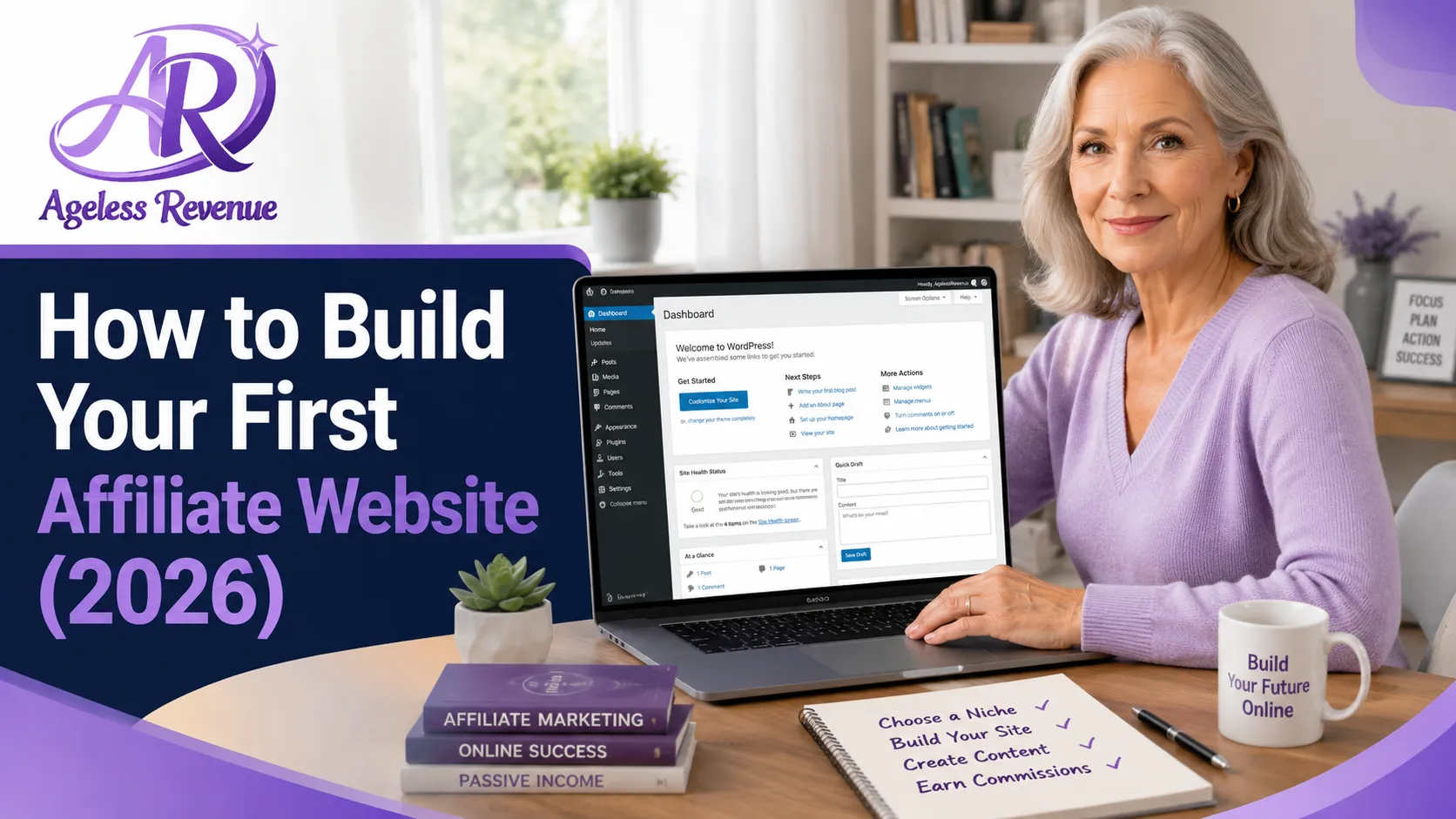
How to start a blog for affiliate marketing — complete beginner's guide

How to Start a Niche Blog for Affiliate Marketing — A Complete Beginner’s Guide

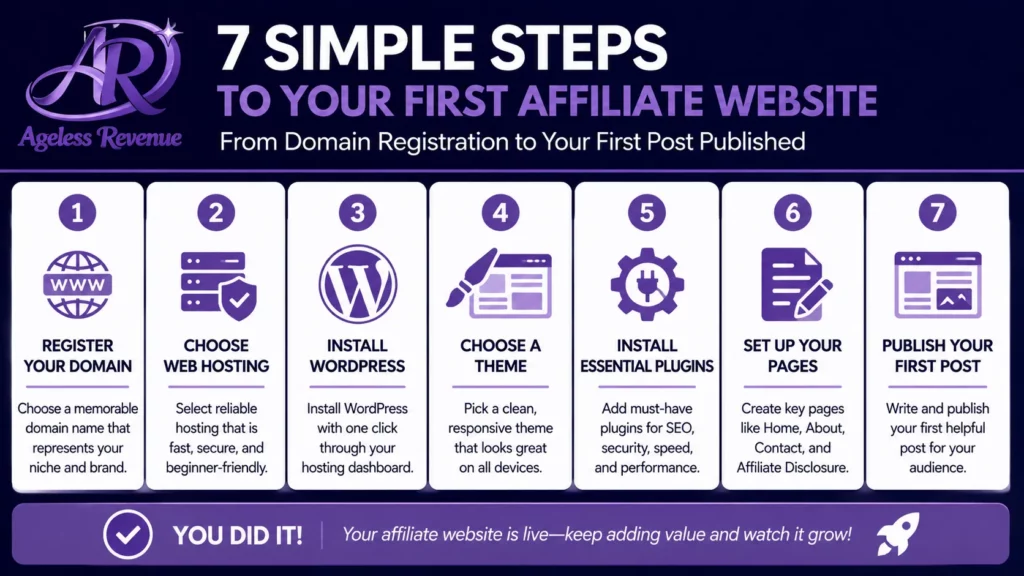
Starting a blog for affiliate marketing sounds more technical than it is. The setup — buying a domain, getting hosting, installing WordPress — takes less than a day. Most people are surprised by how straightforward it is once they stop imagining that it requires coding skills or a background in web design. This guide will explain how to start a blog for affiliate marketing effectively.

To effectively learn how to start a blog for affiliate marketing, you must understand the basics of content creation and audience engagement.

Learning how to start a blog for affiliate marketing is a crucial step in building a successful online business.

Many beginners wonder how to start a blog for affiliate marketing and what the first steps should be.

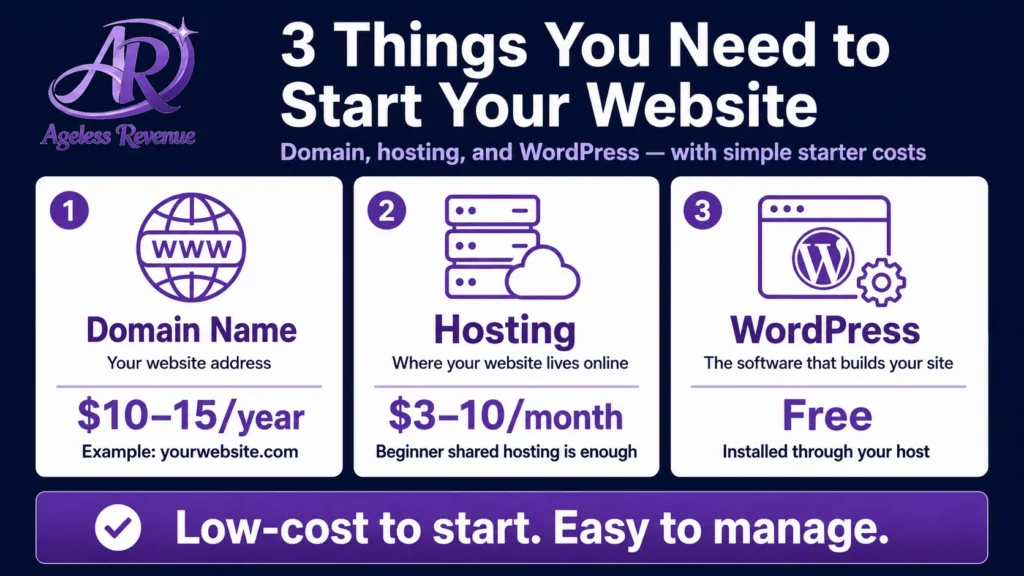
The honest cost: a professional affiliate blog can be up and running for roughly $50–100 in the first year. That covers your domain name, twelve months of basic hosting, and everything else you need to publish your first post. WordPress itself is free. Most of the best plugins are free. You do not need to spend more than this to start.

What this guide covers: the seven setup steps from zero to first published post, an honest cost breakdown, and a first-30-days publishing plan. What it does not cover in depth: advanced SEO strategy and traffic building, which live in our dedicated traffic and SEO guide, and choosing which affiliate programs to join, which is covered in the guide to best affiliate programs for beginners.

If you want to understand the full landscape of how a niche blog fits into building online income before diving into setup, the Ageless Revenue complete guide is the right starting point.

Affiliate disclosure: This post contains affiliate links. If you purchase through one of our links, we may earn a commission at no extra cost to you.

When you learn how to start a blog for affiliate marketing, it’s important to choose a niche that resonates with you.

Knowing how to start a blog for affiliate marketing can help you target the right audience effectively.

Step 1 — Choose Your Niche Before You Touch Any Technology

This step is listed first for a reason. Every technical decision that follows — the domain name, the site design, the content structure — depends on knowing clearly what your blog is about and who it is for. Starting the technical setup before you have a clear niche answer almost always leads to starting over.

Understanding the niche is essential when you learn how to start a blog for affiliate marketing.

As you dive deeper into how to start a blog for affiliate marketing, consider your target audience.

A niche is simply the specific topic area your blog will cover and the specific audience it will serve. “Health” is not a niche. “Joint health and gentle movement for adults over 60” is a niche. “Gardening” is not a niche. “Container gardening in small urban spaces” is a niche.

In this guide, we will explore how to start a blog for affiliate marketing and provide detailed insights to help you succeed.

For an affiliate blog to earn commissions, your niche needs to satisfy four conditions. First, you need genuine knowledge or passionate curiosity about the topic — otherwise, you will run out of things to write about within a few months. Second, a defined audience needs to be actively searching for information on this topic. Third, there need to be products or services your readers might buy that you can honestly recommend. Fourth, affiliate programs need to exist for those products.

For those interested in learning how to start a blog for affiliate marketing, this step-by-step guide will provide essential insights and tips.

How to test your niche idea in ten minutes: search your main topic in Google. If the first page is full of blogs and articles, that is a good sign — it confirms people search for this. Check Amazon or ShareASale for relevant products. If there are hundreds of products and active affiliate programs, you have a viable niche.

For a full framework to evaluate and validate any niche idea before committing, read our guide to how to choose a profitable niche for affiliate marketing.

Step 2 — Choose Your Blogging Platform

The clear recommendation for an affiliate marketing blog is self-hosted WordPress — specifically WordPress.org, not WordPress.com. These are two different things and the distinction matters.

One of the most common questions is how to start a blog for affiliate marketing effectively.

WordPress vs Squarespace vs Wix for affiliate marketing — comparison for beginners

WordPress.org is the free, open-source software you install on your own hosting. You own everything: your content, your domain, your affiliate links. You can install any plugin, use any theme, and monetise in any way you choose. This is the platform used by over 40% of all websites on the internet, and it is the standard choice for affiliate marketing.

Many successful bloggers share their experiences on how to start a blog for affiliate marketing.

WordPress.com is a hosted service — more like a subscription product. The free tier does not allow affiliate links in most cases and severely limits customisation. The paid tiers address some of these limitations, but at comparable cost to self-hosted WordPress without the flexibility.

Brief comparison with alternatives:

Squarespace and Wix are beginner-friendly and produce attractive sites, but both limit affiliate marketing functionality, are harder to optimise for SEO, and do not give you the level of plugin support that WordPress provides. They work as general websites but are not the right choice for a serious affiliate blog.

Blogger is free and owned by Google, which makes it technically accessible — but it is outdated, rarely updated, and puts your content on Google’s infrastructure rather than your own. Not recommended for a business you intend to build long-term.

The conclusion is simple: for a niche affiliate blog, self-hosted WordPress is the right choice, and there is no close second for beginners who want flexibility, SEO capability, and full ownership of their content.

Step 3 — Get a Domain Name and Hosting

These two things work together: a domain name is your web address (yoursite.com), and hosting is the server that stores your files and makes your site visible to visitors. You purchase them separately but connect them in minutes.

How much does it cost to start an affiliate marketing blog — first year cost breakdown

To gain insights on how to start a blog for affiliate marketing, you must explore different hosting options.

Choosing a domain name. Aim for something short (under 15 characters), easy to spell out loud, and ideally relevant to your niche or your brand. Avoid hyphens, numbers, and unusual spellings — they create confusion when you share your address verbally. A .com extension is still the most trusted globally, though .co and niche-specific extensions (.blog, .garden) are increasingly accepted.

You can buy a domain through your hosting provider (simplest — they connect automatically) or through a registrar like Namecheap or GoDaddy and connect it manually. Most domains cost $10–15 per year.

Choosing a hosting provider. For beginners starting an affiliate blog, the three most recommended options are:

SiteGround offers excellent beginner support, fast servers, and an intuitive dashboard. Pricing starts at around $3–4 per month on an introductory plan. Their support team is responsive and knowledgeable — an important factor when you are setting things up for the first time.

Hostinger is the most affordable option on this list, with plans starting below $3 per month. Performance is solid for new sites with low traffic, and the dashboard is designed for beginners. A good choice if budget is the primary constraint.

Bluehost is one of the most widely used beginner hosts, officially recommended by WordPress.org. Pricing starts at around $3–4 per month on introductory rates. The onboarding process is among the most straightforward available, and WordPress can be installed with a single click during setup.

All three offer one-click WordPress installation, which means you do not need to manually configure any files. You click a button, wait a few minutes, and WordPress is installed.

First-year cost summary:

ItemApproximate cost
Domain name$10–15/year
Basic hosting (shared)$30–50/year
WordPressFree
Recommended theme (free tier)Free
Essential pluginsFree
Total first year~$40–65

Step 4 — Install WordPress and Choose a Theme

Once your hosting account is set up and your domain is connected, installing WordPress is a single action. Every hosting provider recommended above offers one-click installation — look for it in your hosting dashboard under “WordPress”, “Website”, or “Apps”. Click install, choose your domain, set an admin username and password, and the process completes in two to three minutes.

You will then receive a link to your WordPress dashboard, which is where you will manage everything from this point forward.

Choosing a theme. A WordPress theme controls how your blog looks. For an affiliate blog, the most important qualities in a theme are speed (slow sites rank poorly in Google and lose readers), clean design (a cluttered site reduces trust), and SEO-friendliness (the theme should not add unnecessary code that confuses search engines).

Three themes that meet all of these criteria and have reliable free tiers:

Astra is the most widely used lightweight WordPress theme. It is fast, clean, and has excellent compatibility with page builder plugins if you want to customise the design later. The free version is sufficient for a starting affiliate blog.

Kadence is a strong alternative to Astra with a slightly more polished default design and a similarly fast codebase. Also excellent for affiliate sites and highly recommended.

GeneratePress is what Ageless Revenue uses. It is minimal, fast, and extremely stable — ideal if you want a site that loads quickly and never breaks unexpectedly.

What to avoid: themes with pre-built demos full of animations, sliders, and design elements. They look impressive in previews but slow your site down significantly and make SEO harder.

Step 5 — Configure the Essential Settings

To fully grasp how to start a blog for affiliate marketing, you should also think about SEO strategies.

Essential WordPress plugins for affiliate marketing blog — beginners checklist

Once WordPress is installed and a theme is active, there are a handful of settings to configure before you publish anything. These take about 30 minutes and are important to get right from the start.

Permalinks. Go to Settings → Permalinks and set the structure to “Post name”. This gives you clean URLs like yoursite.com/product-review rather than yoursite.com/?p=123. Search engines strongly prefer the former.

Site title and tagline. Go to Settings → General. Set your site title (your blog name) and write a brief tagline that describes what your blog covers and who it is for. This appears in browser tabs and in search results.

Timezone. Set your timezone in Settings → General so that scheduled posts publish at the correct time.

Essential plugins. Install and activate only these to start — every additional plugin adds loading time:

RankMath or Yoast SEO — adds an SEO analysis panel to every post and guides you through optimising each piece of content. Both have fully functional free versions. RankMath has the more modern interface and is the recommended choice.

WP Rocket (paid) or W3 Total Cache (free) — a caching plugin that speeds up your site by storing static versions of pages. WP Rocket is the industry standard for performance, though it carries a cost. W3 Total Cache is a capable free alternative.

UpdraftPlus — automatic backups to Google Drive or Dropbox. The free version covers everything a new blog needs. Set it to run weekly and you will never lose your work.

That is it. Resist the urge to install more plugins “just in case” — every plugin is a potential source of conflicts and slowdowns.

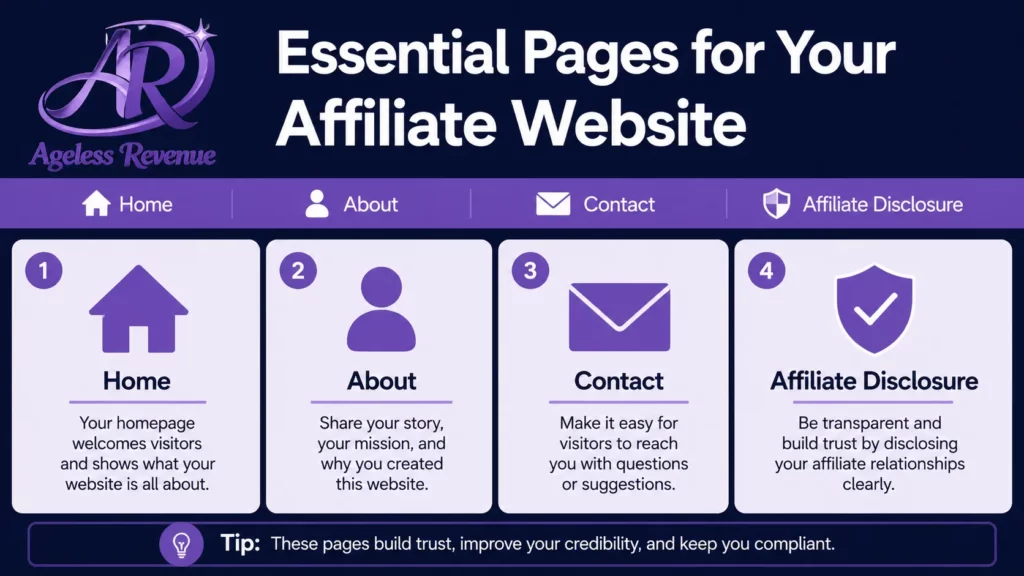
Step 6 — Create Your Three Essential Pages

Before publishing any blog posts, create these three pages. They are the foundation of trust for any affiliate site.

About page. This is the most important trust signal on an affiliate blog. Readers want to know who is writing the content they are about to rely on for purchasing decisions. Tell your story honestly — your background, your relevant experience, why you started the blog, and what readers can expect to find here. A real name and a real photo increase trust significantly. Do not skip this page or write it as a corporate mission statement. Write it as you would introduce yourself to someone you have just met.

Understanding how to start a blog for affiliate marketing includes knowing the tools required.

Affiliate disclosure page. This is a legal requirement in most countries. The FTC requires clear disclosure that you earn commissions from affiliate links. Create a standalone page with a plain-English disclosure — something like: “This site participates in affiliate programs. When you purchase through links on this site, I may earn a small commission at no extra cost to you.” You will also add a shorter version of this disclosure to the top of each individual post that contains affiliate links.

This guide provides a comprehensive overview of how to start a blog for affiliate marketing.

Contact page. A simple contact form (a free plugin like Contact Form 7 or WPForms Lite handles this) gives readers and potential business contacts a way to reach you. Many affiliate programs check for a contact page before approving an application — it signals that a real person is behind the site.

Step 7 — Publish Your First Affiliate Content

With the site set up and the three essential pages live, you are ready to publish your first post. The two content formats that work best for new affiliate blogs are product reviews and comparison posts.

A product review answers one question for a specific reader: “Is this product the right choice for me?” The most effective structure is: open with the problem the product solves, give a clear quick verdict for scanners, cover the product features honestly, list genuine pros and cons, address who it is and is not for, and close with a recommendation and your affiliate link.

A comparison post (“Product A vs Product B” or “Best X for Y”) answers: “Of these options, which is the better choice for my situation?” These posts rank well in search because they capture readers who are close to making a decision — exactly the reader most likely to click an affiliate link and buy.

Write about products you have actually used where possible. Specific, concrete details — the thing that surprised you, the flaw you noticed after three months of use, the particular scenario where it excels — are what separate trustworthy reviews from generic content. Readers can tell the difference, and so can search engines.

For a detailed structure and a fill-in-the-blank review template, read our guide to how to write affiliate product reviews that convert.

What to Do in Your First 30 Days

First 30 days affiliate blog plan — week by week action plan for beginners

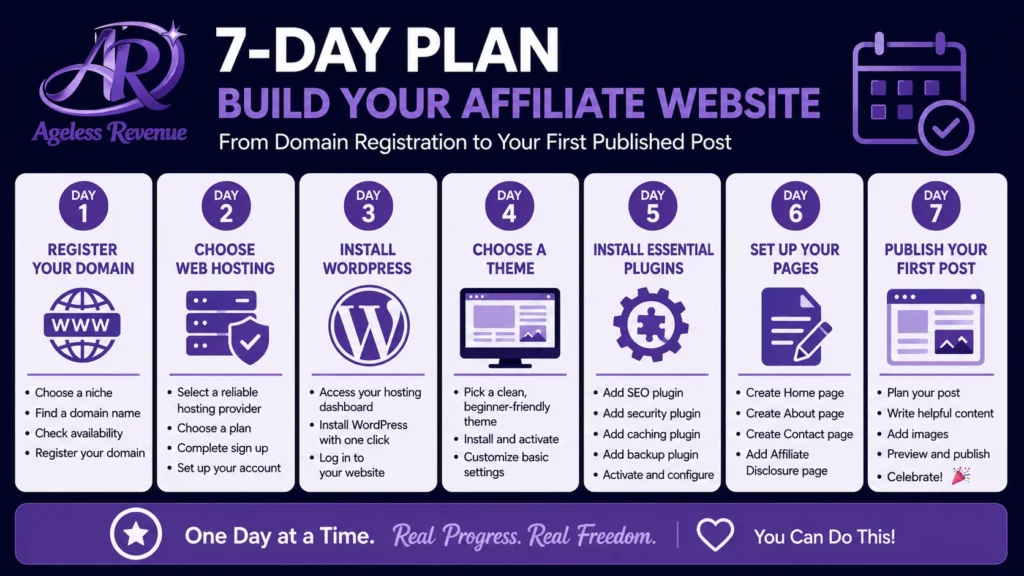
The first month sets the pace and habits that determine whether your blog succeeds over the following year. Here is a realistic week-by-week plan:

Week 1: Complete the technical setup (Steps 1–5 above). Publish your About page, Affiliate Disclosure, and Contact page. Do not publish blog posts yet — get the foundation right first.

Week 2: Publish your first two blog posts. Focus on quality and specificity, not length. A focused 900-word review is more useful than a padded 2,000-word post with nothing concrete to say.

The right mindset is vital when you are learning how to start a blog for affiliate marketing.

Understanding how to start a blog for affiliate marketing will ultimately set you up for success.

Week 3: Publish two more posts. Begin researching the affiliate programs most relevant to your niche. Do not apply yet — wait until you have at least five posts live.

Week 4: Publish two more posts, bringing your total to approximately six. Apply to your first affiliate program — Amazon Associates is the natural starting point, followed by one specialist network. Read our guide to the best affiliate programs for beginners before applying.

Month 1 onwards: Aim for two published posts per week. Do not check your traffic statistics obsessively — new blogs often show minimal traffic for the first 60–90 days while Google indexes and evaluates the content. This is normal. The work you do in month one and two compounds into traffic in month four and five.

Resist the urge to redesign your theme, install new plugins, or change your niche during this phase. Consistency of output is the single most important factor in a new blog’s early growth.

To sum up, mastering how to start a blog for affiliate marketing can lead to a profitable venture.

Frequently Asked Questions

How long until my blog gets traffic?

Most new blogs see minimal organic traffic in the first 60–90 days. Google takes time to index new sites and assess the quality and relevance of fresh content. After three to four months of consistent publishing — two posts per week — most blogs begin to see meaningful organic traffic on their best-performing posts. By month six, consistent publishers typically have several posts generating regular visitor numbers.

Do I need to know how to code?

No. WordPress operates through a visual dashboard and editor. You click buttons, type text, and upload images — there is no code involved in day-to-day blogging. The setup steps in this guide require no coding at any point. The only time coding knowledge becomes useful is for advanced customisation, which is a year-two or later concern for most affiliate bloggers.

Can I start a blog for affiliate marketing for free?

You can start learning and experimenting for free using WordPress.com’s free tier or Blogger. However, neither is recommended for a serious affiliate blog: WordPress.com restricts affiliate links on free plans, and Blogger is outdated. The most important thing you can do for a long-term affiliate income is to own your platform — which requires a domain and hosting. At $40–65 for the first year, the investment is minimal relative to the potential return.

How many articles do I need before applying to Amazon Associates?

Amazon Associates does not publish a minimum article requirement, but applications with fewer than five published posts are frequently declined. The practical minimum is five to eight posts — enough to demonstrate a genuine niche focus and real content intent. Apply once you have this foundation in place.

Should I use my real name on the blog?

Yes, where possible. Using your real name and a real photo on your About page increases reader trust significantly — which directly improves affiliate conversion rates. Readers make purchasing decisions based partly on whether they trust the person recommending the product. For most niches, especially those built around personal experience and expertise, anonymity works against you.

Your Next Step

The setup steps in this guide take a single focused day. The 30-day publishing plan that follows them takes consistency over weeks, not technical skill.

When you are ready to start attracting readers through search, read our traffic and SEO basics guide — it covers the fundamentals of getting your posts found on Google without paid advertising.

When you are ready to write your first review, our guide to writing affiliate product reviews that convert gives you a structure and a template to follow.

And if you want to understand how a niche blog fits into building a sustainable long-term income, the Ageless Revenue complete guide covers the full picture.

This post contains affiliate links. If you purchase through one of our links, we may earn a commission at no extra cost to you. We only recommend products and services we have personally assessed as genuinely useful.

Similar Posts

Leave a Reply

Your email address will not be published. Required fields are marked *