
Introduction
Pinterest isn’t just a place for recipes and home décor anymore. It’s a powerful search platform for people who are planning purchases and looking for solutions—especially in the senior wellness and healthy living space.
Pinterest users often search with strong intent, like:
- “best knee brace for seniors”
- “gentle exercises for older adults”
- “sleep tips for seniors”
- “How to prevent falls at home.”
That planning mindset is exactly what you want as an affiliate marketer. Instead of chasing trends, Pinterest helps you build evergreen traffic—pins can keep getting clicks for months (sometimes years) after you publish them.
Senior wellness products are in demand more than ever: mobility aids, sleep support tools, home fitness gear, brain games, and “healthy aging” products that help people feel better day-to-day. Pinterest also attracts caregivers who are searching for trustworthy recommendations for parents and grandparents. That creates a real opportunity for affiliates who lead with education, clarity, and honest guidance.
Affiliate marketing on Pinterest is different from TikTok or Instagram. It’s less about going “viral” and more about being searchable and helpful. People use Pinterest like a visual version of Google. If you match what people are searching for, your pins can keep working quietly in the background—sending clicks and affiliate sales without you needing to post every single day.
In this article, I’ll walk you through a beginner-friendly plan for Pinterest affiliate marketing for senior wellness products: boards, pin types, design tips for older audiences, tracking, and product ideas (plus a simple weekly routine you can stick with).
If you’re building your first affiliate site (or you want a more steady traffic source), you may also like my Starter Kit here:
TL;DR (Too Long; Didn’t Read)
Quick takeaways for making affiliate sales on Pinterest in the senior wellness niche:
- Evergreen traffic: Pins can last months (even years), so your links keep working longer.
- Educational content wins: Guides, checklists, and comparison posts convert well for wellness buyers.
- Pinterest is a search engine: Use keywords like you would on Google.
- Transparency matters: Always disclose affiliate links clearly.
- Consistency helps: A few fresh pins each week keeps your account active and growing.
- Mix product categories: Mobility, sleep, home fitness, “aging in place,” and caregiver essentials.
- Track results: Use Pinterest Analytics + your affiliate dashboard to double down on what works.
Why Pinterest Works So Well for Senior Wellness Affiliate Marketing
Pinterest works differently from most social platforms. People use it when they’re planning and researching—not just scrolling for entertainment. That makes Pinterest traffic especially valuable for affiliate marketing.
Here’s why I like Pinterest for senior wellness:
- Long shelf life: A strong pin can drive traffic long after it’s posted.
- Search-driven discovery: Your content can show up in Pinterest search and sometimes in Google results.
- Problem-solving mindset: People come looking for solutions (knee pain, sleep issues, safer homes, gentle exercise).
- Beginner-friendly content: You don’t need fancy equipment—clear visuals and helpful wording matter most.
- Trust fits the niche: Senior wellness buyers want clarity, safety, and options—not hype.
If you create pins that match real searches and lead to genuinely helpful pages, you can build steady clicks and affiliate commissions over time.
A quick note about expectations (the honest part)
Pinterest is not instant. Many people see early clicks in a few weeks, but more reliable patterns often take a few months. Think of Pinterest like planting a small garden:
- Each pin is a seed
- Each board is a “section of the garden.”
- Over time, Pinterest learns what you’re about and shows your pins to the right people
The good news is: once a pin starts performing, it can keep bringing traffic without daily posting.
Step 1: Set Up Your Pinterest Account the Right Way
Before you start pinning, get your basics in place. This makes Pinterest more likely to understand your content and helps people trust you.
Use a business account (even if you’re small)
A Pinterest business account gives you:
- Pinterest Analytics (so you can track clicks and saves)
- The option to run ads later (totally optional)
- A more professional profile
You don’t need to be a “business person” to use it—you just want the tools.
Write a simple, keyword-friendly profile
Keep it readable and clear. For example:
“I share senior wellness tips and product guides for healthy aging—gentle exercise, sleep support, and safer homes.”
If you want, add one sentence that builds trust:
“I focus on practical, low-pressure ideas that are easy to try at home.”
Link your profile to your website (recommended)
If you have a WordPress site, link Pinterest to it. This helps with credibility and can make your pins perform better over time.
If you’re still building your site, I recommend starting here: https://agelessrevenue.com/starter-kit/
Step 2: Create Focused Boards That Match Real Searches
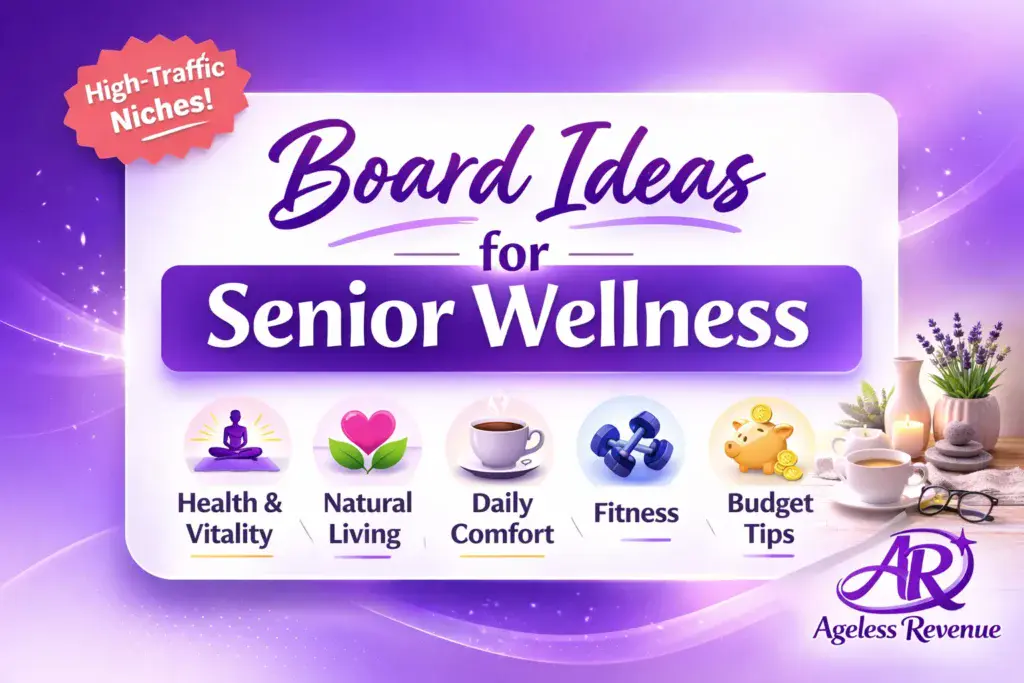
Avoid one giant “Health” board. Instead, create a handful of boards with clear, specific names.
Think: “What would someone type into Pinterest when they need help?”
Here are examples that work well for senior wellness:
- Gentle Exercise for Seniors
- Sleep Tips for Older Adults
- Arthritis Support & Joint Comfort
- Safer Homes for Aging in Place
- Balance Exercises (Beginner-Friendly)
- Brain Health & Memory Support
- Caregiver Help and Daily Routines
- Healthy Snacks Over 60
Board tips that make a difference
- Use keyword phrases in board titles (not cute names)
- Add a short board description (2–3 sentences)
- Pin content that truly matches that board (Pinterest likes clarity)
If your account is new, start with 6–10 boards. You can always add more later.
Step 3: Choose the Best Pin Types for Affiliate Conversions
In senior wellness, the pins that convert best usually do one thing well:
They solve a specific problem.
Here are pin styles that consistently work for affiliate marketing in this niche.
Value-first pins (trust builders)
These don’t feel like ads. They make people think, “This person is helpful.”
Examples:
- “Home Safety Checklist for Aging in Place”
- “Gentle Morning Stretch Routine (Chair-Friendly)”
- “7 Sleep Habits That Help Older Adults Rest Better.”
- “Beginner Balance Routine to Reduce Fall Risk”
You can link these pins to a blog post that includes your product suggestions naturally.
Product-support pins (soft selling)
These are still helpful, but they introduce products as solutions.
Examples:
- “Best Pill Organizers (Easy to Open + Easy to Read)”
- “Best Grab Bars for Bathrooms (What to Look For)”
- “Best Knee Supports for Walking (Comfort Tips)”
Comparison pins (high intent)
Comparison content works well for wellness buyers because people want to choose carefully.
Examples:
- “Cane vs. Walking Stick: What’s Better for Stability?”
- “3 Sleep Sound Machines Compared (Simple Pros/Cons)”
- “Resistance Bands: Which Strength Should You Start With?”
Comparison pins usually link to “best of” lists or review-style posts.
Short video pins (optional, not required)
You don’t need to dance. A simple 7–12 second clip works, like:
- hands opening a large-button pill organizer
- showing how a grab bar mounts (no personal footage required)
- demonstrating a chair stretch using resistance bands
If the video feels stressful, skip it. Static pins can do great.
Step 4: Design Pins That Are Easy to Read for Older Audiences
This is where many people accidentally lose clicks. Pinterest is visual, so clarity matters.
Use big text and strong contrast
A simple rule:
If someone can’t read your pin quickly on a phone, it won’t perform well.
Try:
- large fonts
- high contrast (dark text on light card)
- short headlines
Avoid:
- tiny text
- “busy” backgrounds
- too many lines
Keep the message simple
One pin should communicate one clear idea.
Good:
- “Sleep Tips for Seniors (Easy Routine)”
Too much:
- “The Ultimate Complete Sleep Guide With 17 Things To Do Tonight Plus Supplements and More”
Use the same look again and again
Pinterest likes consistency, and people do too. Pick:
- 1–2 fonts
- 2–3 brand colors
- a simple layout (headline + image + small logo)
This helps your pins feel familiar over time.
(If you’re building a brand system, you can also browse the Pinterest resources on Ageless Revenue here
Step 5: Write Keyword-Rich Pin Titles and Descriptions (Without Sounding Like a Robot)
Pinterest needs context. Keywords help Pinterest understand what your pin is about.
How to find keyword ideas (easy method)
Start typing in Pinterest search and look at the suggestions that pop up.
Try typing:
- “knee support…”
- “sleep tips…”
- “balance exercises…”
- “arthritis relief…”
- “aging in place…”
Write down the suggested phrases. Those are real searches.
A simple description formula that works
Use this pattern:
- Who it’s for
- What problem does it helps
- What they’ll get if they click
Example:
“Looking for gentle balance exercises for older adults? This beginner-friendly routine is simple to follow and great for building confidence at home. See the full guide and my recommended tools.”
Add a natural keyword phrase once or twice:
- “balance exercises for seniors”
- “aging in place home safety.”
- “sleep tips for older adults”
No stuffing. Just natural.
Step 6: Decide Where Your Pins Should Link (The Best Practice for Affiliates)
This is important: some affiliate programs allow direct links from Pinterest, and some don’t.
Even when direct linking is allowed, I prefer a steadier approach:
Link to your own helpful page first
Instead of pin → affiliate product page, do:
Pin → your helpful blog post → affiliate links inside
This gives you:
- more trust (people see your explanation)
- more control (you own the page)
- more options (you can recommend several products)
- better long-term SEO potential
If you’re building your WordPress site, you may like this beginner-friendly approach to affiliate marketing:
What pages convert best for senior wellness
These page types tend to work well:
- “Best of” lists (with clear pros/cons)
- Simple product reviews (who it’s for, what to watch out for)
- Checklists that include recommended tools
- Quick routines (exercise, sleep routine, safety steps) that naturally mention products
You’re not “selling.” You’re guiding.
Step 7: Always Disclose Affiliate Links (Simple and Clear)
Disclosures protect you and build trust.
On Pinterest, add a short disclosure in the pin description like:
- “Affiliate link”
- “#ad”
- “I may earn a commission at no extra cost to you.”
On your blog post, add a disclosure near the top or near the first affiliate link.
For FTC disclosure guidance, you can reference the official FTC endorsements page here:
And Pinterest’s policies are worth checking periodically as well:
A Beginner-Friendly Weekly Pinterest Routine (That You Can Actually Stick With)
Here’s a simple routine that works well for retirees and beginners.
Weekly plan (30–60 minutes total)
Pick one main topic each week, like “sleep tips for seniors.”
Then:
- Create 1 helpful blog post (or update an older one)
- Make 3–5 pins that point to that same post:
- Pin 1: checklist headline
- Pin 2: “best of” headline
- Pin 3: “simple routine” headline
- Pin 4: question headline (optional)
- Pin 5: a short video pin (optional)
Then schedule them across the week (or post manually).
Why multiple pins for one post works
Because Pinterest isn’t just showing your content to the same people.
Different people search different phrases:
- “sleep tips for seniors”
- “how to sleep better older adults.”
- “best sound machine for sleep”
- “night routine for seniors”
Multiple pins give Pinterest more “doorways” into your content.
Tracking and Improving Your Results (Without Overwhelm)
You don’t need complicated tracking. Just track enough to learn.
What to watch inside Pinterest Analytics
Look at:
- Impressions: Are people seeing your pin?
- Saves: Do people find it useful enough to save?
- Outbound clicks: Are people visiting your site?
Outbound clicks matter most for affiliate sales.
What to watch in your affiliate dashboard
Look at:
- Which products are getting clicks
- Which products are converting
- whether certain categories convert better (sleep vs mobility, etc.)
A simple improvement routine (every 1–2 weeks)
- Check your top 3 pins for outbound clicks
- Make 2–3 new variations of each:
- new headline
- new layout
- new image
- Add those variations to your most relevant boards
- Repeat
Small improvements add up fast.
Best Senior Wellness Product Categories for Pinterest Affiliate Sales
Here are categories that tend to perform well because they match common “problem-solving” searches.
Mobility and joint comfort
People search for help with walking, stairs, standing up, and joint support.
Examples:
- canes and walking aids
- shoe inserts
- hand supports
- kitchen tools for grip support
- knee and ankle supports
Pin angles:
- “Best walking aids for beginners.”
- “What to look for in a knee support.”
- “Simple joint comfort tips at home”
Sleep support and comfort
Sleep is one of the biggest evergreen topics on Pinterest.
Examples:
- sound machines
- sleep masks
- weighted blankets (with safety considerations)
- supportive pillows
- simple bedtime routine tools
Pin angles:
- “Night routine for better sleep”
- “Sleep comfort checklist”
- “Bedroom setup for deeper sleep”
For general sleep education, NIH resources can be helpful:
At-home fitness for older adults
Gentle fitness is extremely “pin-friendly” because it’s visual and routine-based.
Examples:
- resistance bands
- light dumbbells
- balance tools
- chair yoga props
Pin angles:
- “Chair stretch routine”
- “Beginner resistance band routine”
- “Balance routine for confidence”
Aging in place and home safety
This category is strong because it’s practical—and caregivers search it constantly.
Examples:
- grab bars
- non-slip mats
- shower chairs
- night lights
- step stools with handles
Pin angles:
- “Bathroom safety checklist”
- “Fall-prevention home tour”
- “Easy upgrades for safer homes”
Caregiver essentials and planning tools
Caregivers want clarity and organization.
Examples:
- medication planners
- appointment notebooks
- routine trackers
- simple home checklists
Pin angles:
- “Caregiver morning routine”
- “Medication organization tips”
- “Weekly planning checklist”
Mini Case Study: A Realistic Example You Can Copy
Let me show you what this can look like in a very normal, beginner-friendly way.
“Linda’s” simple Pinterest plan (fictional but realistic)
Linda is 62 and started a small blog about “healthy aging at home.” She doesn’t want to be on camera. She doesn’t want complicated tech.
She picks one topic: safer bathrooms.
She writes one helpful post:
“Bathroom Safety Checklist for Aging in Place (Easy Upgrades)”
Inside the post, she includes:
- a short checklist
- a few “what to look for” tips
- 3 recommended product types (grab bars, non-slip mats, shower chair)
- her affiliate links (with a clear disclosure)
Then she makes 5 pins to that one post:
- “Bathroom Safety Checklist (Printable Ideas)”
- “Best Grab Bars for Seniors (What to Look For)”
- “Easy Bathroom Upgrades to Prevent Falls”
- “Shower Safety Tips for Older Adults”
- “Aging in Place: Safer Home Tips”
She pins them slowly over 2 weeks.
Here’s what happens:
- Pin #2 starts getting steady clicks because it matches searches like “best grab bars for seniors”
- Linda makes 3 more pin variations using different headlines
- She adds a second post: “Bedroom Safety Checklist (Nighttime Fall Prevention)”
- Now she has two strong “aging in place” posts that get clicks year-round
No hype. Just helpful content that matches real searches.
That’s the Pinterest approach I like: simple, steady, and repeatable.
Common Mistakes to Avoid (So You Don’t Waste Time)
Here are the big ones I see:
Posting only product pins
If every pin feels like an ad, people don’t trust it.
Fix: follow the “value-first” ratio.
A simple guideline:
- 70% helpful pins (checklists, routines, tips)
- 30% product-support pins (recommendations, comparisons)
Using vague board names
“Healthy Living” is too broad.
Fix: use board names that match searches, like “Sleep Tips for Older Adults.”
Tiny text and cluttered designs
If it’s hard to read, it won’t get clicks.
Fix: big text, simple layout, one clear message.
Not giving Pinterest time to learn
Pinterest often needs time to understand your content and test it.
Fix: Stay consistent for a few months and keep creating small variations.
Frequently Asked Questions (FAQ)
Q: Does affiliate marketing on Pinterest actually work?
A: Yes. Pinterest can send steady traffic over time because pins remain searchable. The biggest keys are matching keywords, creating helpful pins, and staying consistent long enough for your account to build momentum.
Q: Is affiliate marketing on Pinterest legal?
A: Yes, as long as you follow Pinterest guidelines and FTC disclosure rules. Always disclose affiliate links clearly and avoid misleading claims.
Q: How long does it take to see results on Pinterest?
A: Many people see early clicks within weeks, but consistent results often take a few months as Pinterest learns your content and you build a library of pins. Pinterest tends to reward steady accounts over time.
Q: Can I promote affiliate links directly on Pinterest?
A: Pinterest generally allows affiliate links, but some affiliate programs restrict direct linking. Always read your program’s terms. If you’re unsure, link to your own helpful page first and place affiliate links there.
Q: What types of pins work best for senior wellness affiliate sales?
A: Problem-solving pins, checklists, comparison charts, and beginner-friendly guides tend to convert well. Short video pins can also perform well when they clearly show a product or a simple routine.
Q: Do I need a blog or website to do Pinterest affiliate marketing?
A: A website helps because you can publish helpful guides and add your affiliate links in a compliant, trust-building way. It’s still possible without a site, but linking to your own content usually gives you more control and better long-term results.
Q: How do I stay compliant with disclosures on Pinterest?
A: Add a clear disclosure in your pin description (for example “affiliate link” or “#ad”) and include a disclosure on the page you link to. Keep it easy to notice, and avoid claims that could be misleading.
Conclusion
If you want a steady approach to affiliate marketing in the senior wellness niche, Pinterest is one of the best platforms to build long-term traffic.
Keep it simple:
- Choose products that genuinely help seniors and caregivers
- Create focused boards with clear keywords
- publish helpful pins consistently (a few per week is enough)
- track what gets clicks
- create more of what works
Pinterest affiliate marketing isn’t instant, but it can become a reliable source of commissions when you focus on trust, clarity, and consistency.
If you want a straightforward way to set up your affiliate foundation (website + content plan + simple steps), here’s the Starter Kit I recommend:
I may earn a commission at no extra cost to you.