

Last Updated on 2 weeks ago by Gila

When I first heard “keyword research,” I thought it was something only tech experts could understand. It sounded complicated, technical, and frankly intimidating. SEO? Algorithms? Search volume? I remember thinking, “I’m not good with technical stuff—this is probably over my head.”
But here’s what I discovered: Keyword research isn’t rocket science. It’s not coding or programming. It’s actually simpler than finding a recipe on Google—and I’m going to show you exactly how to do it in the next 10 minutes.
If you can use Google search (and you obviously can, since you found this article), you can do keyword research. The only difference is now you’re going to be intentional about it. Instead of randomly hoping people find your content, you’re going to write articles that answer specific questions people are actively searching for right now.
In this beginner guide, I’ll walk you through a simple 3-step process that takes 10-15 minutes per article. No fancy software required to start. No confusing jargon. Just practical steps that help your content get discovered by people who need it.
Ready to learn the one skill that can transform your website traffic from zero to hundreds of monthly visitors? Let’s dive into this keyword research beginner guide for retirees.
TL;DR – Quick Takeaways (2026)
Don’t have time to read the full guide? Here’s what you need to know:
- Keyword research = finding words people type into Google when searching for your topic
- Simple process: Think like your audience → Use free tools → Choose low-competition keywords
- Wealthy Affiliate’s Jaaxy tool makes keyword research point-and-click simple for retirees (instant traffic data + competition scores)
- Free tools that work: Google Autosuggest, Answer The Public, Google Trends
- Long-tail keywords (3-5 words) are much easier to rank for than short keywords (1-2 words)
- Target 100-1,000 monthly searches for beginner-friendly opportunities
- Keyword research takes just 10-15 minutes per article once you learn the process
Bottom line: If you can use Google search, you can do keyword research. It’s not technical wizardry—it’s understanding what your readers are searching for and matching your content to their needs.
What is Keyword Research? (Explained Like You’re Talking to a Friend)
Let me explain keyword research in the simplest possible terms:
Keyword research is figuring out what words people type into Google when they’re looking for information you can provide.
That’s it. Nothing more complicated than that.
It’s the difference between writing in the dark and turning on the lights. Without keyword research, you’re creating content and hoping someone stumbles across it. With keyword research, you’re answering specific questions that hundreds or thousands of people are actively asking every single month.
Here’s a real-world example to show you what I mean:
Without keyword research:
- You write an article titled: “My Favorite Plants.”
- It’s well-written, full of good advice
- Problem: Nobody is searching for “my favorite plants” as a phrase
- Google doesn’t know who to show it to
- Result: 5 visitors per month (your family members who are being nice)
With keyword research:
- You discover people search: “low maintenance indoor plants for beginners.”
- You write the same article, but optimize it for that specific phrase
- Google knows exactly who wants this content
- Result: 500+ visitors per month (real people actively searching for this information)
Same article. Same advice. Different title and focus. Completely different traffic results.
Why this matters for retirees specifically:
You’re investing precious time creating content. Maybe it takes you 2-3 hours to write a helpful blog post. Wouldn’t you want to make sure people actually find and read it? That’s what keyword research does—it ensures your time investment pays off in traffic, which translates to potential affiliate income.
Think of it this way: You wouldn’t open a store in a location where nobody walks by. Keyword research is choosing the busy street corner where your ideal customers are already looking for what you offer.
Want to make sure your content truly resonates? Learn how to create engaging content that converts once you’ve mastered finding the right keywords.
The Retiree’s Simple 3-Step Keyword Research Process
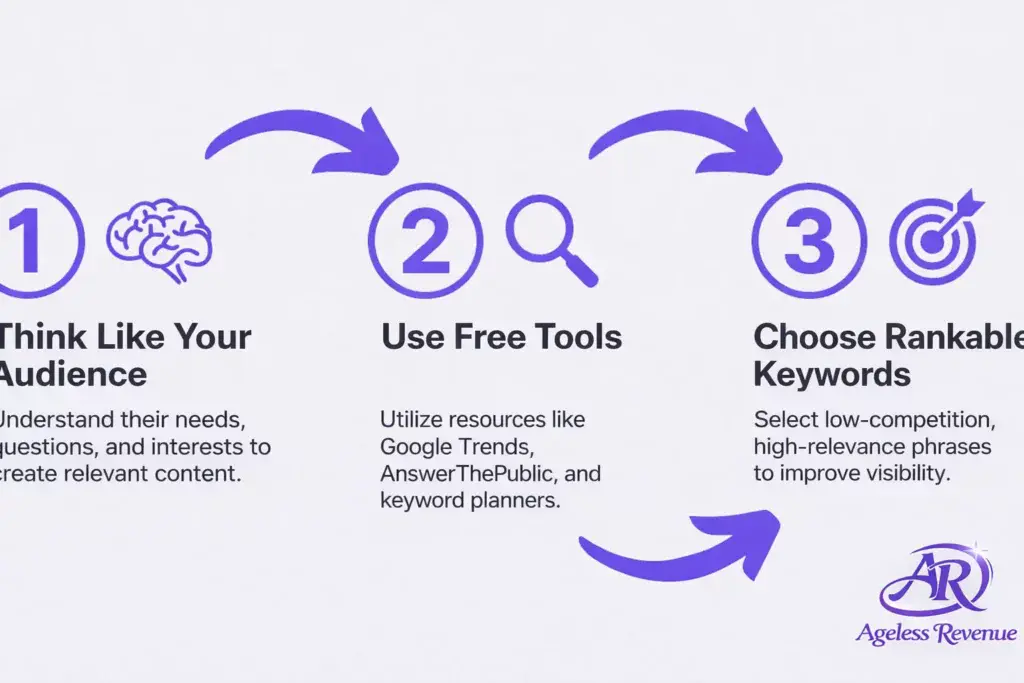
I’m going to break keyword research down into three straightforward steps. This entire process takes 10-15 minutes once you’re comfortable with it. No complicated software required to start—just free tools and a bit of strategic thinking.
Here’s the process:
Step 1: Think Like Your Fellow Seniors (The Brainstorming Phase)
Step 2: Use Free Tools to Validate Your Ideas (Takes 5 Minutes)
Step 3: Choose Keywords You Can Actually Rank For (The Selection)
Follow these three steps every time you plan a new article, and you’ll dramatically increase your chances of ranking on the first page of Google results.
Let me walk you through each step in detail.
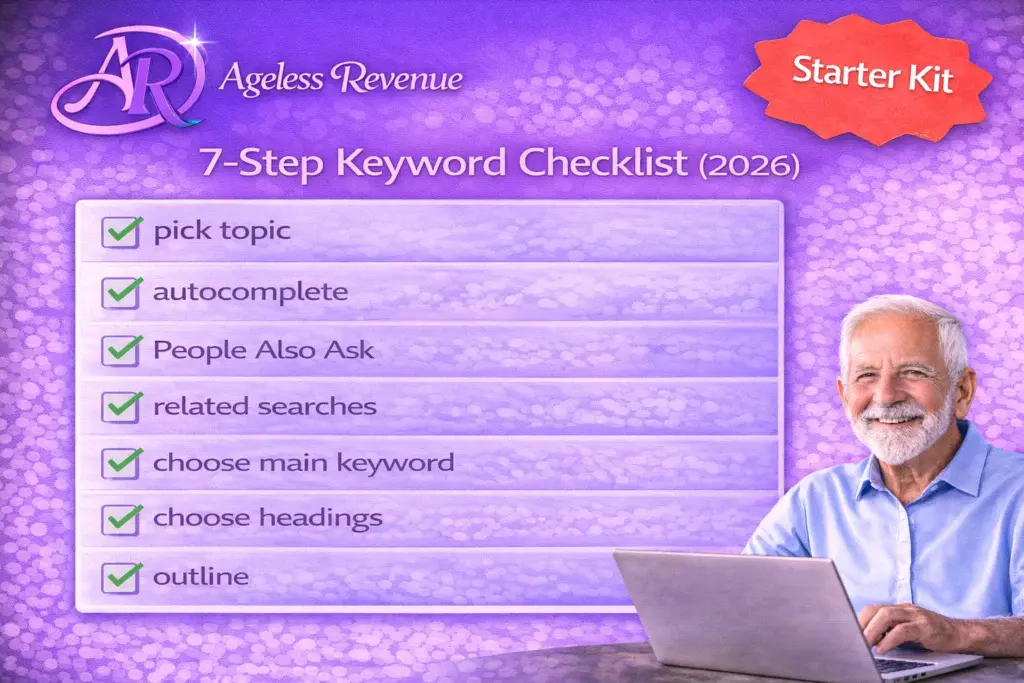
Step 1: Think Like Your Fellow Seniors (The Brainstorming Phase)
Before you touch any tools, start with what YOU would search for. This is the most important step, and most beginners skip it completely. They jump straight to tools and forget to think like an actual human being who has a problem to solve.
Here’s the key insight: You’re your own best research source. The questions you’ve had, the problems you’ve solved, the information you’ve searched for—these are exactly what your audience is searching for too.
Think about conversations that come up repeatedly. What do friends ask your advice about? What YouTube videos have you watched lately? What keeps you googling for answers?
Brainstorming techniques that work:
The “How To” Method:
This is the easiest starting point. People search “how to” + action all day long.
Examples:
- “How to start a vegetable garden for beginners.”
- “How to organize a small closet.”
- “How to choose a retirement community.”
- “How to stay connected with grandchildren long distance.”
Write down: “how to” + something you know how to do
The “Best” Method:
People want recommendations from someone they trust.
Examples:
- “Best ergonomic gardening tools for seniors”
- “best tablet for grandparents”
- “best walking shoes for plantar fasciitis”
- “best easy recipes for two people”
Write down: “best” + product/solution + for specific situation
The Question Method:
Questions are content gold because they show clear search intent.
Examples:
- “What is companion planting?”
- “Why do tomatoes split?”
- “When should I prune roses?”
- “Where to retire on social security.”
Use: what, why, when, where, who, which
The Comparison Method:
People researching purchases compare options.
Examples:
- “electric vs gas lawn mower for seniors”
- “Fitbit vs Apple Watch for older adults”
- “raised bed vs container gardening”
Format: [Option A] vs [Option B]
Take 5 minutes right now: Write down 10 questions someone might ask you about your niche topic. Don’t worry about perfect phrasing or whether they’re “good” keywords yet—just capture the ideas. This brainstorming creates your foundation.
These are real search queries. Every single question or problem you list is something people are typing into Google right now. Your job is to validate which ones have enough search volume to be worth targeting.
Before you move to tools, make sure you’ve chosen the right focus by reviewing choosing your niche—it impacts which keywords will work best for you.
Step 2: Use Free Tools to Validate Your Ideas (Takes 5 Minutes)
Now that you have 10 potential keyword ideas from brainstorming, it’s time to see which ones people actually search for and how often. You’re looking for two things: search volume (how many people search this) and competition level (how hard it is to rank).
Good news: You can check both using completely free tools. Let me show you three that work beautifully for beginners.
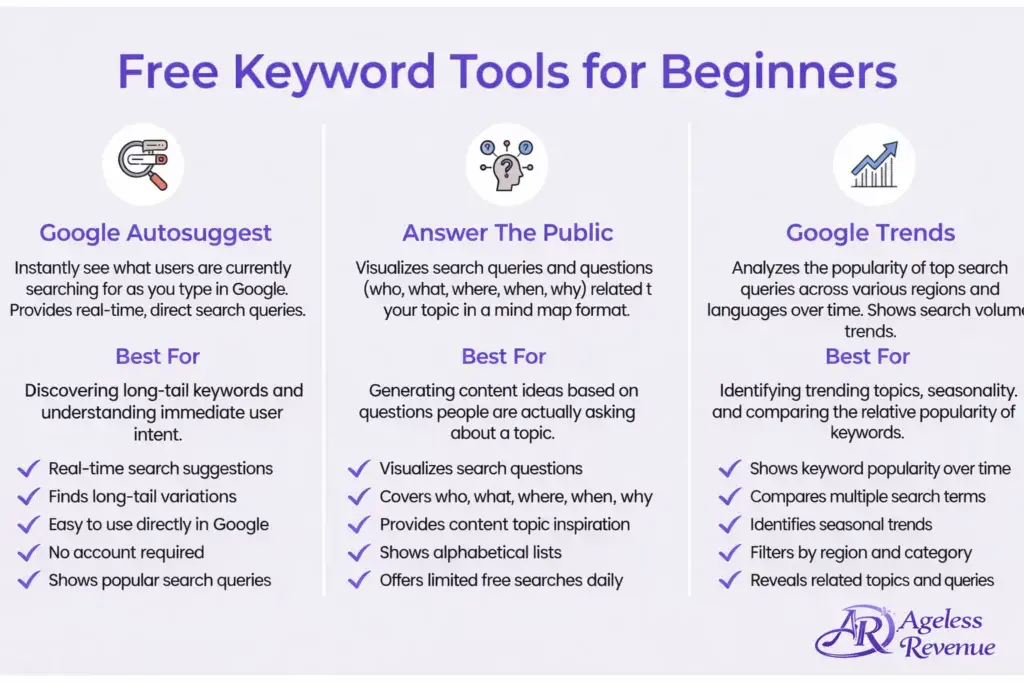
Free Tool #1: Google Autosuggest
This is the simplest validation tool on earth, and you’ve probably used it without realizing its power.
What it is: The suggestions Google shows as you type in the search bar
How to use it:
- Go to Google.com
- Start typing one of your keyword ideas
- Look at the suggestions that appear automatically
- These are REAL searches people are making
Example:
Type: “gardening tips for…”
Google suggests:
- “gardening tips for beginners”
- “gardening tips for small spaces”
- “gardening tips for seniors”
- “gardening tips for vegetables”
Every single one of these is a proven search query. Google only suggests terms that lots of people actually search for.
Why this works: Google’s business depends on showing relevant results. They wouldn’t suggest terms nobody searches. If it appears in Autosuggest, there’s genuine search demand.
Pro tip: Try variations of your topic. Type the beginning, middle, and end of phrases to see different suggestions.
Free Tool #2: Answer The Public
This tool is specifically designed for finding questions people ask—perfect for blog content.
What it is: A visual tool that shows hundreds of actual questions people search for about your topic
How to use it:
- Go to AnswerThePublic.com
- Enter your main niche keyword (one word: “retirement,” “gardening,” “travel”)
- Get a visual map of questions organized by question word (what, how, why, when, where)
- Screenshot or write down relevant questions
Answer The Public aggregates data from Google and Bing Autosuggest to show you every question variation people are searching—all organized visually.
Why retirees love this tool:
- Completely visual and intuitive (no confusing interface)
- Shows questions in plain English
- Reveals content ideas you’d never think of on your own
- Free tier includes 2-3 searches per day
Example results for “retirement”:
- “What retirement age for full social security?”
- “How to retire early with no money.”
- “When to start taking social security.”
- “Where to retire on a budget.”
- “Why retirement is boring.”
Each question = potential article topic. The fact that it appears means multiple people have searched for it.
Pro tip: Focus on questions that surprise you. If you didn’t think of it during brainstorming, chances are your content will fill a gap your competitors haven’t covered.
Free Tool #3: Google Trends
This tool shows search interest over time and helps you compare different keyword variations.
What it is: Google’s official data on search popularity, showing trends and comparisons over time
How to use it:
- Go to Trends.Google.com
- Enter 2-3 keyword variations you’re considering
- Compare which has more consistent interest
- Check if interest is growing, steady, or declining
Google Trends uses actual Google search data to show you whether topics are gaining or losing interest—critical for choosing keywords with lasting value in 2026.
What to look for:
✅ Steady or rising trend = good (sustained interest)
⚠️ Seasonal patterns = plan your content calendar around them
❌ Declining interest = might want to skip this keyword
Example:
Compare: “herb gardening” vs “vegetable gardening.”
- See which has a higher consistent interest
- Notice if one has seasonal spikes
- Choose the one with better sustained traffic
Why this matters: You don’t want to spend time creating content for a dying trend. Trends show you what’s maintaining interest in 2026.
All three tools combined take under 5 minutes once you get comfortable with them. You’re not doing deep analysis—just checking: “Do people search this? How much? Is interest stable?”
These free tools give you plenty of data to make smart decisions. But if you want to skip the multi-tool juggling act, there’s a better way (I’ll show you in the next section).
Step 3: Choose Keywords You Can Actually Rank For
This is where beginners make their biggest mistake: targeting keywords that are way too competitive.
Yes, “gardening” gets millions of searches per month. But so do thousands of massive authority websites with years of content and huge budgets. You won’t rank for “gardening” in your first year (or maybe ever). But you CAN rank for “container vegetable gardening for beginners”—and that’s exactly the strategy that works.
Understanding Search Volume (Monthly Searches):
Here’s how to think about search volume as a beginner:
0-100 searches/month: Too small (unless it’s very high-intent, like someone ready to buy)
100-1,000 searches/month: PERFECT for beginners (your sweet spot)
1,000-10,000 searches/month: Good once you have 20-30 articles and some authority
10,000+ searches/month: Very competitive (save these for year 2+)
Understanding Competition:
Competition means: how many other websites are trying to rank for this keyword, and how strong are they?
Simple Competition Check (Free Method):
- Google your exact keyword in quotes: “your keyword phrase here.”
- Look at the results number at the top
- Under 500,000 results = lower competition (good for beginners)
- Over 1,000,000 results = higher competition (probably skip for now)
- Click the top 3-5 results and skim them
- Ask yourself: “Could I write something more helpful than these?”
If you can honestly say yes, that’s a green light.
What Makes a Keyword “Rankable” for Beginners:
✅ Long-tail keywords (3-5 words instead of 1-2)
Bad example: “gardening” (1 word, impossible to rank)
Good example: “container vegetable gardening for apartment balcony” (6 words, very specific)
Longer = more specific = less competition = easier to rank
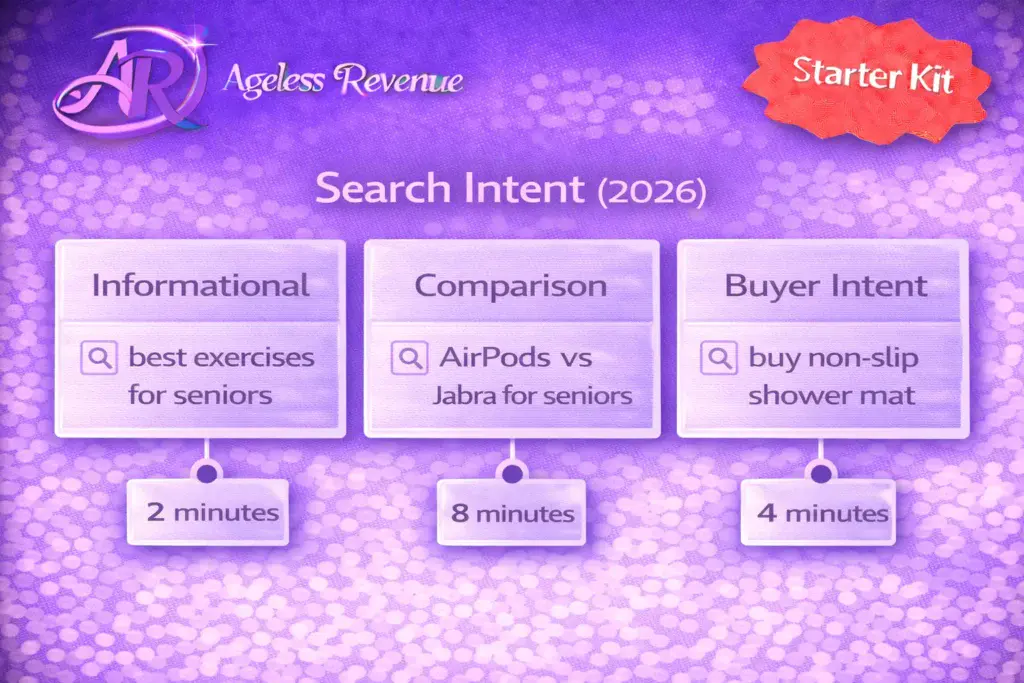
✅ Specific intent (person knows what they want)
Vague: “retirement tips.”
Specific: “How to adjust to retirement after 30 years of working.”
The more specific, the clearer the search intent—and the easier to write focused, helpful content.
✅ Moderate search volume (100-1,000/month)
Enough traffic to be worthwhile, not so much that massive sites dominate.
✅ Question-based (how, what, why, when)
People searching for answers want answers. Your article can directly solve their problem. Question keywords tend to have slightly less competition because they’re longer and more specific.
Now here’s the game-changer for retirees who don’t want to juggle multiple tools:
Wealthy Affiliate’s Jaaxy keyword tool does all of this in one click. Let me show you why it’s perfect for beginners in 2026:
One-click analysis: Enter your keyword, get instant traffic data and competition scores. No switching between tools, no interpreting confusing graphs.
Color-coded results: Green = great opportunity (low competition, decent traffic). Yellow = possible but harder. Red = too competitive, skip it. You literally just look at the color and know whether to target that keyword.
Average rank potential: Jaaxy shows you if you can realistically rank on the first page based on current competition. No guessing required.
Alphabet soup feature: Automatically generates hundreds of keyword variations by adding letters (a-z) to your base keyword. Finds opportunities you’d never think of manually.
Beginner-friendly interface: No SEO jargon. Plain English results that anyone can understand immediately.
Built into Wealthy Affiliate: Included with premium membership (worth $99/month on its own). You don’t pay separately for a keyword tool—it’s part of your training platform.
I use Jaaxy for every single article I write. It cuts my research time from 30 minutes (using free tools) to 3 minutes. I enter a topic, see 20-30 variations with instant traffic and competition data, pick the best green one, and start writing.
The free tools I showed you are great for learning and understanding the process. But once you’re creating 2-3 articles per week, efficiency matters. Jaaxy makes you fast and confident.
Want to dive deeper into Jaaxy and other Wealthy Affiliate training and tools? Check out my full review to see how it all works together.
Long-Tail Keywords: Your Secret Weapon as a Retiree Affiliate
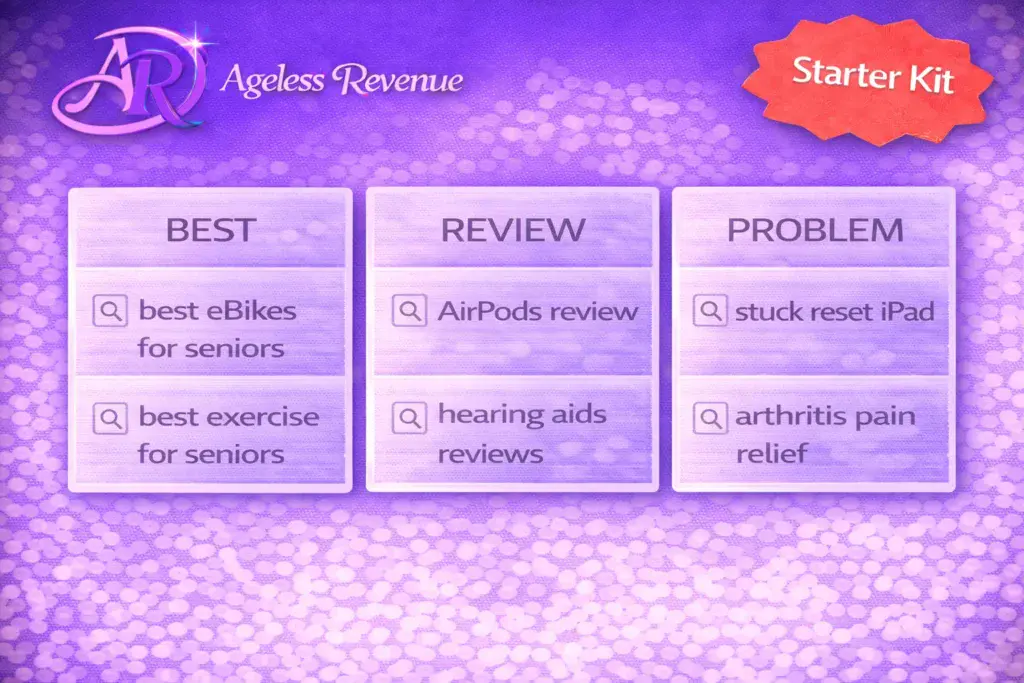
Let me explain why long-tail keywords are your best friend as a beginner—and why they’re actually better than trying to rank for short, popular keywords.
What are long-tail keywords?
Long-tail keywords are longer, more specific phrases—usually 3-5+ words. They have lower search volume individually, but much less competition, and higher conversion rates.
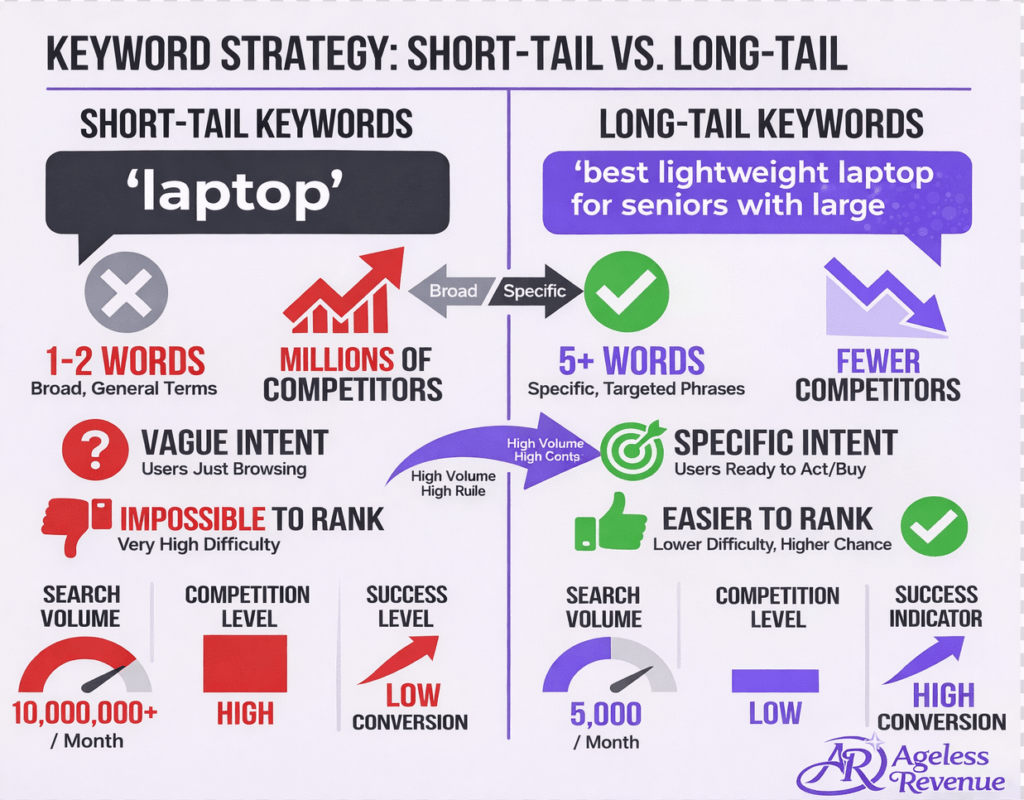
Here’s why long-tail keywords work better for beginners:
Short-tail keyword: “laptop.”
- 1 million competitors are trying to rank
- Vague intent (researching? buying? repairing? comparing?)
- Impossible for a new site to rank
- Even if you rank, visitors might not be interested in what you offer
Long-tail keyword: “best lightweight laptop for seniors witha large screen.”
- Maybe 10,000 competitors (much less)
- Specific intent (ready to buy, knows what they want)
- Much easier to rank
- The visitor is your exact target audience
- Higher chance they’ll click your affiliate link
Real example from my experience:
Instead of targeting “affiliate marketing” (utterly impossible), I target:
- “Affiliate marketing for retirees with no experience”
- “How to start affiliate marketing after retirement.”
- “Affiliate Marketing Beginner Guide for Seniors Over 60”
Each individual keyword gets fewer searches, but I can actually rank for them. And the visitors who find these articles are exactly my target audience—retirees like you who need beginner-focused guidance.
The Math That Makes Long-Tail Work:
100 long-tail keywords × 50 visitors each = 5,000 monthly visitors
That’s much more achievable than trying to rank #1 for one competitive keyword that gets 50,000 searches, but you’ll never rank for.
Long-tail keywords also convert better because the person searching knows exactly what they want. “Best gardening gloves” might be someone browsing. “Best arthritis-friendly gardening gloves with wrist support” is someone ready to buy.
Focus on long-tail keywords for your first 20-30 articles. Build authority. Then you can start targeting slightly shorter, higher-volume keywords as Google begins to trust your site.
10 Beginner-Friendly Keywords You Can Target Right Now
Let me show you real keyword examples across popular retiree niches. Notice how specific they are, how answerable they are, and how moderate the competition is. These are the types of keywords you should be targeting in your first 6 months.
Gardening Niche:
- “How to start a raised bed vegetable garden for beginners.”
- “Best easy herbs to grow indoors for seniors”
- “companion planting chart for tomatoes and peppers”
Grandparenting Niche:
- “fun indoor activities for grandkids on rainy days.”
- “Best educational toys for 5 year old grandchildren”
Healthy Aging Niche:
- “low impact exercises for seniors with bad knees”
- “brain games for seniors to improve memory”
Travel Niche:
- “accessible travel tips for seniors with limited mobility”
- “Best cruise lines for first time senior travelers”
Financial Planning Niche:
- “How to create a retirement budget on fixed income.”
Why these keywords work:
- All 4-7 words long (long-tail)
- Specific problems or questions
- Clear target audience
- Moderate competition (you can actually rank)
- Easy to create genuinely helpful content around each one
- Affiliate products naturally fit these topics
Your turn exercise:
Using the free tools I showed you (Google Autosuggest, Answer The Public, Google Trends), find 5 similar keywords in YOUR niche. Aim for:
- 4-6 words long
- Specific problem or question
- Something you can write 1,500+ words about
- Clear search intent
Write them down. These are your next 5 article topics.
Need more help with content strategy? Explore content creation and blogging strategies to turn these keywords into high-quality posts.
Creating Your Keyword Research Workflow (Your Repeatable Process)
Once you understand the principles, keyword research becomes a quick, repeatable routine. Here’s the exact workflow I use for every article I write. It takes 10 minutes.
The 10-Minute Research Routine (For Each Article):
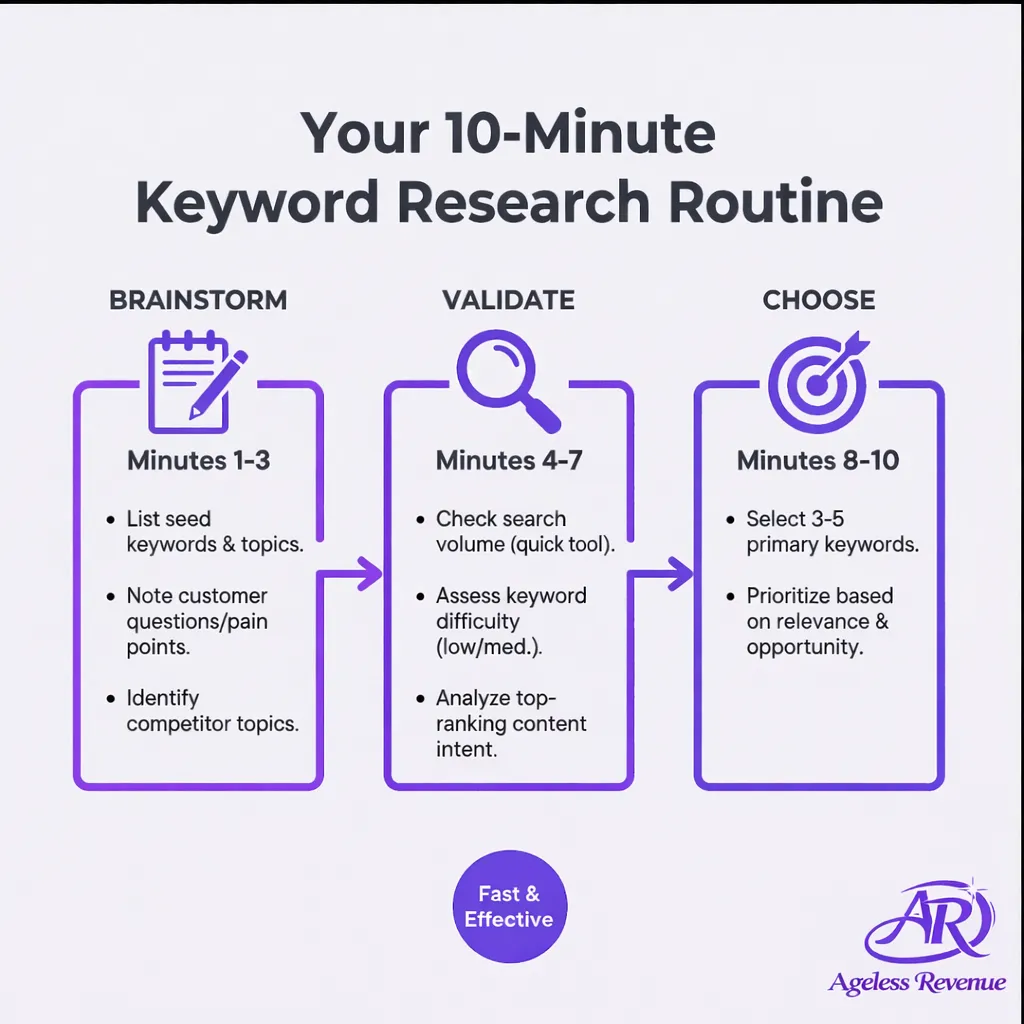
Minutes 1-3: Brainstorm
- Write down your general article topic idea
- List 3-5 ways someone might search for this information
- Use the “how to,” “best,” question, and comparison methods I taught earlier
Minutes 4-7: Validate
- Enter each variation into Google Autosuggest
- Write down the suggestions Google provides
- Check Answer The Public for related questions (if you haven’t used your daily searches yet)
- Pick your top 2-3 keyword candidates
Minutes 8-10: Choose
- Google each candidate in quotes (“exact phrase”)
- Check results number (under 500,000 = good for beginners)
- Skim the top 5 results
- Ask: “Can I write something more helpful than these?”
- Choose your primary keyword
If you’re using Jaaxy (optional but faster):
Minutes 1-3: Enter your topic into Jaaxy
- Get instant traffic and competition data for 20-30 variations
- Filter for green/yellow results (good opportunities)
- Pick the best one
- Done—start writing
That’s the efficiency difference. Free tools work great, but take more time. Jaaxy consolidates everything into one interface with instant answers.
Create a Simple Tracking System:
Keep a spreadsheet with these columns:
- Keyword
- Search Volume (approximate)
- Competition (Low/Medium/High)
- Article URL (once published)
- Date Published
- Notes
Track what you’ve targeted so you don’t accidentally write two articles about the same keyword. After 30-60 days, check which keywords are bringing traffic. Double down on what works.
Bonus tip: As you research keywords, you’ll often find 3-5 great options for one general topic. Don’t lose them. Keep a “Future Article Ideas” list with validated keywords ready to go. On days when you’re not sure what to write, check your list—you’ll have pre-researched topics waiting.
For more tips on maximizing your content workflow, check out these tips to maximize your Wealthy Affiliate training.
FAQ: Keyword Research for Retirees
Q: How many keywords should I target per article?
A: One primary keyword (use it in your title, first paragraph, H2 headings, and naturally throughout) and 2-3 related secondary keywords. Don’t stuff keywords—write naturally for humans, and work keywords in where they make sense. Modern Google rewards helpful content, not keyword-stuffed articles.
Q: What if my keyword idea has zero search volume?
A: That means virtually nobody is searching for that exact phrase. Try rewording it (people might search the same concept with different words), or broaden slightly. Zero searches = no traffic potential, even if you rank #1. Sometimes niche topics have very low search volume but passionate audiences—use the validation tools to check related terms.
Q: Should I target keywords with high competition if they have lots of searches?
A: Not as a beginner. High competition means established authority sites with massive budgets dominate those results. You’ll spend months trying to rank and see little progress, which is discouraging. Target lower-competition keywords first (100-1,000 monthly searches), build authority over 6-12 months, THEN tackle more competitive terms once Google trusts your site.
Q: How often does Google update keyword data?
A: Search trends change constantly, but the free tools update monthly—which is fine for most topics. Time-sensitive niches (news, technology) need more frequent checking. General evergreen topics (gardening, hobbies, health) don’t change dramatically month-to-month, so monthly data is perfectly adequate.
Q: Can I reuse the same keyword for multiple articles?
A: Generally, no—you’d be competing with yourself (called keyword cannibalization). Google gets confused about which page to rank. However, you CAN target different variations: “budget travel tips for seniors,” “budget travel packing tips for retirees,” “budget travel destinations for seniors over 60″—each is distinct enough to warrant its own article.
Q: Do I really need to do keyword research, or can I just write what I want?
A: You CAN write without research, and some posts might accidentally get traffic. But it’s like opening a store without checking if anyone wants what you’re selling. Keyword research takes 10 minutes and dramatically increases your odds of ranking and attracting visitors. Given you’re investing 2-3 hours writing the article, 10 minutes of research is absolutely worth it.
Conclusion: From Intimidation to Confidence
Let’s recap what we’ve covered:
✅ Keyword research = matching your content to what people actually search
✅ Simple 3-step process: Brainstorm → Validate → Choose
✅ Free tools work great: Google Autosuggest, Answer The Public, Google Trends
✅ Long-tail keywords (4-6 words) are your secret weapon as a beginner
✅ Target 100-1,000 monthly searches with low competition
✅ The whole process takes 10-15 minutes per article
Remember when using email or Google search seemed complicated? Now it’s second nature. Keyword research is exactly the same—intimidating at first, automatic after a few articles.
The difference between content nobody finds and content that brings hundreds of visitors is just 10 minutes of smart research. That’s a pretty incredible return on investment.
You’re not trying to game Google or trick the system. You’re simply figuring out what questions people are asking, then providing genuinely helpful answers. When you do that consistently—with a bit of strategic keyword planning—Google rewards you with traffic.
Here’s what I want you to understand: You already know how to search Google. That skill—understanding how to phrase questions to get answers—is 90% of keyword research. The tools just help you see which questions lots of people are asking versus which ones only you think about.
Your next article should start with 10 minutes of keyword research. Use the free tools I showed you. Pick a long-tail keyword with 100-1,000 monthly searches and manageable competition. Then write the most helpful article you can on that topic.
Do that 20 times, and you’ll start seeing consistent traffic. Do it 50 times, and you’ll have a steady stream of visitors ready to read your recommendations and click your affiliate links.
Ready to make keyword research effortless?
Join Wealthy Affiliate and get instant access to Jaaxy—the keyword tool built specifically for affiliate marketers. You’ll also get:
- Complete keyword research training (video lessons designed for beginners)
- SEO optimization guidance (how to use keywords in your content)
- Website setup and hosting (everything in one place)
- A supportive community of retirees (who’ve mastered keyword research and are earning consistent traffic in 2026)
No credit card required to start the free membership. Just your willingness to spend 10 minutes per article making smart, strategic decisions that bring real traffic to your content.
Keyword research isn’t complicated. It’s just intentional. Let’s make your next article impossible to ignore.